


 Continue with Google

 Share on media

Forgot the password of your Gmail account and don’t have the phone or recovery email? No need to worry. You can recover Gmail password of your account without a recovery email or phone number.
For a Gmail account password recovery, Google offers various options, which include recovery through email address, phone number, trusted device/browser, on-screen prompt, and security questions. Whereas, to recover the passwords of your Google account without a phone number or recovery email, your options for recovery are limited.
In the case of recovering the password of the Google account without phone number and recovery email, you have to go to Google Account Recovery > Enter Your Email > Select “Try Another Way” > Answer Security Questions > Provide a Contact Email > Reset Your Password. The success of the recovery also depends on various key tips, like using a more familiar device, location, and browser, along with entering previous passwords and using multiple attempts.
Understanding Google’s Password Recovery Process
Gmail, by Google, is among the safest and most secure mailboxes. Gmail blocks over 99.9% threats, which include spam, phishing, and malware. To further keep the Gmail accounts, Google utilizes various key security features, like 2-Factor Authentication, End-to-End Encryption, and Protective Alerts, among others.
The security process of Gmail accounts starts at an official recovery page, i.e., g.co/recover, and involves various automated and manual reviews. Google also offers multiple options to recover a Gmail password without a phone number and recovery email, which include multiple attempts and key details, like accurate previous passwords and creation dates.
Step-by-Step Guide for the Gmail Password Recovery
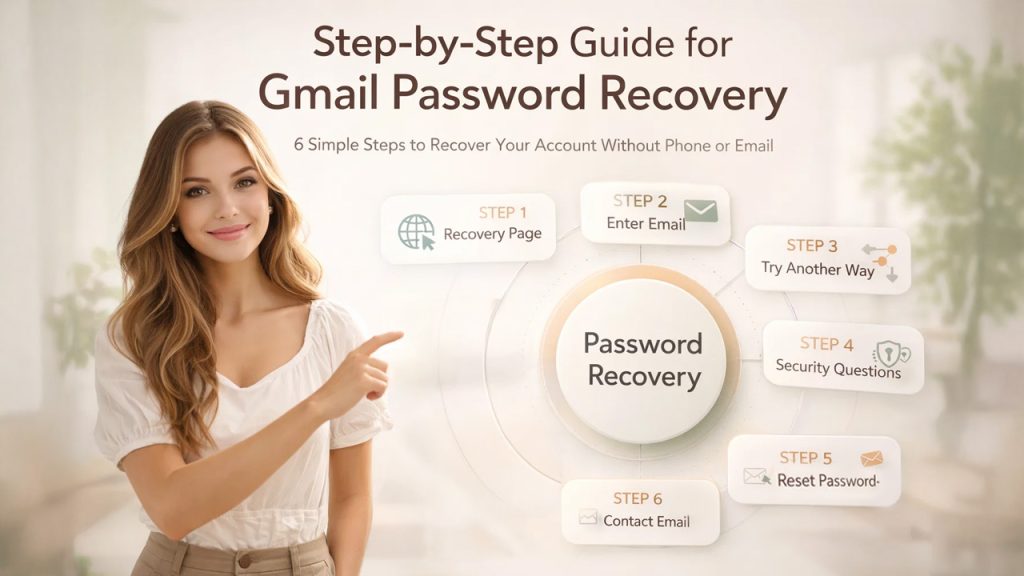
Want to learn how to recover a Gmail account without verification? Here is a step-by-step guide on how you can achieve it. The process to recover Gmail password without phone number and recovery email includes 6 easy-to-follow steps. The blog takes you through all the steps in detail, ensuring an easy recovery of your Gmail account password.
The detailed description of the password recovery process of the Gmail account is as follows:
Step 1: Go to the Recovery Page.
The first process includes going to the recovery page. For this, you can open the web browser that you have used before this account, like Chrome. Go to g.co/recover and enter your Gmail address.
Step 2: Enter Your Email Address.
On the Recover page, you have to enter the email address of the Gmail account that you want to recover. After entering the email address, click on Next.
Step 3: Selecting Try Another Way.
On the password page, you have to select “Try Another Way” or “I don’t have my phone” until a different option appears. Google presents various account recovery prompts, which help to verify the identity of the user. Some of the alternate prompts include Notification to Another Device, Recovery Email, Security Questions, Last Remembered Passwords, Account Creation Date, Waiting Period, and Alternative Contact.
Some of the alternate prompts include:
- Notification to another device
- Recovery email
- Security questions
- Last remembered passwords
- Account creation date
- Waiting period
- Alternative contact
Example Scenario
Suppose you forgot your Gmail password while traveling and don’t have access to your phone. In this case, using a familiar device like your home laptop and entering previous passwords can significantly improve your recovery chances.
This is because Google prioritizes trusted signals like device history, location, and past login activity when showing recovery options under “Try Another Way.”
Step 4: Answer Security Questions.
On the next step, Google may give a prompt to answer a security question, along with other prompts, like to enter a previous password or providing an email address where you can be contacted later.
On the 4th step, Google can ask you a series of questions to confirm your identity. Even if you are unsure of the right answer, you can make your best guesses, as this won’t lock you out of the process.
Step 5: Provide a Contact Email.
If you are successful in providing enough information, Google may ask you to provide a contact email, where you can receive a recovery link for your Gmail account password, after a 48-hour verification period.
Step 6: Reset Your Password.
After verification of your identity, you will receive a recovery link with the instructions to create a new and stronger password. This step explains how to reset password securely while ensuring your account remains protected. It is also recommended to enable Password Manager, which stores your new passwords securely.
How to Create a Strong Gmail Password (After Recovery)
Once you regain access to your account, setting a strong password is critical to prevent future lockouts or unauthorized access. A weak password is one of the most common reasons users lose access again.
A secure Gmail password should:
- Be at least 12–16 characters long for better protection
- Include a mix of uppercase letters, lowercase letters, numbers, and special characters
- Avoid using common words, names, birthdays, or predictable patterns like “123456” or “password123”
- Be unique to your Gmail account and not reused across other websites
For example, instead of using a weak password like rahul123, a stronger version would be something like R@hU!92#MailSecure.
You can also use a password manager to generate and store complex passwords securely, so you don’t have to remember them manually.
Pro Tip: After resetting your password, update it across all devices where your Gmail account is logged in to avoid sync issues.
How Long Does Gmail Password Recovery Take?
The time required to recover your Gmail password can vary depending on how successfully Google verifies your identity. In some cases, access can be restored instantly, while in others, it may take several days.
Here’s a realistic breakdown:
- Instant Recovery: If you successfully verify your identity using a trusted device, saved login session, or correct previous password, you may regain access immediately.
- 24–48 Hours: If Google asks for a contact email, you may receive a password reset link within this time after verification.
- Up to 72 Hours: In some cases, Google may take additional time to review your request before sending recovery instructions.
- Up to 7 Days: If multiple verification attempts fail or your account requires deeper security checks, recovery may be delayed due to a temporary security lock.
Important: Avoid making repeated failed attempts in a short time, as this can extend the recovery period.
Why Gmail Password Recovery Sometimes Fails
Despite following the above process, some users may still be locked out of their Gmail account. This is typically due to Google’s verification process being more focused on security than ease of access. It might deny your request if it can’t be sure about your identity.
Here are some of the reasons your Gmail password may not be recovered:
Incorrect or inconsistent answers
Inaccurate or inconsistent responses to security questions (such as past passwords and account information) may lower your success rate. Even minor discrepancies can raise a red flag for Google.
Using a new device or an unfamiliar location
Using a device, browser or location you haven’t used before can be flagged as suspicious by Google. This decreases the trust and may block recovery.
Too many failed attempts
If you try to recover your account multiple times in a short period, you may be temporarily locked out. During this time, Google can temporarily lock out the account for 24-72 hours.
Not remembering previous passwords
Previous passwords are used to prove account ownership. Not knowing any old passwords reduces the likelihood of recovery.
Inactive or rarely used account
Older accounts may have fewer recovery hints in place. This makes it harder for Google to verify ownership.
Key Insight
When recovering Gmail accounts, it’s not about answering questions, it’s about proving who you are. The more clues you can give (computer, location, previous passwords), the better.
What to Do If You Can’t Recover Your Gmail Account
Despite all efforts, recovering a Gmail account might not be successful the first time – particularly if you don’t have a recovery phone or email address. If this happens, rather than guessing different information, you should do things a little differently.
Here are a few things you can do to increase your chances of success:
Wait Before Trying Again
If you’re unsuccessful, don’t try again immediately. Repeated attempts could be blocked by Google. You can try again in 24-72 hours to clear the system’s risk signals.
Use the Same Device and Network
Try to recover from the same device (such as your computer or mobile phone) and on the same WiFi network. Google will use this to authenticate your identity.
Try an Old Browser or Previously Used Device
Google monitors your usage patterns. Attempt to recover it at the time you normally use Gmail (for instance, early morning or late afternoon).
Attempt Recovery During Your Usual Login Time
Google tracks user behavior patterns. Try recovering your account at the same time of day you usually access Gmail (for example, morning or evening).
Check If the Account Is Deleted or Disabled
If you haven’t logged into your account for a while, it may have been disabled by Google. This could make it impossible to recover the account.
Avoid Using VPN or Changing Locations Frequently
Changing locations or using a VPN while recovering the account may cause security warnings and make recovery more difficult.
By taking these steps, you can increase your chances of regaining access to your Gmail account, even if you don’t have access to a phone number or alternative email address.
Also Read: How to Delete a Gmail Account
Gmail Password Recovery Methods Comparison
Understanding which recovery method works best can save you time and increase your chances of successfully regaining access to your account. Here’s a detailed comparison of all available Gmail recovery options:
| Recovery Method | Access Required | Success Rate | Speed | Best Use Case |
|---|---|---|---|---|
| Phone Number (OTP) | Yes | Very High | Instant | When your phone is accessible |
| Recovery Email | Yes | Very High | Instant | When backup email is active |
| Trusted Device | No | Medium-High | Fast | If you’ve logged in before on same device |
| Security Questions | No | Low | Medium | Only if Google prompts it |
| Previous Password | No | Medium | Fast | When you remember old passwords |
| Contact Email Method | No | Medium | 24–72 hrs | When all other options fail |
Key Takeaways
- Fastest methods: Phone number and recovery email
- Best alternative: Trusted device + previous passwords
- Last resort: Contact email verification (takes time)
- Least reliable: Security questions (rarely shown today)
Important Tips for Gmail Password Recovery
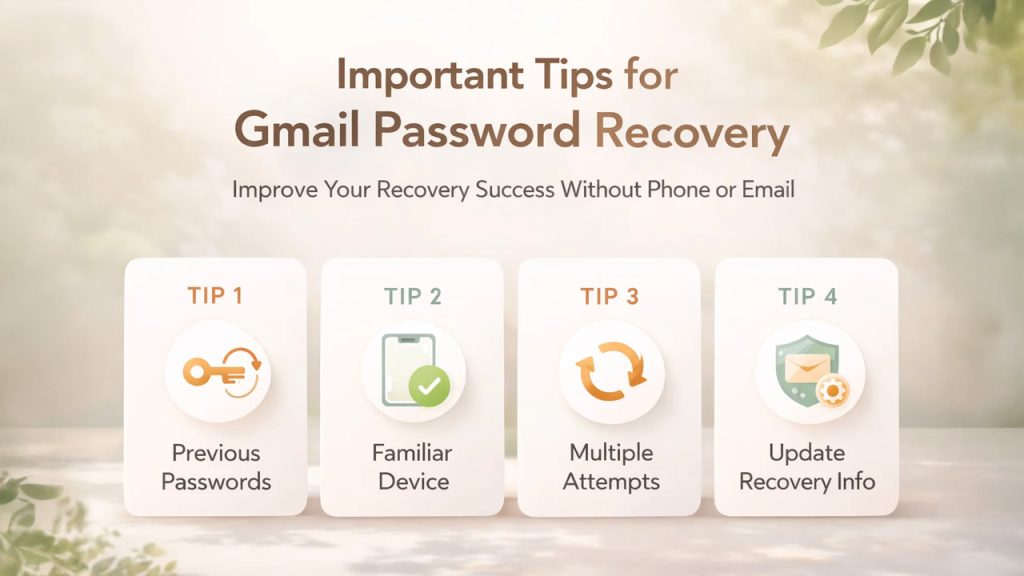
The recovery process of your Gmail, without a phone number or recovery email, depends on various reasons, which include:
- Previous Passwords: Using old passwords significantly increases the success rate of recovering your Gmail account password, without a phone number. Using previous passwords establishes the ownership of the user, without active verification. The method also increases the probability of password recovery, as a correct old password allows bypassing the phone number requirement.
- Familiar Device: A major reason that influences the success of recovering your Gmail account password is using a familiar device. The familiar devices serve as a key trust signal, which bypasses the traditional two-factor authentication (2FA) process, and offers ownership via IP address. Device fingerprinting also helps in increasing the chance of successful recovery, even when other methods fail.
- Multiple Attempts: Using multiple attempts for the Gmail password recovery increases the chances of recovery. As the automated system of Google requires strong evidence of ownership, multiple attempts help the system to recognize consistent behavior.
- Minimizing Future Issues: It is important that you immediately go to the security settings of your Google Account and add or update the recovery email address. You can also consider creating and saving backup codes if you use the 2-Step Verification feature.
Apart from these key tips, you can also recover Gmail password without phone number and recovery email using a familiar browser, like Chrome, or by attempting to recover from a familiar location, like home or work.
Common Mistakes to Avoid During Gmail Password Recovery
While trying to recover your Gmail account without a phone number or recovery email, many users unknowingly reduce their chances of success by making avoidable mistakes. Since Google’s recovery system relies heavily on consistency and trust signals, even small errors can lead to failed verification.
Here are the most common mistakes you should avoid:
- Entering random or inconsistent answers
Guessing different answers each time (like passwords or security questions) can confuse Google’s system. Always try to enter the most accurate information you remember. - Switching devices or locations repeatedly
Logging in from different devices, cities, or networks during recovery can appear suspicious. Stick to a familiar device and location whenever possible. - Using a VPN or incognito mode
VPNs change your IP address, making it harder for Google to recognize you. Similarly, incognito mode removes stored login data that could help verify your identity. - Attempting recovery too many times in a short period
Multiple rapid attempts may trigger a temporary security lock. It’s better to wait 24–48 hours before trying again if your first attempt fails. - Not remembering previous passwords
Even an approximate old password can significantly improve your chances of recovery. Skipping this step lowers your success rate.
Avoiding these mistakes can greatly increase your chances of successfully recovering your Gmail account without needing a phone number or recovery email.
How to Avoid Gmail Password Issues in the Future
Recovering your Gmail account can be time-consuming, especially without access to a phone number or recovery email. To prevent this situation in the future, it’s important to strengthen your account security and recovery options in advance.
Keep Your Recovery Information Updated
Always add a recovery email address and phone number to your account. These act as the fastest and most reliable ways to regain access if you forget your password.
Enable 2-Step Verification (2FA)
Turning on 2-Step Verification adds an extra layer of protection. Even if someone gets your password, they won’t be able to access your account without the second verification step.
Save Backup Codes in a Safe Place
Google provides backup codes when you enable 2-Step Verification. Store these codes securely (offline or in a password manager), as they can help you access your account when other methods fail.
Use a Strong and Memorable Password
Create a password that is both secure and easy for you to remember. Avoid using common words or personal details, and consider using a password manager to store it safely.
Use a Trusted Device and Browser Regularly
Logging in from the same device and browser (like Chrome) helps Google recognize your activity. This increases your chances of successful recovery if you ever get locked out.
Avoid Frequent Password Changes Without Updating Records
Changing your password too often without updating your saved credentials can lead to confusion during recovery. Make sure your latest password is stored securely.
Keep Your Account Organized
A cluttered inbox can make it harder to manage important emails related to security and recovery. Regularly cleaning your inbox, such as learning how to mass delete emails on Gmail, helps you stay organized and quickly access important account-related messages.
Conclusion
The password recovery process of a Gmail account without a phone number or recovery email is easy and achievable. The password recovery of a Gmail account is an automated and self-service process, which includes 6 easy-to-follow steps. The first process of account recovery includes visiting the g.co/recover, which is the official recovery page of Google’s Gmail. At the recovery page, you need to enter the email address of the account you want to recover. After entering the email address, you need to click on “Try Another Way” and navigate to “Enter Previous Password” or “Answer Security Questions”. The final steps of password recovery of a Gmail account include providing a contact email, on which you might receive a link for password reset after 48 hours, and resetting a stronger password through that link.
It is also to note that the recovery of Gmail account password also depends on various key tips, like providing best-guess answers to the security questions, along with entering accurate previous passwords and the date of creation. Using familiar devices, browsers, and location also increases the success rate of Gmail account recovery without a phone number or recovery email.
Having trouble with your Gmail account, you can check out the blog for How to Find Old Emails in Gmail and How to Clean Up Gmail Storage, to effortlessly navigate through your Google account.
FAQs
What is the total number of attempts available for Gmail password recovery without a phone number?
There are no restrictions on the total number of attempts for Gmail password recovery without a phone number or recovery email. Although excessive recovery attempts can lead to a security lock, which can restrict the user for at least 7 days or 168 hours.
Do I need to provide a contact email?
Yes, if the system does not verify you, it may ask for an email address, where Google can contact you later. At this contact email, Google might send a password reset link after a waiting period of 72 hours.
What is the benefit of using a familiar device in Gmail account recovery?
The familiar devices offer various key benefits in recovering the password of a Gmail account. Familiar device bypasses the need for OTP and also establishes trust with Google’s Algorithm. A familiar device also reduces the risk of a locked account and access via device settings.
How many days before a Gmail account is permanently deleted?
A Gmail account is not deleted immediately. If you delete it yourself, it may be recoverable for a short time, usually a few days. However, if the account remains inactive for around two years, Google may permanently delete it along with all its data.
Does Google offer live support for account recovery?
No, Google does not offer live support for account recovery, as the recovery process is automated and self-service.
What is the process of password recovery using the Gmail mobile app?
The process of password recovery of the Gmail account, using the mobile app include-
Open Google/Gmail App > Sign-in > Enter Email Address > Click “Forget Password” > Click “Try Another Way”. Post the following steps; you can enter a new recovery email and reset the password using the recovery link received in the contact mail.