

 Continue with Google

 Share on media
Every day, billions of emails travel across the internet carrying photos, PDFs, spreadsheets, colorful designs, and text in dozens of languages. Have you ever wondered how all of that fits inside a simple email message? The answer is MIME. In this guide, you will learn what MIME is, how MIME email works, the common MIME type email formats, and why this standard matters for everyday communication. We will keep everything simple so anyone can follow along.
What Is MIME in Email?
MIME stands for Multipurpose Internet Mail Extensions. It is an internet standard that extends the original email format so messages can carry more than plain text. If you are asking “what is MIME,” think of it as a set of rules that tells email programs how to understand and display different kinds of content.
The earliest email system was designed in the 1970s and 1980s to handle only basic English text written in 7-bit ASCII characters. That meant no attachments, no images, no accented letters, and no formatting. MIME was introduced in the early 1990s to solve this problem, and it is still the backbone of modern email today.
A Simple Way to Understand MIME
Imagine sending a parcel through the post. The box is the email, and the items inside could be a letter, a photo, and a book. MIME is like the label on each item that says what it is and how to open it. Without those labels, the receiver would not know whether they are looking at a picture, a document, or plain text.
Why Was MIME Created?
Before MIME, email had several limitations that made it hard to use for anything beyond short notes. MIME fixed these problems in a clean and flexible way.
- It allowed non-text attachments such as images, audio, video, and documents.
- It supported languages beyond English, including characters with accents and entire alphabets like Hindi, Arabic, and Chinese.
- It enabled messages with multiple parts, such as text plus an attachment.
- It made rich formatting, like HTML emails, possible.
How Does MIME Work?
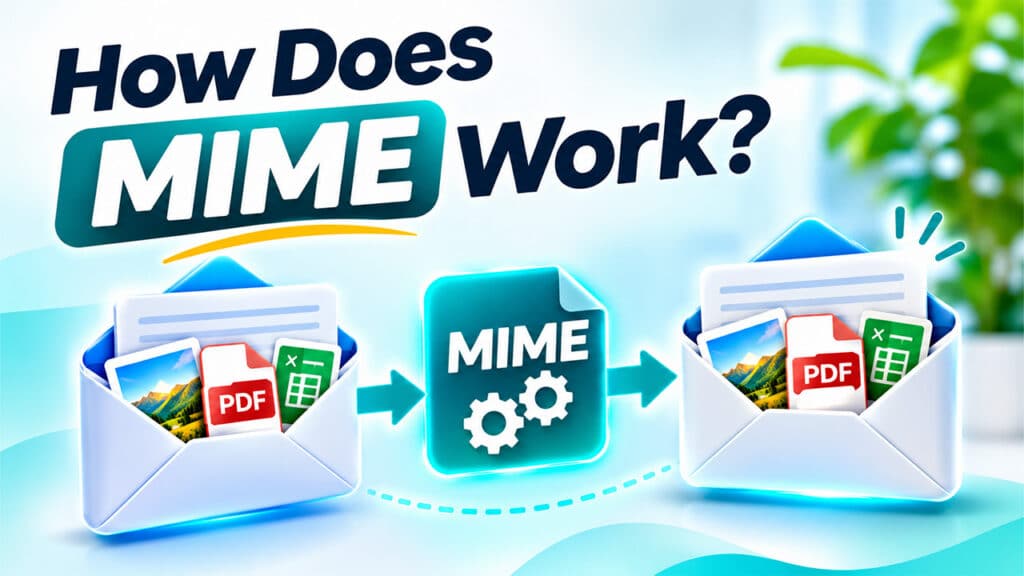
MIME does not replace the email system. Instead, it adds extra information to the message so the receiving program knows how to handle it. This happens in three main steps.
Step 1: Adding MIME Headers
When you send an email, your email client adds special lines called MIME headers at the top of the message. These headers describe the version of MIME being used, the type of content, and how that content is encoded.
Step 2: Encoding the Content
Because email systems were built for plain text, files like images or PDFs must be converted into a text-friendly format before sending. This process is called encoding. The most common method is Base64, which turns binary data into safe text characters. Another method is Quoted-Printable, which works well for text that contains only a few special characters.
Step 3: Decoding on the Receiving End
When the email arrives, the recipient’s email program reads the MIME headers, decodes the content back to its original form, and displays it correctly. A photo appears as a photo, and a PDF can be opened as a PDF. All of this happens in a fraction of a second without you noticing.
Key MIME Headers Explained
MIME relies on a few important header fields. Each one plays a specific role in describing the message. The table below summarizes the most common ones.
| MIME Header | What It Does | Example |
| MIME-Version | Tells the email client which MIME version is used | MIME-Version: 1.0 |
| Content-Type | Describes the kind of data in the message | Content-Type: text/html |
| Content-Transfer-Encoding | Explains how the content was encoded for transport | Content-Transfer-Encoding: base64 |
| Content-Disposition | Says whether content is displayed inside the email or treated as an attachment | Content-Disposition: attachment |
| Content-ID | Gives a unique ID to a part, often used for images embedded in the email body | Content-ID: logo123 |
Together, these headers make sure every part of your email is read and shown the right way.
Understanding MIME Type Email Formats
A MIME type email format is the label that identifies what kind of content a message or attachment contains. A MIME type has two parts separated by a slash: the main type and the subtype. For example, in image/jpeg, “image” is the main type and “jpeg” is the subtype.
Common MIME Types Used in Email
Here are some of the MIME types you will see most often.
| MIME Type | Category | Common Use |
| text/plain | Text | Simple messages with no formatting |
| text/html | Text | Styled emails with colors, links, and layouts |
| image/jpeg, image/png | Image | Photos and graphics |
| application/pdf | Application | PDF documents |
| audio/mpeg | Audio | MP3 music or voice recordings |
| video/mp4 | Video | Video clips |
| application/zip | Application | Compressed files |
Multipart MIME Types
Many real-world emails contain more than one kind of content. For these cases, MIME uses multipart types. Each part of the message is separated by a unique boundary marker so email programs can tell where one part ends and another begins.
The three multipart types you are most likely to meet are:
- multipart/mixed: used when an email has text plus one or more attachments.
- multipart/alternative: used when the same message is offered in two versions, such as plain text and HTML. Your email app picks the version it can display best.
- multipart/related: used when HTML content includes embedded items, such as a logo or image shown inside the message body.
Real-Life Uses of MIME

You use MIME every time you send or receive an email, even if you never see it working. Here are a few everyday situations.
When you attach a resume to a job application, MIME packages the file and labels it as a PDF or Word document. When a company sends you a newsletter with images and buttons, MIME allows the HTML design to appear correctly. When a friend writes to you in Hindi or Spanish, MIME ensures the special characters do not turn into strange symbols. Marketing teams, banks, online stores, and even your own personal inbox all depend on MIME to deliver clear, reliable messages.
MIME is also used beyond email. Web browsers use MIME types to decide how to open files, which is why a video plays in the browser while a ZIP file downloads. The same labeling system keeps both email and the web running smoothly.
Benefits of Using MIME
MIME gives email its flexibility. It allows attachments of nearly any file type, supports international languages, makes designed HTML emails possible, and keeps messages compatible across different email apps and devices. Because it is a universal standard, an email sent from one provider can be opened properly on another.
MIME and Email Protocols
MIME describes the content of a message, but it does not move the message from one place to another. That job belongs to email protocols. When you hit send, the message travels from your device to the recipient’s mail server using a sending protocol. If you want to learn how that sending process works in detail, you can read our guide on What is SMTP, which explains how emails are delivered between servers. MIME and the sending protocol work as a team: one packages the message, and the other delivers it.
Conclusion
MIME is the quiet hero behind every email you send and receive. It lets you attach files, use rich formatting, and write in any language, all while keeping messages compatible across devices and providers. Now that you know what MIME is, how MIME email works, and what a MIME type email format looks like, you can better understand what happens behind the scenes of your inbox. If you want to explore how messages stay organized and synced across your devices after they arrive, take a look at What Is IMAP, which covers another key piece of the email puzzle.
