

 Continue with Google

 Share on media
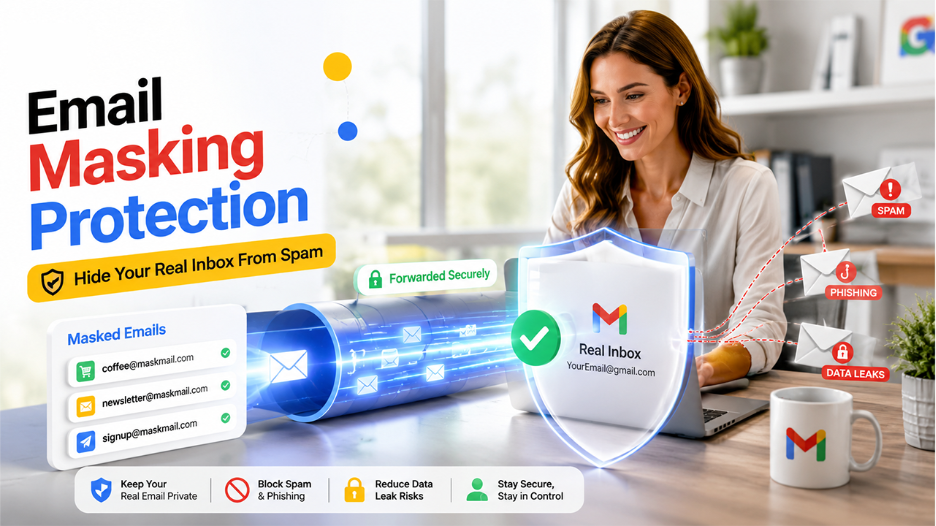
Your real email address is one of the most valuable pieces of data you share on multiple platforms every single day, often without thinking twice.
Every time you sign up for a free trial, join a forum, or shop online, create accounts on apps, that address gets stored somewhere. The problem is that once your email address gets exposed online. After that, leaks, spam, phishing attempts, and unsolicited messages become pretty difficult to stop.
That’s where Email masking rescues you. It is one of the smartest ways to get ahead of that problem before it even starts.
Whether you are a regular user, a business, or someone who sends cold outreach for a living, this handy guide lays out exactly how email masking works, why it matters right now, and what tools actually help.
What Is an Email Mask, Really?
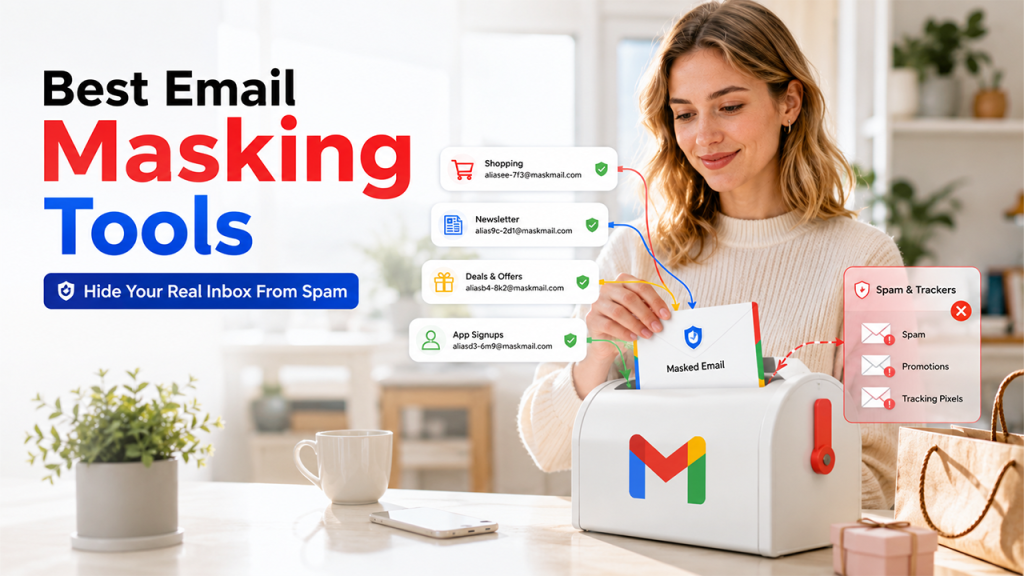
In simple terms, email masking is a concept of replacing your real email address with a fake one that still works. If you are still unsure about the technical differences, this detailed guide on what is email alias explains how aliases work, when to use them, and how they compare to full email masking solutions. It collects messages on your behalf and forwards them to your real inbox. The sender never sees your real address.
Think of it like a P.O. Box for your digital identity. Mail still reaches you, but nobody knows your actual home address. The masked email handles the initial contact while your actual address stays hidden from everyone.
So, if someone asks what an email mask is, the simplest answer is: it is a shield between your real inbox and the rest of the internet.
How the Forwarding System Actually Works
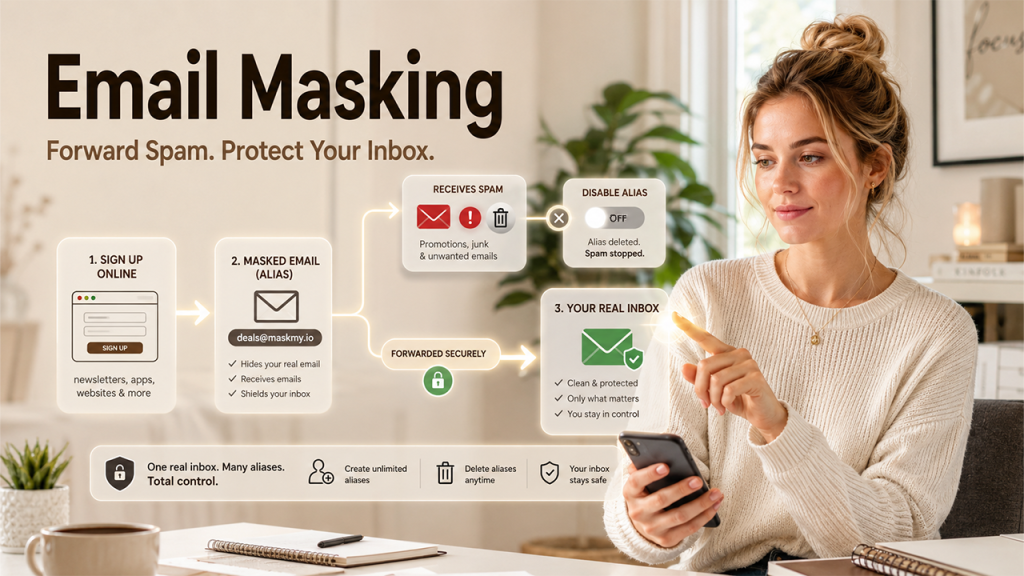
You might be thinking that email masking is complicated to set up. It’s not. The process follows a simple path. You just need to generate a masked address through a masking service. You use that address when signing up for a website, app, or newsletter. The website sends emails to the masked address. The masking service then forwards those emails to your real inbox discreetly in the background.
The best part is that you can turn off or delete that masked address at any point in time. If one mask email address starts getting flooded with spam, you kill it. Your real email stays intact.
How to Set Up Email Masking Step-by-Step?
Creating your very first masked email is quicker than filling out the registration form that you are going to shield from prying eyes.
Step 1: Choose an email masking provider
Apple’s Hide My Email option comes directly integrated with IOS or macOS, while third-party providers like Simple Login and Firefox Relay are also equally good.
Step 2: Generate a new masked email address
Just a single tap or click on your phone or PC screen, depending on the method used, will be enough.
Step 3: Use a mask instead of your personal email address
Give it out for any website, app, or newsletter subscription that you need. Communication will happen exclusively through the mask.
Step 4: Forward your emails automatically
It happens once you create your masked address without additional settings whatsoever.
Step 5: Label your mask addresses whenever possible
An address like Amazon-mask-3829 makes more sense compared to some random address months down the line.
Step 6: Disable any malicious masked email addresses
If an address attracts spam or gets included in a database breach, disable it directly from your account.
Alternatives to Email Masking
Email masking is a useful tool that helps in protecting the primary inbox from spam and unwanted tracking. There are various useful alternatives to email masking available, like email aliases, disposable emails, secondary email accounts, and a custom domain, among others. Some of the main alternatives to email masking are as follows:
Email Aliases
Email aliases are designed to offer enhanced privacy to users. With email aliases, the user can create additional addresses, which are connected to the primary inbox.
Email aliases are ideal for organizing communication, separating personal and professional use, and long-term account management.
Benefits
- Easy to manage
- Works on most services
- Ideal for permanent accounts
Limitations
- May reveal your domain or identity
- lower privacy than a randomized masking address.
Temporary or Disposable Emails
The temporary or disposable email services generate a short-lived inbox, which expires automatically. Platforms like YOPMail are also free, disposable, and require zero registration.
Disposable emails are ideal for one-time signups, testing services, and avoiding marketing spam.
Benefits
- Fast and anonymous
- No setup required
Limitations
- Can be blocked by many websites
- weak long-term reliability
Secondary Email Accounts
Creating a secondary email account can also help protect sensitive information. Alternative or secondary email accounts also help maintain separate email accounts for multiple purposes.
The method is ideal for compartmentalizing online activity and reducing spam in primary inboxes.
Benefits
- Simple and easy to use
- Do not require a third-party masking service.
Limitations
- Harder to manage
- Exposes the email address itself
Custom Domains
The custom domains are ideal for privacy-conscious users, as they use their own domain with a catch-all forwarding system. Custom domains can be considered best for advanced users, long-term privacy control, and professional flexibility.
Benefits
- Offer maximum control
- Scalable alias creation
Limitations
- Requires technical setup
- Domain ownership may identify the user
Email Masking vs. Email Alias: Not the Same Thing
People tend to mix these two concepts up, and yet there is a subtle difference that you need to know. To understand it, we should first look at the concept of an email alias.
An email alias is simply an alternative email address made from your current address, such as “+shopping” on Gmail. It still points to the same account and does not truly hide your identity. An email alias is an alternate version of your actual email, while a masked email is a completely separate email address.
Here is a quick comparison to make this clearer
| Feature | Email Masking | Email Alias |
| Hides Real Address | Yes | No |
| Auto Generated | Yes | Usually manual |
| Can be Deleted Independently | Yes | Limited |
| Works Across Providers | Yes | Tied to your provider |
| Best for Privacy | Strong | Moderate |
Email masking goes further because the masked address has zero connection to your real one on the surface. Unlike an email alias, nobody can reverse-engineer it to find your real inbox.
Who Actually Needs This? More People Than You Think
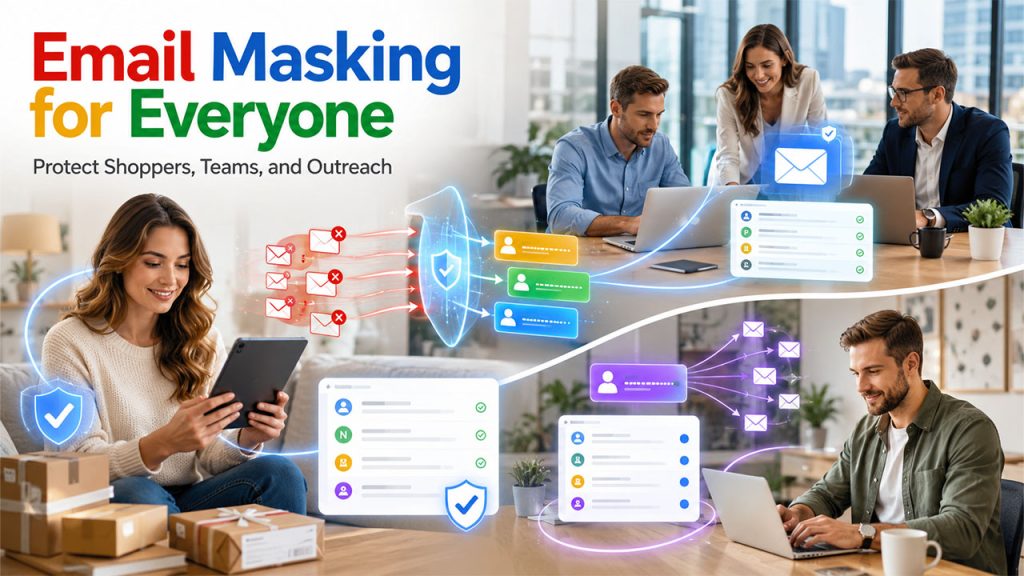
Regular Users and Online Shoppers
If you are the one who frequently shops online through different e-commerce sites, you hand over your email address to dozens of companies every year. That also means you see a bombardment of promotional emails in your inbox every day. Plus, each one becomes a potential spam source, or worse, a data breach risk.
On the other hand, the more you use different masked email addresses, ideally one per online account, the more you limit the potential damage of information leaking in a data breach. That email address will not work on other websites as a login ID or for a password reset.
Businesses and Teams
Companies frequently deal with many risks. Public-facing email addresses, like support@ or info@, attract enormous volumes of spam and phishing attempts.
Strong email security policies within organizations increasingly recommend masking for customer-facing and outreach-specific addresses. It keeps the primary domain reputation clean and reduces the attack surface for phishing and spoofing attempts.
Many organizations now include masking practices inside broader Email Security Policies to reduce phishing risks, protect employee accounts, and maintain better control over customer communications.
Freelancers and Cold Outreach Senders
For any email marketer doing outreach campaigns, sending from your primary domain puts it at risk in case the campaign goes sideways. Using a masked or alias-based address for a specific campaign keeps your main domain reputation intact. It also lets you track which campaign a reply came from, based on the address it lands in. How to Mask Your Email Address: Platforms and Methods
How to Mask Your Email Address on Apple Devices
Apple users have a built-in advantage. The “Hide My Email” feature, available through iCloud+, generates random addresses that forward to your real inbox. It works natively inside Safari and the App Store. In fact, you do not need a third-party tool for basic email masking if you are already in the Apple ecosystem.
Email Masking in Gmail
Unfortunately, Gmail does not have native email masking capabilities like those offered by Apple. The only native alternative that exists would be subaddressing, where you can add “+tag” after your email address. But, according to ExpressVPN, this does not hide your real Gmail address. That means anyone you share an alias with still has your underlying email, just with a “+tag” added.
If you want a proper Gmail masking, you can use third-party tools like SimpleLogin, because they perform much better in this way.
Email Masking in Outlook
Microsoft Outlook lets you create aliases via your Microsoft account settings. These aliases share the same inbox, which appears as a different email address to the recipient. It is a useful starting point, though similar to Gmail aliases, these are tied to your Microsoft account and do not offer the same level of anonymity that a proper masking service does.
When NOT to Use Email Masking
Email masking can help in improving privacy and reducing spam, but it is not considered ideal for every situation. Various accounts and services require stable and long-term access, for which using a primary or trusted email address may be a better option.
Some crucial platforms where using email masking is not recommended are:
- Banking and Financial Accounts
The user should avoid using masked email addresses for banking apps, payment platforms, investment accounts, and tax-related services.
Such accounts require identity verification, along with a stable email address for account recovery and long-term reliability.
- Government or Legal Services
Users should not rely on masked emails for various governmental and legal services, like passport portals, tax systems, court or legal communications, and public service accounts.
- Medical and Emergency Services
Using masked email addresses is also not recommended for using for various medical and emergency services, like appointment reminders, emergency notifications, sensitive medical information, and prescriptions.
The Best Tools for Email Masking Right Now
A few tools stand out if you want something that actually works:
Apple- Its Hide My Email feature is the easiest pick for iPhone and Mac users. It comes with iCloud+ at no extra cost and fits naturally into Apple apps without any setup headaches.
Firefox- Relay helps you create up to five free aliases right inside the browser. No new account needed, no extra steps. It works well for casual masking.
SimpleLogin- It is now part of the Proton ecosystem and is the common option here. It is open-source, runs on any device, and supports custom domains. Premium users also get Proton Pass Plus thrown in, which covers a password manager, vault sharing, dark web monitoring, and two-factor authentication at no further cost.
AnonAddy- It offers a generous free tier and is also open-source. It is popular with privacy-focused users who want flexibility without paying up front.
DuckDuckGo Email Protection. This tool removes tracking pixels from emails before forwarding them to your real address. That is a useful layer on top of standard masking, since many marketing emails use invisible trackers that report back when you open a message.
Real Limitations You Should Know About
Email masking is quite useful, but it is not perfect. Some platforms actively detect and block known masking domains, which means your masked address might get rejected at signup. Free tiers on most services come with limits on the number of aliases you can create. And if the masking provider shuts down, you lose access to all forwarding. Therefore, choosing a stable, established service matters a lot.
The privacy side also has some limits. Your email address stays hidden, but your IP address and browsing activity do not. Anyone looking hard enough can still track what you do online.
Pairing masking with a VPN is a good idea. This matters even more in places where regulations like the VPN Age Verification Law Utah are pushing users toward combining privacy tools such as VPNs, email masking, and tracker blockers to better protect their personal information online.
Is Email Masking Legal?
Yes, completely. Email masking is a legal privacy practice in virtually every country. It is not the same as email spoofing, which fakes the sender’s identity to trick recipients, often used in phishing attacks.
Masking just protects your own address. It is the digital equivalent of using a nickname or a P.O. Box, something people have done before offline for decades.
Conclusion
Using email masking is another privacy trick that may come in handy in case you need to protect yourself from various cyber threats and keep your email address private. Instead of providing your genuine email address to all websites and applications, you will be able to put a shield between your personal data and third parties. Setting up masked email addresses requires no effort, but it helps greatly prevent spam, phishing attacks, and possible dangers connected with data breaches.
In any case, when registering for some websites, trying out some online services, shopping online, or dealing with different online services, you will be able to have more control over who contacts you via email. When online privacy starts to matter much, email masking becomes a useful tool that everybody may use. Make use of it right now and protect your online life from possible threats.
People Also Ask: Email Masking Explained Simply
What is email masking in simple words?
Your real email stays hidden behind a temporary address that handles incoming mail for you. Messages land in your inbox as usual, but whoever sent them only ever sees the fake one.
Can masked emails receive attachments?
They can, yes. Files come through along with the rest of the message. It actually works as a real one. Where things occasionally break down is with oversized attachments, since certain masking services put a cap on how much data they will allow to pass along.
Does Gmail support email masking natively?
The “+tag” method looks like masking, but does not work that way. Your real address is still exposed, just with extra text tacked onto it. For genuine masking, third-party tools like SimpleLogin handle it far better than anything Gmail offers on its own.
What is the difference between a masked email and a temporary email?
A masked email is a permanent forwarding address you control and can disable anytime. A temporary email is like a disposable email. You use it once and throw it away. That means it is disposable and usually expires after a short period. Masked emails are better for ongoing use; temporary emails are for one-time sign-ups.
Can websites detect masked emails?
Some can. Certain platforms maintain blocklists of known masking service domains and will reject those addresses at sign-up. Choosing a less well-known or custom-domain masking service reduces this risk to a great extent.