

 Continue with Google

 Share on media
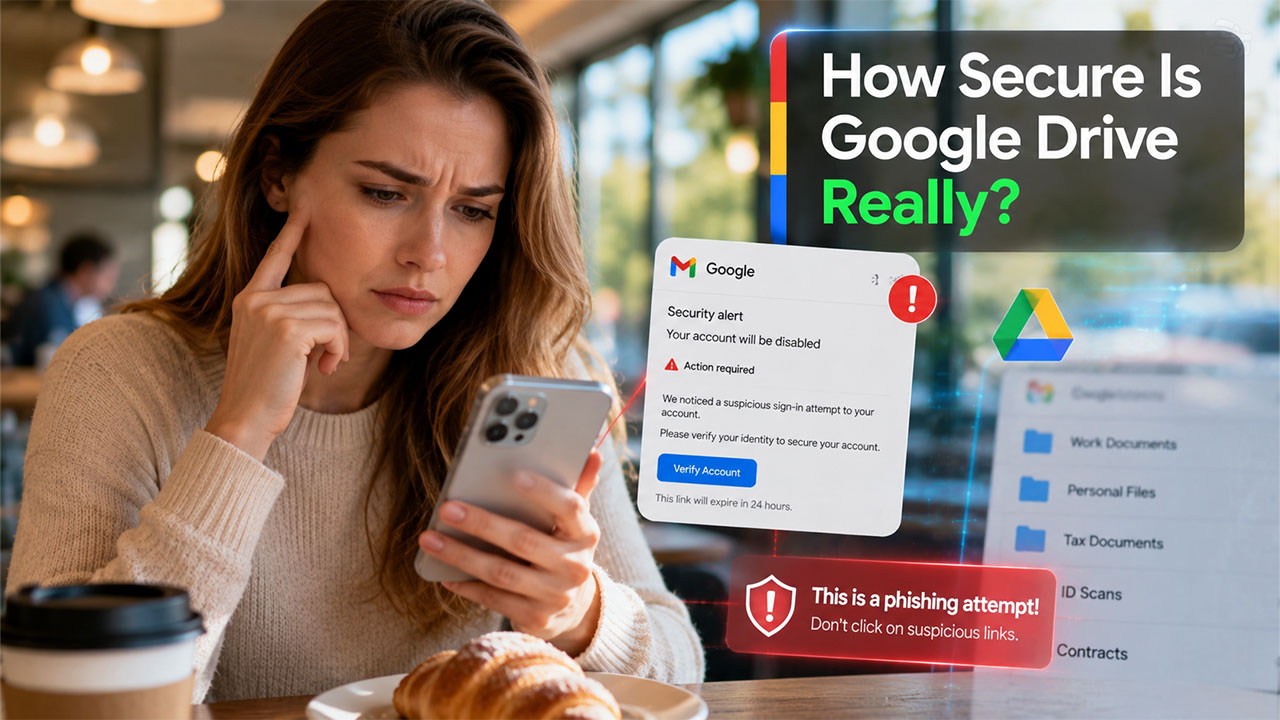
Many of us probably have files stored in Google Drive right now, which may include a scanned ID, an old resume, maybe a contract you signed last year. Most people upload files and never come back to check them. But every now and then, a data breach makes headlines, and suddenly that question pops up: how secure is Google Drive, actually?
The honest answer is: it depends. It’s a fact that Google has built strong protections into the platform, but those protections only go so far. User behavior, sharing settings, and account hygiene matter just as much as what Google does on its end. This all-inclusive post breaks all of it down in plain language, no jargon, no unnecessary stuff.
What Is Google Drive and How Does It Work?
Google Drive is basically a cloud-based storage service that allows one to store documents online, as well as retrieve them from any device. When a user uploads a document, a picture, or a PDF, it means that all the files are hosted by Google’s server, not only by your device itself.
You can sync files across your phone, laptop, and tablet, easily share them with others, and collaborate in real time through Google Docs, Sheets, and Slides.
It works because your files live on Google’s infrastructure, not just on your device. That is both a convenience and safe from a security standpoint.
How Secure Is Google Drive?
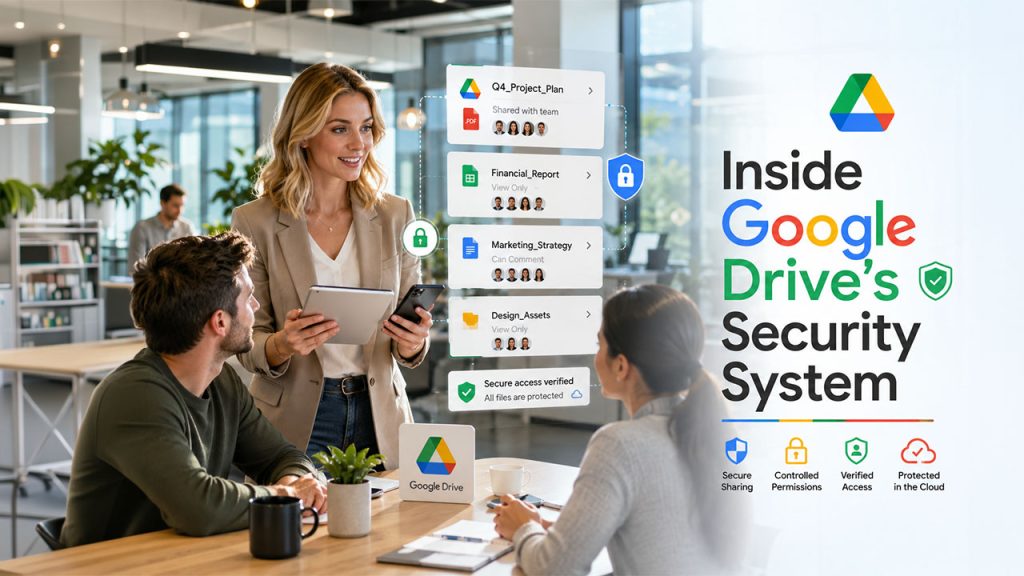
Google Drive uses several levels of protection that secure your files from potential threats while transferring files, storing files in their servers, and when someone tries to gain access to your personal account.
Encryption in Transit and at Rest
When files are moving between your device and Google’s servers, Google Drive uses 256-bit SSL/TLS encryption. When files are stored on Google’s servers, they are protected using AES-128 encryption. Think of it like this: your files are locked in transit and locked again once they arrive. Neither lock is easy to break.
That said, there is an important distinction to understand. Google Drive does not provide default end-to-end encryption, which means Google retains the encryption keys and can access stored files if required. This is different from zero-knowledge encryption, where not even the storage provider can see your files.
If you’re comparing cloud storage platforms, it’s also worth understanding how other providers handle privacy and encryption. Some users prefer alternatives with different sharing controls or file protection models. You can also read our detailed comparison on Is Dropbox Secure to see how it stacks up against Google Drive in terms of privacy and security features.
Google Account Protection
Google provides several features that ensure account safety from any possible intrusion. 2FA adds another layer of security when logging into your account. Although an intruder may have your password, they still will not be able to enter your account without a mobile device. Google informs you when there are any new logins detected from unusual locations or devices.
Since Google Drive files are often shared through Gmail, securing the files themselves is only part of the process. It’s equally important to protect the emails used to send them. Following best practices in How to Send a Secure Email can help reduce the risk of unauthorized access when sharing confidential documents via email.
Google’s Infrastructure Security
When you save some files on Google Drive, then it is kept inside one of Google’s high-tech data centres. Google’s infrastructure has been designed in such a way that any kind of spam, phishing, or malware attacks can be detected and prevented.
How Secure Is Google Drive For Personal Files?
Google Drive is a preferred choice for most personal use cases, such as photos, tax documents, old resumes, educational notes, and medical records. The infrastructure is solid, and the risk of Google itself being breached in a way that exposes your files is pretty low.
Things get riskier in some specific cases. Like a tax document was shared with the wrong person because of a careless link setting. A photo album set to “anyone with the link” that you forgot about. A laptop was left logged in at a cafe.
However, when compared to storing files only on a USB drive or a local hard drive, Google Drive has some real advantages. Hardware can fail, get stolen, or get corrupted, whereas cloud storage keeps a copy even when devices do not. But the downside is that cloud storage introduces new risks: account compromise, misconfigured sharing, and how companies like handle user data.
If you have highly sensitive files, like legal documents, financial records, or anything you would genuinely never want anyone else to see, it is essential to take extra precautions, which we explain below.
Is Google Drive Safe for Sharing Files?
One of Google Drive’s biggest strengths is file sharing, but it is also where most security mistakes happen. The platform itself is secure, but sharing settings determine who can access your files.
When sharing documents, you can choose from several permission levels:
- Restricted: Only people you specifically invite can access the file.
- Anyone with the link: Anyone who has the link can view or edit the file, depending on the permission you select.
- Viewer, Commenter, or Editor: These roles control what recipients can do with the file.
For sensitive documents, always use Restricted access instead of Anyone with the link. Also, grant the lowest level of permission necessary. For example, if someone only needs to read a document, choose Viewer instead of Editor.
Before sharing confidential files, review the recipients carefully and remove access once collaboration is complete. A few extra seconds can prevent accidental data exposure.
Also Read: Gmail Attachment Size Limit: How to Send Large Files without Errors
Common Google Drive Security Risks Users Ignore
Most Google Drive incidents do not happen because Google’s servers were hacked. They happen because of things users do, or forget to do.
Weak Passwords
If your Google password is simple, reused across sites, or has not been changed in years, your account is highly vulnerable regardless of how good Google’s encryption is. One data breach somewhere else can expose your credentials everywhere. So, ensure you always use a strong password and frequently change it.
Phishing Emails
A fake Google login page sent via email is one of the most common ways account security gets compromised. You click a link, type your credentials, and hand them straight to an attacker. Despite technical protections, human factors remain a major vulnerability, especially with increasingly AI-generated phishing attacks.
Public Sharing Links
Setting a file to “anyone with the link can view” seems harmless until that link gets forwarded, indexed, or accidentally shared publicly. Many users do this for convenience and forget to turn it off later. Always avoid doing it.
Shared Folder Mistakes
Giving someone edit access to a folder instead of just view access means they can delete, modify, or download everything in it. Such small mistakes in sharing settings can have big consequences in the future.
Malware Downloads and Synced Device Risks
Google Drive scans files for known malware, but it does not catch everything. Downloading and opening a file from an unverified source can still breach your device. Similarly, if Google Drive is synced to a phone or laptop that gets stolen or compromised, the attacker may be able to access all your files without entering your password at all.
Google Drive Privacy vs. Security
Many people think these two terms are the same, but they are not.
Security is about being safe from any external threats: hacking, unauthorized access, and data leakage. In that context, Google Drive does pretty well.
Privacy refers to who can see or analyze your data, including the platform itself. On that front, Google Drive has limitations. Google holds the encryption keys, its systems scan content for certain purposes, and the company operates under legal obligations to comply with lawful government policies.
It does not matter much for most everyday users. But for journalists, activists, lawyers, or anyone handling genuinely sensitive information, it matters a great deal.
How to Make Google Drive More Secure
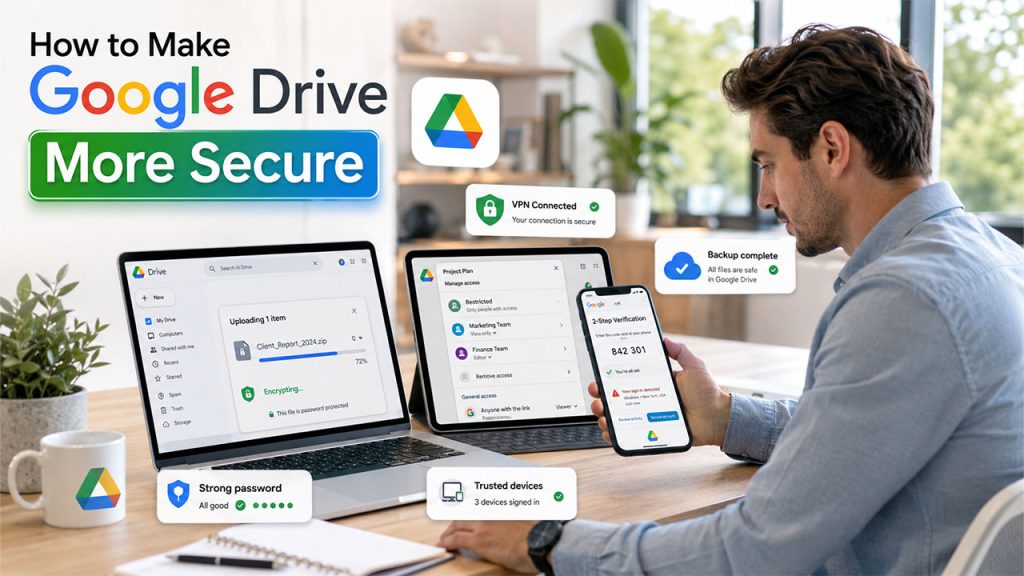
Taking a few simple steps can make your Google Drive more secure than ever.
Enable Two-Factor Authentication
This single step blocks the vast majority of account hacking attempts. Go to your Google Account settings and turn it on. It takes two minutes and is one of the most effective things you can do.
Review Sharing Permissions Regularly
Go through your shared files and folders every few months. Cancel access for people who no longer need it and change public links to restrict them wherever possible.
Use a Strong, Unique Password
A password manager makes this easy. Do not reuse passwords across accounts. If your Google password is the same one you use for five other websites, change it today.
Encrypt Sensitive Files Before Uploading
For highly sensitive documents, encrypt them locally before they ever reach Google’s servers. Tools like VeraCrypt or even password-protected ZIP files add a security layer that Google does not control.
Avoid Public Wi-Fi Without a VPN
Unfortunately, open networks are easy to intercept. A VPN keeps your connection private when you are not on a trusted network.
Remove Unknown Devices and Back Up Important Files
See what devices have been signed into your account. If you notice anything strange, remove it right away. While Google Drive is usually quite secure, it’s never wrong to make a backup of important files just in case.
Is Google Drive Safe for Businesses?
Yes, if businesses use Google Workspace, which itself provides additional layers of security. For instance, the administrators will be able to control how file sharing can occur in their Google Workspace accounts. They have the authority to limit which people can share files and monitor any changes to the content of their files through the activity tracking feature.
Additionally, integration with Google Workspace allows businesses to benefit from advanced features like advanced threat detection and data loss prevention.
Industries such as the health care sector, legal, or financial require sensitive data, which is regulated by strict laws such as HIPAA and GDPR. The default settings for Google Drive may not be sufficient to protect against any issues arising from this type of information.
When Should You Avoid Using Google Drive?
Although Google Drive is secure for everyday use, it may not be the best option for every situation.
You should consider additional protection or alternative storage solutions if you are storing:
- Highly confidential legal documents
- Government or classified information
- Medical records protected by strict compliance requirements
- Intellectual property or trade secrets
- Financial information that requires zero-knowledge encryption
In these cases, encrypt files before uploading or consider cloud storage providers that offer end-to-end or zero-knowledge encryption. This ensures that only you can decrypt the files, even if the storage provider’s systems are compromised.
For most personal users and businesses, however, Google Drive provides a strong balance of security, convenience, and accessibility when used with proper security practices.
Final Verdict: Is Google Drive Safe?
Google Drive is not perfect, and it is not fully private. But the biggest risks to your files are not Google’s servers being breached. They are weak passwords, careless sharing, and phishing emails. Fix those, and you have addressed most of the real-world risk.
Another thing many users overlook is that Google Drive storage is shared across Gmail and Google Photos. Large attachments, spam emails, and old backups can quickly consume available space. If you’re running low on storage, this guide on How to Clean Up Gmail Storage can help free up space safely without deleting important files.
For highly sensitive files, take the extra step: encrypt before uploading, review permissions regularly, and consider whether a zero-knowledge alternative makes sense for that specific data. Google Drive is a reasonable choice for most people. Use it with intention, and it is even better.
Frequently Asked Questions
Is Google Drive safe for storing personal documents?
Yes, because Google Drive is secure and uses encryption methods along with measures to protect the account. The only threat is a weak password or incorrect sharing, not the Google Drive platform itself.
Can hackers access Google Drive?
No, in the majority of cases. Hacking into Google Drive servers straightaway is way too difficult. Though account compromise is possible, it can be prevented using a two-factor authentication method.
Does Google Drive use end-to-end encryption?
Google Drive encrypts documents in transit and when they are stored, but this is not end-to-end encryption. Encryption keys are held by Google.
Is Google Drive safer than a hard drive?
It depends on what you need. Storing information in the cloud is safe from physical damage and destruction, but a hard drive, never connected to the internet, cannot be hacked remotely.
How do I make Google Drive more secure?
Enable two-factor authentication, use a unique and strong password, check your sharing permissions, block access to your account through unknown devices, and ensure encryption of sensitive documents before uploading them to Google Drive.