


 Continue with Google

 Share on media
When it comes to cloud storage, there is no bigger name than Dropbox. However, you might be surprised to know that it does not utilize the most secure algorithms for encryption and does not provide full-proof privacy. While Dropbox remains safe from outside attacks, there have been some concerning data breaches in the past. There is no end-to-end encryption, which means that the company can access your sensitive files and data at any time. People ask, “Is Dropbox Secure?” or “Can I store confidential data in Dropbox?” In this article, we will dissect what all of this really means and how you can secure your files for free in the cloud without compromising your privacy.
What Is a Dropbox?
Dropbox is a cloud-based storage for synchronization and file storage. It enables you to save documents, photos, and videos online, access them from any device, be it a computer, phone, tablet, etc., and share large files with others easily. Let us briefly go over its core features:
Dropbox Main Features:
- Easy Sharing: It gives you a link that you can share with others to view or download the files. To view or download the file, it is not necessary to create a Dropbox account.
- File Synchronization: Any folder or file that you store in the Dropbox gets automatically updated across all the devices with access to your Dropbox account.
- Automatic Backups: It backs up your important folders securely (such as Documents or Desktop of your computer) to secure your system against data loss.
- File Recovery and Version History: If you have accidentally deleted any file or want to undo a command, you can easily do so with the help of File Recovery feature. It saves all the previous versions and deletes files for up to 30 days.
Having said that, “Is Dropbox secure?” is a valid question since it has faced a lot of criticism for its security issues. There have been a number of data breaches in the past including a case in 2012 where 68 million passwords were compromised.
Why Is Dropbox Under Scrutiny?
Dropbox is an old fox in the cloud storage market. Released back in 2008, it currently caters to 700+ million users in 2026. Though its popularity is unquestionable, there have been quite a considerable number of security incidents and data breaches that raises questions about its security infrastructure and privacy policies. People often ask, “Is Dropbox secure?” especially when it comes to storing sensitive data.
Dropbox promises to offer robust security measures to secure your data from external threats. However, as security incidents quite clearly reveal, it does not provide the best protection and privacy against hacking attacks or internal prying. Since your files are not secure with end-to-end encryption, the company can view as well as access what you store in the cloud. So, while it is true that Dropbox invests heavily in fortifying your data against external threats, it does not mean that it is safe from malicious hackers or snoopers who can gain access to your data.
Keep on reading as we are going to discuss its privacy and security features in detail-
Is Dropbox Encrypted?
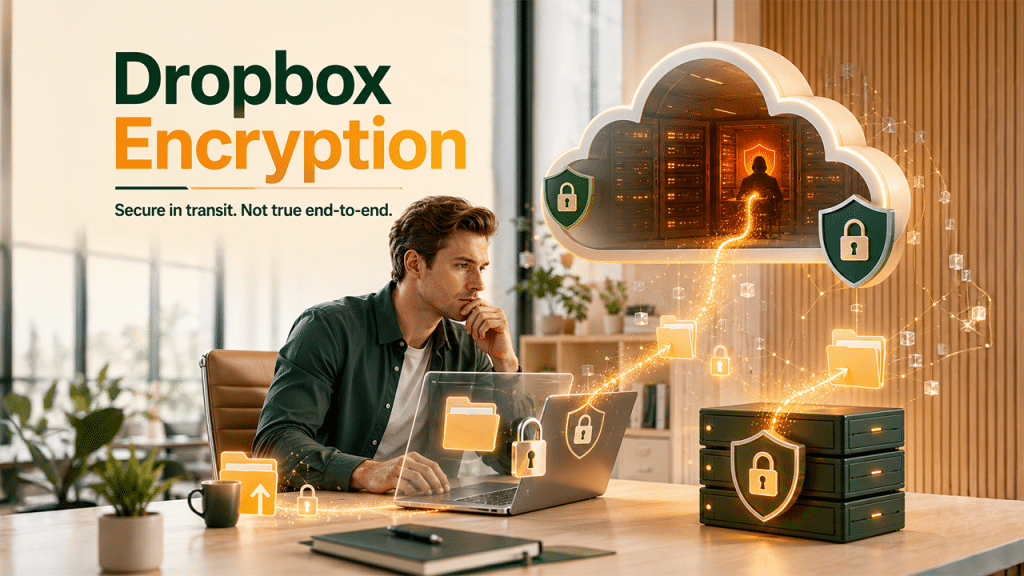
On paper, Dropbox security features look adequate for data both in transit and at rest. In-transit security is governed by TLS, a standard but robust encryption protocol leveraged by most online services. For instance, banks and e-commerce websites protect your credit card details and banking credentials when you purchase anything online or check your finances.
Once the files reach the servers of Dropbox, they are decrypted and then encrypted again, this time via AES-256. This is an extremely secure algorithm that is also utilized by militaries, governments, and corporations around the world. All major tech and financial institutions also utilize it to secure data.
This method, where data is encrypted in transit, then decrypted and then encrypted again at rest, is utilized by many cloud storage services to secure themselves against various cyberthreats. The problem is that Dropbox ignored a very crucial piece of the puzzle: itself.
Though this Dropbox encryption, decryption, and re-encryption technique is useful, it cannot protect your data against much more advanced cyberattacks such as spear-phishing, which involves social engineering. The gold standard for any cloud service provider is always zero-knowledge encryption (also known as end-to-end encryption).
In end-to-end encryption, only the user has access to their account and confidential information. Since only you have access to the account and data and your cloud service provider cannot access it, both security and privacy are substantially improved. Even email-based tools like Gmail confidential mode only offer limited control over forwarding or expiry, but do not provide true end-to-end encryption.
Unfortunately, neither Dropbox nor prominent cloud providers like Google Cloud provide end-to-end encryption.
How Much Is Dropbox Secure?
In terms of security, Dropbox does have some security protocols that govern data security both in transit (from your device to their servers) and at rest (when you are data reaches their servers and get stored). According to their website, when your data is in transit, Dropbox relies on SSL (Secure Sockets Layer)/ TLS (Transport Layer Security) encryption. This is a standard online encryption protocol utilized by the majority of online services these days. As stated earlier, TLS is a robust cryptography protocol used by banks and governments around the world. TLS/SSL secures your data as it moves from your device to their server.
Without having TLS/SSL encryption, your data will be susceptible to external attacks. It will be just like sending a postcard. Anyone will be able to read it.
Furthermore, as already stated, data is encrypted in transit, decrypted on arrival, and then encrypted again with AES-256 encryption. However, the problem is that Dropbox still has the key to this encryption. So, this is not end-to-end. Dropbox or its employees can easily use this key to decrypt your data at any time and read it.
While Dropbox does utilize standard protocols of encryption, it does not provide end-to-end encryption which implies that your private data and files remain accessible without you even knowing it. Thus, Dropbox can be considered secure in a broader sense, but technically, it does not utilize the best security infrastructure.
Dropbox Privacy Issues
Ideally, cloud storage should be one of the most private places a user can have. Users should be able to privately store all kinds of sensitive files such as pictures, tax documents, and financial papers, that they do not want to lose. If you store high volumes of data that is mundane or cannot be considered sensitive in general, cloud storage options such as Dropbox are a no-brainer. However, enterprises that have a lot of sensitive files and private customer records; they cannot go without zero-knowledge encryption.
What Dropbox Does with User Data?

If you go through Dropbox’s privacy policy, they are transparent about the fact that they do process your data, track and collect usage information, and might share your personal details with trusted third parties such as Google, Amazon, and OpenAI as well as other companies owned by Dropbox. Not only do they collect data, but they can also share it with law enforcement agencies and other third parties under strict and specific circumstances, which are described in their privacy policies.
Dropbox Jurisdiction:
Another factor you need to consider is the jurisdiction of Dropbox. Its headquarters is situated in the United States and most of its servers are there too. Dropbox also has additional servers in the European Union, United Kingdom, Australia, Japan, etc. However, as far as users are concerned, they don’t have a say in deciding where they want their data to be stored. A lot of times, users do not want their data to be stored in the United States because of the lack of adequate privacy protection laws.
Dropbox Alternatives
If the security and privacy infrastructure of Dropbox are not sufficient for you, then you can look for its alternatives. A few alternatives you can explore are as follows:
For Security & Privacy
- Sync.com — Provides real-time backup, end-to-end encryption, and file sharing with password protection. It is a reliable choice for privacy-focused users.
- Tresorit — Ensures enterprise-level regulatory compliance, security, and multiplatform support across Linux, Windows, Mac, Android, and iOS.
For Value & Storage
- pCloud — Often referred to as one most the most cost-effective options, it can store your data encrypted in numerous places simultaneously and even provides a lifetime subscription plan.
- MEGA — Provides generous 50GB free storage that is more than 2GB offered by Dropbox. This makes it a better choice if you are looking for more storage space without going for a paid subscription.
For Collaboration & Ecosystem
- Google Drive — Best option for those who are already using Google Workspace. It also offers cross-platform support, real-time sync, and seamless integration with Sheets, Google Docs, and Slides. Though there is no end-to-end encryption but it relies on Google’s standard security measures.
Read More: Send Secure Attachments in Gmail
For Businesses with Compliance Needs
- Box and Tresorit provide powerful compliance options and admin control. vBoxxCloud is a good choice for European businesses requiring NIS2 and GDPR with data hosted in European Union data centers.
There is no one-choice-fits-all cloud storage option. It all depends on cost, storage, storage size, and team collaboration.
Conclusion
So, is Dropbox secure? The answer is more tilted towards a no, simply because of lack of end-to-end encryption. Dropbox does introduce industry-standard encryption protocols such as AES-256 and TLS, which can secure your data from the majority of external threats. However, without end-to-end encryption, Dropbox and its employees technically have access to your data at any time. Adding to it is its bad history of improper data-sharing practices and data breaches. Our article makes it quite clear that if you want to store confidential or highly sensitive details, Dropbox might not be the right fit. If you want more privacy, you can go for alternatives such as Tresorit or Sync.com, that provides robust zero-knowledge encryption. For daily users or businesses that want to store non-sensitive files, Dropbox is still a reliable and preferable option.
For complete privacy protection and security, businesses should combine a robust cloud service provider with effective strategies to send secure email. Though different communication channels have gained popularity, email remains a primary target of cyber attackers.
Frequently Asked Questions
Is Dropbox safe for confidential files?
No, it is not 100% safe to store confidential files because it lacks end-to-end encryption.
Can Dropbox get hacked?
Yes, it can be. In fact, it has been hacked before, which is evident from the 2024 Dropbox sign breach incident.
What are the disadvantages of using Dropbox?
The disadvantages of using Dropbox include lack of end-to-end encryption and limited storage space for free users.
Which is safer: OneDrive or Dropbox?
With significant security features, OneDrive is generally considered better than Dropbox.
Can I move my Dropbox files to a different drive?
Yes, you can move your Dropbox files to a different drive (internal or external) to free up some space.