











 Continue with Google

 Share on media

Understand what MailerLite is? And, learn about the alternatives, integration processes, and benefits of MailerLite.
MailerLite is an easy-to-use and all-in-one digital marketing tool that helps small businesses and creators in email marketing, audience building, and automation. The platform offers companies powerful features, like email campaigns, email automation, audience management, and landing pages & forms, with a relatively low cost and simplicity.
The platform helps businesses collect email subscribers, along with sending newsletters and promotional emails. MailerLite can also automate email sequences and build landing pages and simple websites. Using the platform, users can also build landing pages and simple websites and can also sell digital products and subscriptions.
What is MailerLite?
MailerLite is a popular and user-friendly digital marketing platform, designed for small businesses and creators to manage email marketing, along with building websites and automating campaigns. The platform is known for its user-friendly interface, along with advanced automation tools.
MailerLite offers drag-and-drop editors, subscriber management, and landing page builders. Using the platform, the user can also sell digital products and paid subscriptions efficiently, along with managing bookings. It can also easily be integrated into various platforms, like Shopify, WordPress, and WooCommerce.
The platform offers various key features and capabilities, like an intuitive interface, 24×7 support, and affordable pricing. It is also designed to act as a straightforward alternative to other complex and enterprise-focused marketing platforms, like GetResponse and Brevo.
Key Capabilities of MailerLite

MailerLite can be considered an all-in-one marketing platform, which is designed to offer robust email marketing, along with drag-and-drop website page building and e-commerce tools. The platform offers various major capabilities, which include:
- Email Marketing & Design: MailerLite helps in creating an email marketing campaign, with a drag-and-drop editor, rich text editor, and custom HTML editor. It also includes AI-powered features, dynamic content, and template management, offering an efficient campaign design process.
- Advanced Automation: The platform helps in building automated workflows for new and welcoming subscribers. It re-engages users, prompting offers, and abandoned cart recovery. It also features multi-trigger automation and Really Simple Syndication (RSS) campaigns.
- Growth & Lead Generation: The platform can create landing pages, websites, and pop-up subscribe forms, which help in collecting leads. It is also supported by tools like embedded forms and promotions.
- Subscriber Management & Segmentation: MailerLite includes a list cleaning tool and helps in segmenting the subscribers, based on various aspects, like behavior, interest, and demographics, for more optimized deliverability.
- E-commerce & Digital Products: Using MailerLite, users can sell digital products, like e-books and subscriptions, directly through landing pages or email campaigns. It also supports e-commerce to further boost sales.
Compared to other alternatives, like GatorMail, which is designed to help with email marketing, MailerLite offers businesses with fast-paced growth marketing and provides robust and easy-to-use automations.
Applications of MailerLite
MailerLite is a comprehensive digital marketing platform that is especially designed to help users create email campaigns, landing pages, and websites. The platform offers its applications especially to small businesses, freelancers, and creators, as it features automation, subscriber management, and e-commerce integrations.
Key applications of MailerLite include:
- Email Marketing and Campaign: MailerLite helps in designing and sending newsletters, using a drag-and-drop editor and a rich text editor. The platform also includes AI tools to draft content, optimize the subject, and generate images based on the campaign.
- Marketing Automation: The platform helps to create automated workflows that send triggered messages, which are based on the activity of the users.
- Lead Generation: MailerLite can create landing pages, pop-ups, and embedded forms, which help in capturing the information of the visitors and boosting the subscriber list.
- Audience Segmentation: The tool helps in organizing the subscribers based on various key segments, like behavior, interests, or demographics. Subscriber segmentation helps in sending more targeted and customized content to the users.
Application of MailerLite for small businesses, creator, and freelancers includes:
| Applications | Small Businesses | Creators | Freelancers |
|---|---|---|---|
| How They Use | Run an email campaign to promote products, send offers, and retain customers. | Build and nurture an audience base and sell digital products. | Showcase services, generate leads, and maintain client communication. |
| Key Features Used | Email campaigns, automation workflows, segmentation, and landing pages. | Signup forms, newsletters, automation, and landing pages. | Email campaigns, forms, landing pages, and automation. |
| Business Impact | Helps boost sales and improve customer retention. | Helps grow the audience and boost engagement. | Helps acquire clients and maintain relationships. |
Limitations of MailerLite

Although being a user-friendly and affordable email marketing tool, MailerLite includes various key limitations, like a reduced free plan, basic automation, and a limited database. MailerLite is best suited for small businesses, rather than for an advanced marketing team.
Some of the major limitations of MailerLite are as follows:
- Basic Automation: MailerLite offers basic automation workflows, which are limited to a simple and linear sequence. It also lacks advanced multi-pack or branch logic, which makes it less suitable for complex behavioral triggers.
- Restricted Database Fields: With MailerLite, the subscriber fields can only be in text, number, or date. It lacks a dropdown or radio button structure for data collection.
- Limited Reporting: The analytics of the platform do not offer deep funnel analysis or detailed subscriber insights.
- Strict Account Approval: The new accounts in MailerLite need to go through a strict review process, which takes time.
Why Businesses Choose MailerLite Over Other Email Marketing Tools
Despite having several competitors, MailerLite remains a preferred choice for startups, creators, and small businesses because of its balance between affordability and functionality. Unlike many enterprise-focused platforms that require extensive training, MailerLite offers a clean interface that allows users to launch campaigns quickly.
Some of the key reasons businesses choose MailerLite include:
- Affordable pricing structure compared to premium email marketing platforms.
- Easy-to-use drag-and-drop editor for designing professional emails.
- Built-in landing page and website builder.
- Advanced segmentation and automation features without a steep learning curve.
- Strong integration ecosystem with platforms like WordPress, Shopify, and WooCommerce.
- Suitable for beginners while still providing enough functionality for growing businesses.
Many marketers also compare MailerLite with platforms such as Flodesk when evaluating simplicity and design flexibility. While both platforms focus on ease of use, MailerLite offers broader automation and subscriber management capabilities, making it attractive for businesses looking to scale their email marketing efforts.
How to Install and Set Up MailerLite
The process of installing and setting up MailerLite involves creating an account on the official website and completing the profile. The setup process also includes account verification. The process of installing and setting up MailerLite includes:
- Step 1: Visit the MailerLite Website and click on “Sign up” to create a free account.
- Step 2: Complete the profile by providing various details, like company name, username, and email address. Apart from these, the user also needs to fill in the details related to the business, which help with account approval.
- Step 3: Click on the verification link in the welcome email, which is sent by MailerLite.
- Step 4: Authenticate the domain to ensure high email deliverability. Go to Account Settings > Domains to authenticate your sender email domain.
How to Integrate MailerLite?
MailerLite can be integrated into a website, application, and e-commerce store, among other platforms. The process of integrating MailerLite into different platforms may differ, but the core process of integration remains somewhat the same. The process of integrating MailerLite involves generating an API key in the dashboard of the user’s account. In the dashboard, go to Integration and then click on MailerLite API. The user can integrate MailerLite into various platforms, like WordPress, Wix, Squarespace, and Shopify. MailerLite can also be integrated with the Custom Website, using a simple process. The process of integrating MailerLite into various platforms are as follows:
Integrating MailerLite with WordPress
The process of integrating MailerLite into WordPress involves using the API key to link the email account with a dedicated plugin. The connection allows the user to sync the subscribers, embedded forms, and display pop-ups, without requiring any technical knowledge.
- Step 1: Log in to the MailerLite Dashboard and navigate to the Integration page. Under MailerLite API, click on Use > Generate new tokens. Enter the name of the token, copy it immediately, and save the token somewhere safe.
- Step 2: In the WordPress dashboard, navigate to Plugins > Add New. Look for MailerLite, and find the “Official MailerLite signup forms” plugin, and click on Install and Activate.
- Step 3: Once the plugin is activated, a new MailerLite tab will appear on the WordPress sidebar. Click on MailerLite > Settings. Paste the API Key copied earlier and click on “Save this key“.
- Step 4: Go to MailerLite > Signup forms in WordPress, click Add new, and choose “Forms created in MailerLite“. This will sync the forms to the MailerLite account.
Integrating MailerLite with Wix
Integrating MailerLite with Wix is a straightforward and simple process, which is achieved by installing the official MailerLite app, which is available in the Wix Market. The integration enables users to automate contact syncing, subscriber management, and use MailerLite forms and pop-ups.
- Step 1: Open the Wix admin panel, navigate to Apps, and select App Market.
- Step 2: Search “MailerLite“, and select the “app developed by MailerLite”. Click on Add to Site.
- Step 3: Agree to all the terms and choose the relevant Wix site. Log in to the MailerLite account and connect it.
- Step 4: Set your preferences in the MailerLite integration panel.
- Step 5: Once completed, all the data from the Wix site will automatically sync with the MailerLite account.
Integrating MailerLite with Shopify
The process of integrating MailerLite with Shopify syncs customer data, tracks sales, and enables abandoned cart automation. The process includes installing the MailerLite Automation app from the Shopify App Store and authorizing the account.
- Step 1: Navigate to the Apps page in the Shopify panel, click on “Customize your app” and search for “MailerLite Email Automation“.
- Step 2: Click on “Install App” and follow the prompts to log in and authorize the MailerLite account.
- Step 3: Select or create a MailerLite subscriber group and add the Shopify customers.
- Step 4: enable pop-up forms directly from the plugin settings and set up e-commerce tracking, which measures revenue in the reports.
Integrating MailerLite with Squarespace
The process of integrating MailerLite with Squarespace involves pasting the JavaScript snippet from MailerLite to the Squarespace Code injection area. The integration allows MailerLite forms, popups, and e-commerce subscribers synchronization to work properly, and creates a direct link between the site visitors.
- Step 1: Ensure that the site is on a Business or Commerce plan.
- Step 2: Navigate to the Integrations tab in your MailerLite dashboard. Select Squarespace and click on Use. Set a default subscriber group for new contacts and copy the JavaScript snippet.
- Step 3: Log in to your Squarespace account and open your site editor. Go to Website Tools > Code Injection. Paste the JavaScript code into the Header section and click Save.
Integrating MailerLite with a Custom Website
The process of integrating MailerLite with a custom website involves creating a form in the MailerLite account and embedding it via JavaScript or HTML.
- Step 1: In the MailerLite Forms section, find the JavaScript snippet under the Overview section, and paste the code into the <head> section of all pages of the custom website.
- Step 2: Create a form in MailerLite and select the HTML tab to copy the HTML code of the form. Paste this code directly into your HTML file where the user wants the form to appear.
- Step 3: Install the “MailerLite- Standard Form Official” plugin and connect it using the API key from the Integrations section of the MailerLite account.
Pricing Plans and Structure of MailerLite
MailerLite uses a subscriber-based pricing model, in which the price is based on the number of active subscribers. In this, the paid plans include unlimited email sends, and the prices increase as the list of subscribers grows.
The pricing plans of MailerLite include:
Free Plan
- Ideal for beginners and small creators.
- Limited to 500 subscribers, 12,000 emails/month, and 1 user account.
- Offers drag-and-drop email editor, automation workflows, and basic segmentations.
- It includes MailerLite branding on emails and no advanced features like A/B testing and templates.
Growing Business Plan
- Pricing- $10/month for 500-1,000 subscribers.
- Scales with list size, like $54/month for 10,000 subscribers.
- Features unlimited emails, multiple users, and advanced automation.
Advanced Plan
- Pricing- $20/month starting tier.
- Higher tier for a larger list, like $87/month for 10,000 subs.
- Features a dedicated account manager, with a dedicated IP address and 24/7 support.
Enterprise Plan
- Custom pricing.
- Features tailored infrastructure and priority support.
Alternatives of MailerLite
MailerLite is a user-friendly digital marketing platform that is renowned for its easy-to-use interface and automation tools. It is also considered a perfect email marketing software, especially for companies or individuals with a modest marketing budget. The alternatives of MailerLite include companies like MailChimp, Brevo, ActiveCampaign, Get Response, and ConvertKit, among others.
1. MailChimp
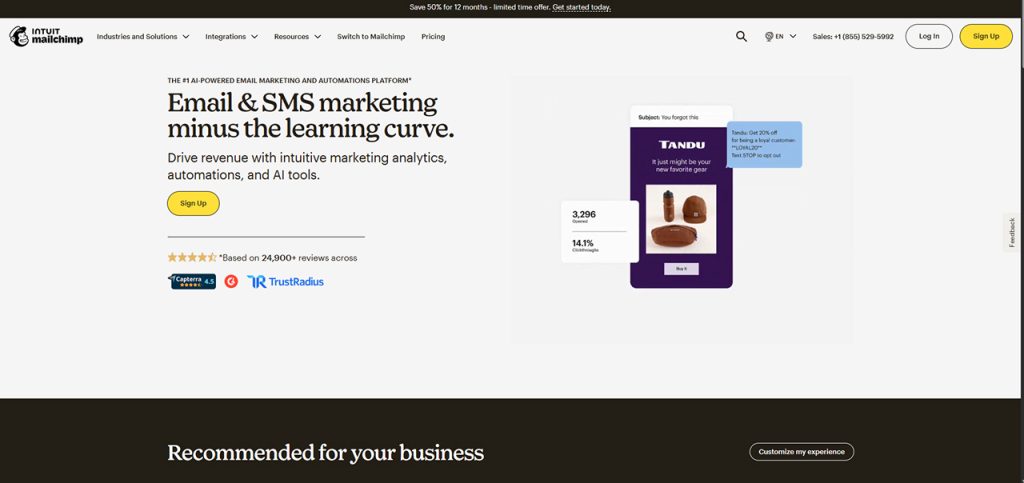
It is considered the ideal alternative to MailerLite, which is best known for all-in-one marketing tools. It also features a drag-and-drop email builder, along with advanced automation and AI tools.
MailChimp is more powerful than MailerLite, but it is also more expensive and features a complex interface. The platform offers strong analytics and reporting, and can also be integrated with many e-commerce platforms, like WooCommerce and Shopify.
2. Brevo
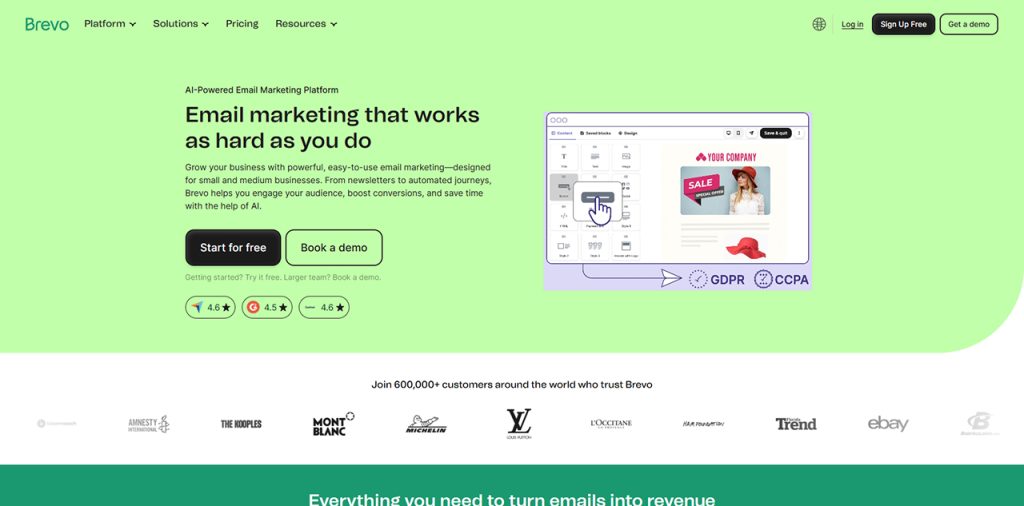
A budget-friendly and multi-channel marketing alternative, which features built-in CRM. It offers key capabilities like email, SMS, WhatsApp, and live chat. It is also great if the user has a large list of subscribers but requires lower sending frequencies.
Brevo is considered ideal for businesses and individuals looking for cost control and a multi-channel outreach platform. It also offers various trade-offs, like a less intuitive user interface and less visual automation.
3. ActiveCampaign

The platform is positioned as an advanced automation powerhouse, which features extremely detailed automation workflows and a built-in sales CRM. It also offers behavioral tracking of the subscribers, which helps with a more focused campaign.
ActiveCampaign can also trigger email campaigns based on website visits, purchases, and user actions. Although it offers various advantages, the platform features various key downsides, like a steep learning curve, and is comparatively more expensive than MailerLite.
4. GetResponse
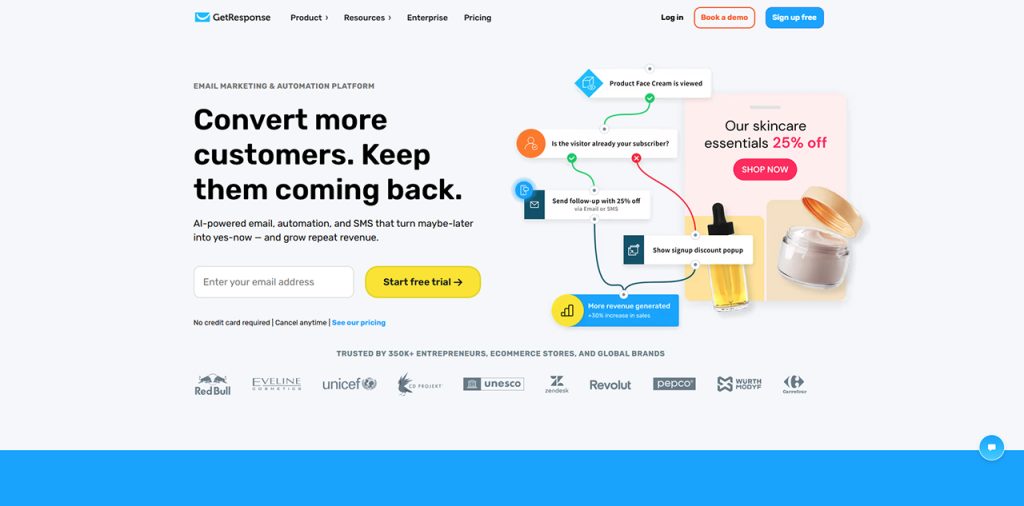
The platform is positioned as a marketing funnel system, which offers built-in webinars and conversion funnels. It also offers landing pages and automations. The platform is focused on complete marketing journeys, and not just on emails.
Although the platform offers a slightly cluttered interface, various features are only available for higher plans. GetResponse is considered best for the course creators, funnel builders, and coaches.
5. ConvertKit

The platform is positioned as a creator-first email tool, which offers simple automation and a user-friendly interface. The platform uses tags instead of lists and is designed for bloggers, YouTubers, and newsletter creators looking for inspiration from successful email newsletter examples.
It features simple automation and various monetization tools, like paid newsletters. The major limitation of the platform is that it offers limited templates and design flexibility.
Comaprision of all the major alternatives of MailerLite are as follows:
| Tools | Best For | Advantages |
| Mailchimp | All-round marketing | Advanced features + integrations |
| Brevo | Budget users | Pay per email, not contacts |
| ActiveCampaign | Automation | Deep workflows + CRM |
| GetResponse | Funnels | All-in-one marketing |
| ConvertKit | Creators | Simple + creator-focused |
| AWeber | Beginners | Easy + reliable |
| Omnisend | eCommerce | Sales automation |
| Moosend | Low cost | Powerful but cheap |
| Zoho Campaigns | CRM users | Works with Zoho ecosystem |
| Hostinger Reach | AI users | AI-generated campaigns |
Best Practices for Getting Better Results with MailerLite
Using MailerLite effectively requires more than simply sending newsletters. Businesses that follow email marketing best practices often achieve higher open rates, click-through rates, and conversions.
Some proven MailerLite best practices include:
Build a Clean Subscriber List
Regularly remove inactive subscribers and maintain list hygiene to improve sender reputation and email deliverability.
Segment Your Audience
Create subscriber groups based on interests, demographics, and user behavior to send more relevant content.
Automate Customer Journeys
Set up welcome emails, abandoned cart reminders, and re-engagement campaigns to nurture leads automatically.
Optimize Email Design
Use mobile-friendly templates, compelling subject lines, and clear calls-to-action to improve engagement.
Combine Email with Other Marketing Channels
Many businesses integrate email campaigns with Direct Mail Marketing strategies to create a consistent customer experience across digital and offline channels. Combining both approaches can improve brand recall and customer response rates.
Monitor Campaign Performance
Review metrics such as open rates, click rates, unsubscribe rates, and conversions to identify areas for improvement.
Conclusion
MailerLite is an all-in-one digital marketing platform, which is primarily used for email marketing and audience building. It offers various core features, like email campaigns, email automation, audience management, landing pages, and analytics, and reporting. The platform is considered ideal for small businesses and creators, as it offers a low-cost marketing channel, along with helping generate leads and sales.
MailerLite can also be easily integrated into various other platforms, like WordPress, Shopify, Squarespace, and Wix. Users can also easily integrate MailerLite into custom websites and e-commerce platforms. There are also various MailerLite alternatives, like MailChimp, Brevo, ActiveCampaign, Get Response, and ConvertKit, among others.