


 Continue with Google

 Share on media

Every time you sign up for something online—whether it’s a new website, a free trial, or just to download a PDF—you’re putting your real email address out there. And sure enough, within days, your inbox starts filling up with promotional emails you never asked for. It’s just a normal and frustrating part of being online today, but honestly, it gets old fast.
That’s where a temporary email comes in. Instead of giving your email address, you use a disposable one. It works for whatever you need, sticks around just long enough, then vanishes. No spam overload. No digital footprints. Just a clean, uncluttered inbox.
By 2026, privacy is no longer limited to techies—it’s for everyone. From regular users, developers, and entire businesses, more people are turning to temporary email tools to safeguard their main inbox. This guide will break down what a temporary email really is, how it works, why it’s worth using, and what its limits are.
What Is a Temporary Email?
A temporary email is just what it sounds like: a disposable email address you set up for quick use, then drop when you’re done. There is no need to sign up, fill out your details, or make a long-term commitment. You get the emails you need, and once you’re finished, the address and associated messages just disappear.
You’ll hear these called fake emails, burner emails, disposable emails, or throwaway addresses. They all refer to the same idea—an email that lets you keep your real identity and a permanent inbox secured from unwanted junk.
Here’s how a temporary email stands apart from a regular one:
- No sign-up needed: Most services give you an email address right away you visit the page.
- Short lifespan: These addresses usually last from 10 minutes to a few hours.
- No personal information needed: There’s no need to hand over your name, phone number, or create a password.
- Receive only: Most temporary inboxes can receive emails but cannot send them.
Popular temporary email tools such as temp-mail.org, YOPmail, and Email on Deck are often used for this purpose. They are free, instant, and require no account creation whatsoever.
How Does a Temporary Email Work?

The process is straightforward. When you go to a temporary email site, it automatically creates a random email address for you tied to one of their own domains. You copy that address, use it wherever you need to sign up or get a verification email, and check the temporary inbox for new messages.
Here is how it usually goes:
- Go to temporary email platforms such as temp-mail.org or YOPmail.
- The site automatically generates a unique email address without doing anything.
- Enter this address wherever a sign-up or email verification is needed.
- Check the temporary inbox to get confirmation emails or OTPs.
- Once done, the address and its contents disappear and are permanently deleted.
A few services add extra features like Email Masking. That’s where messages move through a proxy address and land in your real inbox. Unlike a throwaway address, Email Masking supports two-way communication and keeps your actual email private. It’s a powerful security layer for users if they want ongoing privacy, not just a one-time fix.
An email alias is similar. It’s a backup address connected to your main inbox, so you can send and receive mail without showing your real address. For example, Email on Deck adds another verification step to the process for more security than single-step alternatives. YOPmail links inboxes to chosen usernames, so anyone with that username can read the mail—useful, but publicly accessible.
When Should You Use a Temporary Email?
Not every online activity requires your permanent email address. Temporary emails are most useful in situations where you need short-term access without creating a lasting connection between your identity and a website.
Some common use cases include:
- Signing up for free trials: Avoid future marketing emails after the trial period ends.
- Downloading ebooks, templates, or PDFs: Get access to the resource without exposing your primary inbox.
- Testing websites and applications: Developers and QA teams can verify email workflows without creating multiple real accounts.
- Participating in online forums or communities: Reduce unwanted messages from unfamiliar platforms.
- One-time purchases or promotions: Receive confirmation emails without joining long-term mailing lists.
- Checking unfamiliar websites: Protect your real email when you’re unsure how a website handles user data.
While temporary emails are excellent for these low-risk situations, they should never replace a permanent email account for important personal or professional communications.
Key Benefits of Using a Temporary Email
Millions of people turn to temporary emails every day, and honestly, there are numerous reasons why.
Spam Prevention
This is the most immediate benefit. When you sign up for newsletters, free trials, or grab a one-time download, all those annoying promotional emails store in your inbox you will never have to manage and unsubscribe from.
Privacy Protection
Every time you drop your real email somewhere online, you’re basically feeding a growing digital profile. Websites track you, sell your data, and add your address onto endless marketing lists. If you use a temporary email, you cut down on that traceability and keep your personal details away from random platforms.
Low Data Breach Risk
Data breaches happen all the time now. If a site you signed up gets hacked, attackers just find your disposable email, which isn’t tied to your other accounts, unlike your main address. It’s way less valuable, so you stay safer.
Useful for Testing and Development
Developers and QA teams often utilize temporary email tools. They use them to test signup flows, verification links, email templates, and password reset features. It keeps the real inbox clean and mitigates the hassle of making a bunch of permanent accounts.
No Registration Required
Unlike setting up an Email alias or configuring Email Masking, most temporary email services need nothing from you. Visit the site, and an address is ready immediately.
Risks and Where Temporary Emails Fall Short
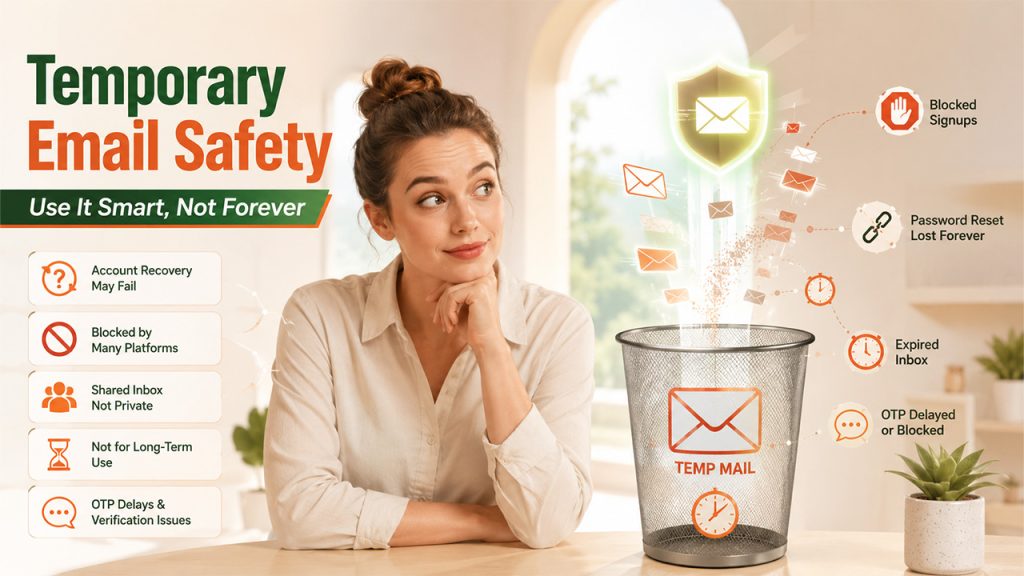
Temporary emails are one of the most valuable tools, but they do have real drawbacks you should know about.
- Inefficient for account recovery: If you lose access to a service you signed up for with a temporary email, password reset links will head to an inbox that’s already expired.
- Blocked by many platforms: Many websites actively block disposable email domains to prevent fake signups and fraud. Tools like temp-mail.org or YOPmail are common platforms in this block list.
- Shared inbox risks: Some temporary email providers use public inboxes. Anyone can generate the same address and see whatever messages you get. Never send or receive sensitive information using a temporary inbox.
- Not a long-term solution: A fake email is a short-lived address used for quick use only. When it comes to banking, government, healthcare, or professional communication, stick to a permanent and secure email address.
- OTP and verification delays: One-time passwords and verification codes can get blocked or arrive too late in temporary inboxes, which makes it unreliable for urgent, time-sensitive logins.
If you need privacy with high dependency, look into Email Masking or Email alias options. They provide real-time protection with no limitation, similar to throwaway addresses.
Temporary Email vs Email Alias vs Email Masking
Many people confuse temporary emails, email aliases, and email masking because all three help protect privacy. However, they serve different purposes.
| Feature | Temporary Email | Email Alias | Email Masking |
|---|---|---|---|
| Lifespan | Minutes to hours | Long-term | Long-term |
| Connected to Main Inbox | No | Yes | Yes |
| Can Receive Emails | Yes | Yes | Yes |
| Can Send Emails | Usually No | Yes | Often Yes |
| Account Recovery Support | No | Yes | Yes |
| Best Use Case | One-time signups | Personal organization | Ongoing privacy protection |
Temporary Email: Best for quick registrations, downloads, and short-term verification needs.
Email Alias: A secondary address linked to your primary inbox that helps organize incoming mail while keeping your real address hidden.
Email Masking: Creates unique forwarding addresses for websites and services, allowing ongoing communication without revealing your actual email address.
Choosing the right option depends on how long you need privacy and whether you expect future communication from the service.
Best Temporary Email Tools in 2026
Here’s a quick overview of the go-to options of 2026:
- temp-mail.org: This is one of the most popular and commonly used platforms. It delivers an instant address builder, a clean inbox interface, and automatic expiry. A reliable solution for users needing quick, one-time verifications.
- YOPmail: It’s been around a while. You get a persistent inbox connected to a username, but anyone can access it if they know the address. So, don’t use it for anything private.
- Email on Deck: The tool has a two-step setup to create fake email addresses—offers a bit more protection compared to click-and-go services.
Each of these temporary email tools offer something a little different. For simple, short-term verifications, any of these will do. If you need ongoing privacy, go with Email Masking or an Email alias. That’s where you’ll get real, lasting protection.
How to Choose the Right Temporary Email Tool
Not all temporary email tools work the same way, so it helps to know what to look for before you pick one.
- Check the inbox lifespan: Some addresses expire in 10 minutes; others last a few hours or longer; match it to how long you actually need access.
- Look at privacy: Public inboxes like YOPmail let anyone with the same username peek at your messages, so skip those for anything sensitive.
- See if it gets blocked: Some sites reject known disposable domains outright, so it’s worth having a backup tool if your first choice gets rejected.
- Consider ease of use: The best tools give you an address instantly, with no sign-up or extra steps.
- Think about what you’re using it for: One-time verifications work fine with a basic throwaway address, but recurring sign-ups might be better served by an email alias instead.
Once you know what you need it for, picking the right tool becomes a lot easier, and your main inbox stays that much cleaner.
Conclusion
Temporary email has earned its place as a go-to privacy tool, and for good reason. Whether you’re signing up for a free trial, grabbing a one-time download, or just testing something out, it gives you a clean way to keep spam and unwanted tracking out of your main inbox.
Temp-mail.org, YOPmail, and Email on Deck are a few such websites where acquiring a disposable email is quite fast and easy. However, in case one is looking for something more durable than this, there are some other services, including email masking and email aliases, that could be considered.
The key here is to use the right address at the right time. A temporary email address will do for those brief instances where there is no need for an email account, but when it comes to anything related to money, your bank, work, or any other serious purpose, it’s best to use a permanent email address.
