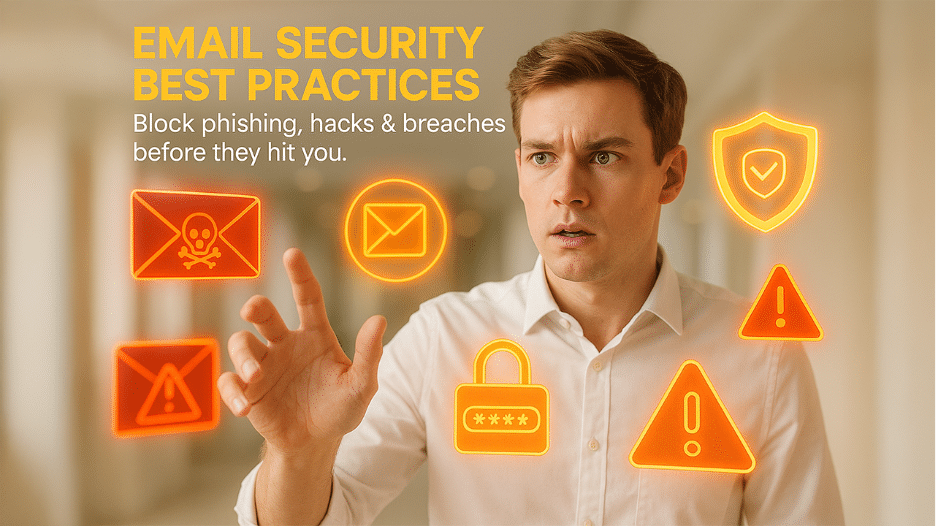

Email security can be defined as the framework of protocol, technologies, and policies created to protect email communications from cyber threats while ensuring message integrity, confidentiality, and availability. Modern platforms for email security implement multi-layered defense mechanisms that integrate conventional signature-driven detection with sophisticated machine learning algorithms and advanced behavioral analytics. Such systems prevent unauthorized access leading to data breaches, detect as well as block malicious content, and ascertain the privacy of confidential data being transmitted.
Email always remains a focal point of attack for cyber criminals. They greatly exploit it to spread viruses and malware, steal confidential data, deploy ransomware, and carry out spear phishing attacks. Essentially, they put users in a position where they knowingly or unknowingly divulge sensitive details. Nowadays, modern threats also utilize generative AI technology to craft tailored spear phishing campaigns that bypass conventional rule-based filters. Email solutions are created to fortify against the growing spectrum of email-based attack vendors including human errors.
Thus, it is important to protect your emails against such attacks and adopt all security measures. In this blog, let us focus on the top 15email security best practices you can leverage to protect your email-
Top 12 Email Security Best Practices
Experts have proposed various best practices to protect your email from various security vulnerabilities. Some of the best practices are explained as follows:
- Train Your Employees Email Security Best Practices:
Consistently conduct security awareness training to inform employees about the right security practices. This will allow you to update your employees about corporate security policies and their overall role in keeping organizations secure. Such training also gives knowledge about the latest and evolving threats in the market.
- Ensure Stronger Email Passwords:
One of the best ways to protect your email is by creating strong email passwords. It is imperative to understand that standards to create email passwords have changed over the years. There was a time when “123456789” was a standard password. However, things have changed, and users are now advised to have a reliable password manager to create a strong and unique password.
As per the present NIST recommendations, it is the length of the password and not its complexity that determines its strength. Hackers nowadays implement dictionary attacks to break into secure systems. Therefore, it is important to have difficult-to-guess passwords that only you can remember.
- Do Not Reuse Passwords:
Often when it comes to passwords, users tend to prefer convenience more than security. Reusing a single password across multiple accounts is a weak security practice that leads to account breaches. The problem with this approach is the fact that if your one account gets compromised, the hackers can gain access to your other accounts as well. It is especially not recommended to use the same password across your corporate or personal accounts.
- Adopt the Right Frequency of Password Changes:
Currently, there is no right number related to when you should change your password. Different experts suggest different frequencies. Earlier, changing the password after 90 days used to be the industry standard. It used to be a prevalent thinking that constant password changes are important to keep the system secure. However, it has been found that when users are forced to change passwords regularly, it often leads to frustration and decreasingly secure passwords. NIST suggests not changing the password unless a data breach or suspected compromise happens.
- Leverage Multi-factor Authentication:
Multi-factor Authentication involves adopting more than one method to authenticate the identity of the user. For instance, you can use username and password along with OTP or fingerprint access. Additionally, you can add a third or more layer to improve your defense mechanism. MFA authentication is an effective way to protect your email against common password cracking and brute force attacks. It is important for the corporates to mandate the use of multi-factor authentication. In addition, employees must be encouraged to use multi-factor authentication for their personal accounts.
- Be Aware of Phishing:
While email security products avoid spam from reaching the inbox of the users, you might still feel that your SPAM folder is filled up. Such unwanted messages can comprise greatly advanced phishing schemes. They might include basic phishing emails along with whaling or phishing attacks. It is important for the users to remain vigilant on phishing scams and be cautious when opening any malicious emails. Avoid clicking on any links, opening attachments, or even responding to emails that appear suspicious.
- Remain Cautious on Email Attachments:
Numerous email attachments depend on the ability to receive and send attachments that involve malicious and executable code. Antimalware software and email security gateways can block malicious attachments and stop malicious sources. However, these attachments can also come from reliable sources that have been exploited by the attackers. Whatever the source may be, users must remain extra cautious while opening or downloading any attachments. This is true even if the workplace has malware-blocking or email scanning software.
- Be Careful While Clicking on Any Links Given in the Email:
It is important to be mindful while clicking on any links given in the email. The emails might seem genuine, and even links appear to be okay, but when you click on one of these links, they may direct you to a shady website. It has been observed that hackers also intentionally include misspellings in the domains to make it difficult to spot malicious domains.
For example, they might include domains such as “www.facebok.com”. If you are in a hurry or do not pay attention, you might think that the domain is okay. However, if you look at it closely, you will find an intentional misspelling that has been done to make malicious domains appear as genuine ones.
- Do Not Utilize Business Email for Personal Purposes:
While it might get tempting and convenient for employees to leverage a corporate email account for personal use, it is not recommended. Most enterprises prohibit employees from using business emails for personal purposes. Similarly, avoid sharing any work-related details from a personal account. It is when you mix your business matters with personal matters that issues like spear fishing emerge. In your corporate email policy, it is significant to include acceptable email use policies.
- Only Access Your Corporate Emails from Verified Devices:
Emails can be accessed from anywhere. All users need is an internet connection to access any email from anywhere and on any device. However, accessing corporate accounts from compromised or less secure devices can create a great security disaster for the companies. Since most companies now store data on cloud, even one compromised email account can prove to be disastrous. Accessing emails from less reliable devices can give hackers a window to exfiltrate users’ data, email credentials, and emails. Thus, it is a good practice to access corporate emails from company-trusted and approved devices only.
- Encrypt All Email Communications as Well as Attachments:
There is a common saying in the cybersecurity industry that email is like a postcard. Every person or system that it reaches gives them the power to read what is written, what has been attached, and who it has been sent to. This is precisely the reason why email communication has become greatly significant. Encryption is the process of transforming plaintext into a ciphertext. This makes sure that not all users can access the email content even if they have access to it. It is a good practice to prevent numerous email security issues such as business email compromise attacks andman-in-the-middle attacks. Most email clients also have encryption capabilities.
- Avoid Public Wi-Fi:
If you consider it one of the most unsecure networks, then public Wi-Fi tops the list. A lot of people see them as blessings and quickly check their emails and social media on public Wi-Fi. Malicious actors consider public Wi-Fi to be an active playground full of unsecure devices and exposed credentials. Malicious actors utilize open-source packet sniffers like Wireshark to track and access personal details through email.
Conclusion
Ascertaining effective email security is vital as cyberthreats evolve consistently and quickly. By adjusting to powerful practices like MFA, passwords, phishing awareness, and device security, organizations can greatly minimize the risk of unauthorized access and breaches. Regularly training employees and adopting clear and robust email policies further boosts the defense against advanced attacks. Executing email security best practices helps both businesses and individuals to fortify confidential data, ensure trust, and remain resilient against evolving threats in 2026 and beyond.