











 Continue with Google

 Share on media
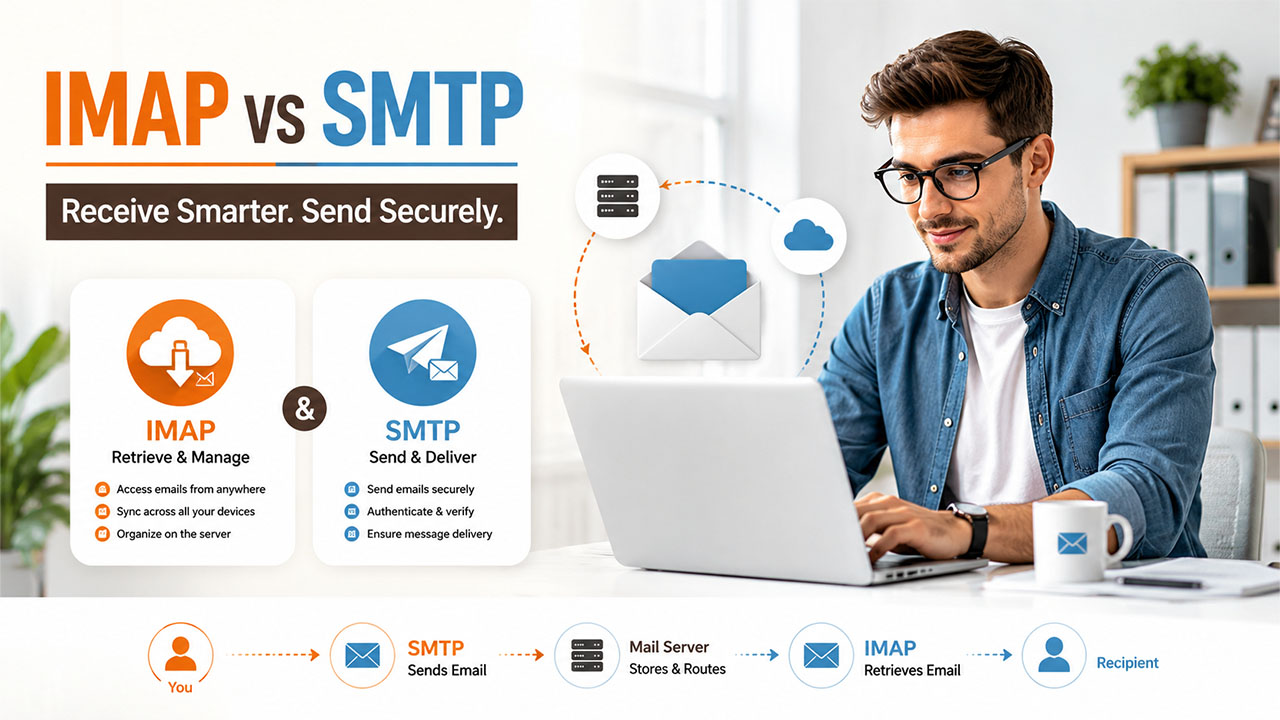
Email communication has become an integral part of our daily lives. Whether it is personal communication or business-related communication, emails are an essential tool for exchanging information. But have you ever wondered how emails are delivered from one person to another? That’s where IMAP and SMTP servers come in. In this blog, we will discuss what IMAP server and SMTP server are, their functionalities, and much more.
To understand how modern email protocols evolved, it’s also helpful to explore the History of Email, from its early development to today’s cloud-based communication systems.
What is an IMAP server?
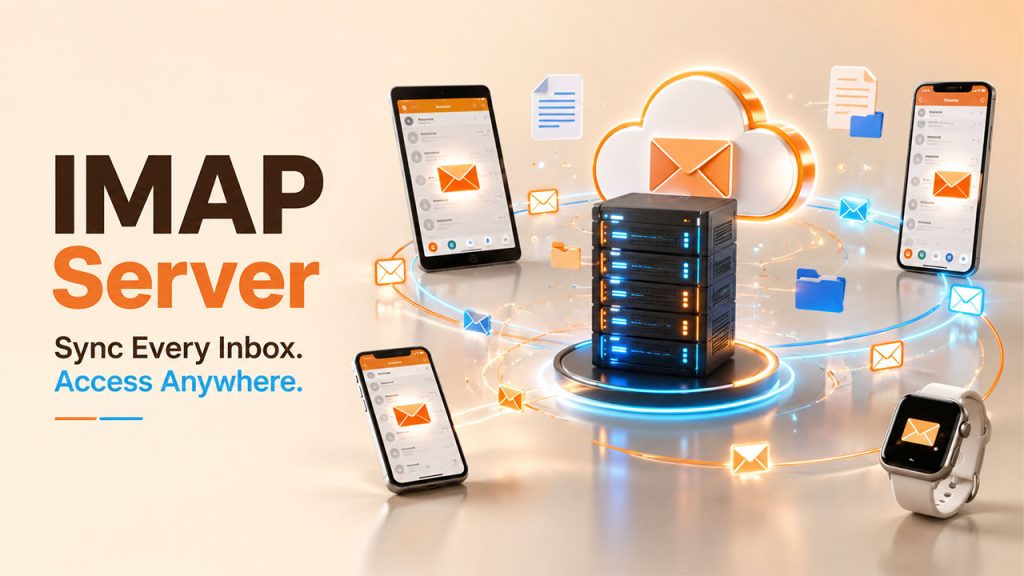
IMAP or Internet Message Access Protocol. It is a protocol used by email clients to access and manage emails on a remote email server. An IMAP server stores emails on the server and allows the user to view, manage, and organize emails from any device with an internet connection. It is a client-server protocol, which means that the email client communicates with the email server to access the user’s email account.
IMAP provides a range of features to the user, such as:
- Email synchronization: IMAP allows the user to synchronize emails across multiple devices. This means that any change made to an email on one device is reflected on all the other devices.
- Folder management: Users can create, rename, and delete folders on the IMAP server to organize their emails. The changes made to the folders are automatically reflected on all devices.
- Server-side search: IMAP allows users to search for emails on the server, which makes it easier to find specific emails.
- Access to attachments: IMAP servers allow users to view and download email attachments directly from the server.
What is an SMTP server?
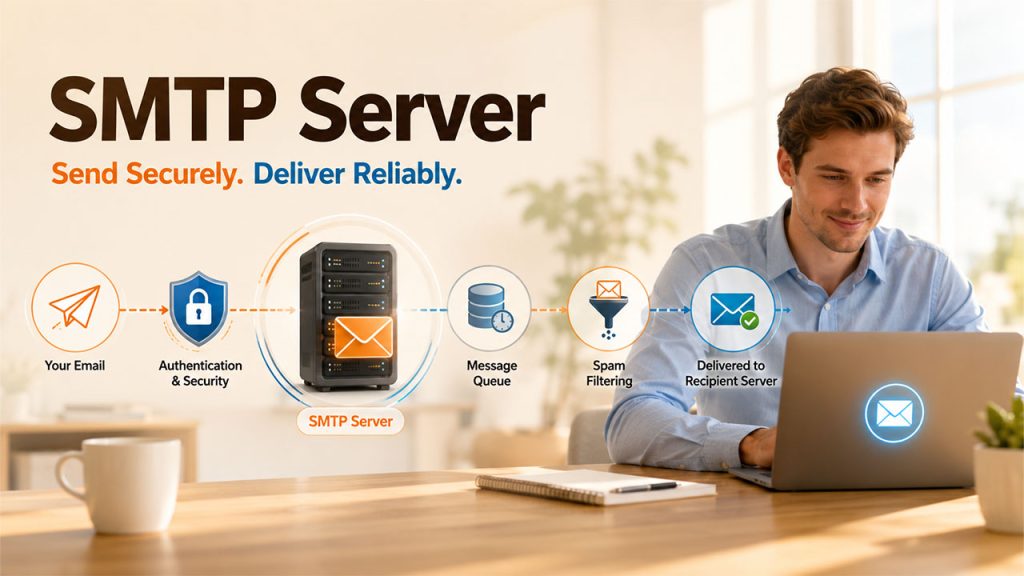
SMTP or Simple Mail Transfer Protocol. It is a protocol used to send emails from one email client to another over the internet. An SMTP server is responsible for sending outgoing emails from the user’s email client to the recipient’s email server. It is a server-to-server protocol, which means that the email client communicates with the email server to send emails.
SMTP servers provide a range of features to the user, such as:
- Email authentication: SMTP servers use authentication methods such as SMTP-AUTH and STARTTLS to ensure that only authorized users can send emails from the server.
- Email tracking: SMTP servers provide email tracking features that allow users to track the delivery status of their emails.
- Email queuing: If the recipient’s email server is offline, the SMTP server queues the email and tries to deliver it later.
- Spam filtering: SMTP servers use various spam filtering techniques to prevent spam emails from being sent from the server.
IMAP vs SMTP: Key Differences
Although IMAP and SMTP are both email protocols, they serve completely different purposes. IMAP is designed for receiving and managing emails, while SMTP is responsible for sending outgoing messages.
| Feature | IMAP | SMTP |
|---|---|---|
| Full Form | Internet Message Access Protocol | Simple Mail Transfer Protocol |
| Primary Function | Receives and synchronizes emails | Sends outgoing emails |
| Direction | Incoming mail | Outgoing mail |
| Storage | Emails remain on the mail server | Doesn’t permanently store emails |
| Synchronization | Syncs across multiple devices | Not applicable |
| Default Port | 143 (TLS), 993 (SSL) | 25, 465 (SSL), 587 (TLS) |
| Used By | Email clients like Outlook, Apple Mail, Thunderbird | Email clients and mail servers for message delivery |
In simple terms, think of SMTP as the mail carrier that delivers your message, while IMAP is the mailbox that lets you access and organize your emails from any device.
IMAP and SMTP working together
IMAP and SMTP together make email communication possible. When you send an email, your email client (such as Gmail or Outlook) uses SMTP to send the message to the recipient’s email server. The recipient’s email server then stores the message until the recipient checks their email using their email client (such as Gmail or Outlook), which uses an IMAP server to retrieve the message from the server.
IMAP and SMTP are also used when you receive email messages. When someone sends you an email, their email client uses SMTP to send the message to your email server. Your email server then stores the message until you check your email using your email client, which uses IMAP to retrieve the message from the server.
Choosing an IMAP or SMTP server
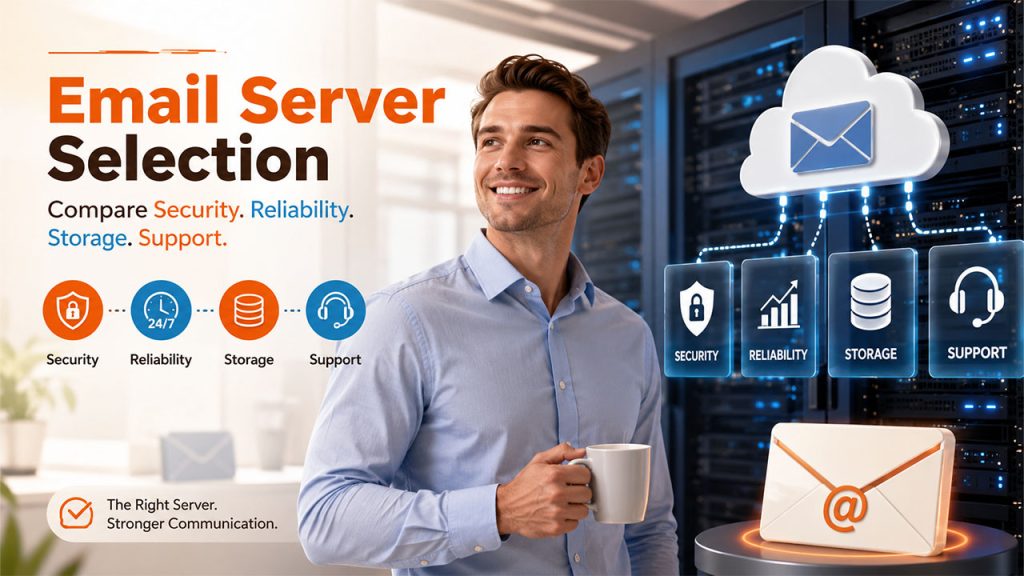
When choosing an IMAP server or SMTP server, there are several factors to consider. One of the most important factors is security. You should choose an IMAP or SMTP server that uses encryption to protect your messages during transmission. For organizations handling sensitive business communications, implementing a Secure Email Gateway can provide an additional layer of protection against phishing attacks, malware, spam, and unauthorized email access.
Another important factor is reliability. You want to choose an IMAP or SMTP server that has a high uptime and is unlikely to experience downtime or server outages.
You also want to choose an IMAP or SMTP server that is compatible with your email client. Most email clients are compatible with both IMAP and SMTP, but it’s important to check the compatibility before choosing a server.
Additionally, you should consider the storage capacity of the server. If you receive a large number of emails or have large attachments, you’ll need a server that can handle the storage requirements.
You should also consider the level of support provided by the server. If you have any technical issues or questions, you want to be able to reach someone who can help you resolve the issue quickly.
Finally, you should consider the cost of the server. Some servers are free, while others require a monthly or annual subscription fee. It’s important to consider your budget when choosing a server.
Common IMAP and SMTP Server Settings
When configuring an email account in applications like Outlook, Thunderbird, Apple Mail, or mobile devices, you’ll need both IMAP and SMTP settings.
Typical settings include:
IMAP Settings
- Incoming Mail Server:
imap.yourdomain.com - Port: 993 (SSL/TLS) or 143 (STARTTLS)
- Authentication: Required
- Username: Your email address
- Password: Your email password
SMTP Settings
- Outgoing Mail Server:
smtp.yourdomain.com - Port: 465 (SSL) or 587 (TLS)
- Authentication: Required
- Username: Your email address
- Password: Your email password
Always verify the correct server addresses and ports with your email service provider, as they can vary depending on the platform.
Conclusion
In conclusion, IMAP and SMTP are two important protocols used in email communication. IMAP allows users to access their email messages from a mail server without downloading them, while SMTP is used to send email messages from one email client to another.
By using IMAP server and SMTP server together, you can send and receive email messages from anyone, anywhere in the world. When choosing an IMAP or SMTP server, you should consider factors such as security, reliability, compatibility, storage capacity, level of support, and cost.
Overall, understanding IMAP and SMTP is essential for anyone who uses email regularly. By understanding how these protocols work, you can ensure that your email communication is reliable, secure, and efficient.
Frequently Asked Questions
Which is better: IMAP or SMTP?
Neither is better because they perform different functions. IMAP is used to receive and synchronize emails, whereas SMTP is responsible for sending outgoing emails. Most email services use both protocols together.
Can I use SMTP without IMAP?
Yes. SMTP can send emails without IMAP, but you won’t be able to synchronize or manage incoming emails across devices. Most users require both protocols for a complete email experience.
Is IMAP more secure than SMTP?
Security depends on the encryption methods used rather than the protocol itself. Both IMAP and SMTP are secure when configured with SSL/TLS encryption and proper authentication.
What ports do IMAP and SMTP use?
The standard ports are:
- IMAP: 143 (STARTTLS) and 993 (SSL/TLS)
- SMTP: 25, 465 (SSL), and 587 (TLS)
Modern email providers generally recommend using ports 993 and 587 for secure communication.
Should I choose IMAP or POP3?
IMAP is generally the better choice because it keeps emails synchronized across multiple devices and stores messages on the server. POP3 downloads emails to a single device and offers limited synchronization, making IMAP more suitable for today’s multi-device users.