











 Continue with Google

 Share on media
Data pipelines process records from databases, applications, files, and other sources. As datasets grow, moving every record during every ETL run consumes more processing time, storage, network bandwidth, and computing resources. Incremental data loading addresses this problem by moving only new or changed records after an initial load. It helps teams keep warehouses and analytical systems current without repeatedly processing unchanged information. It also supports scheduled and real-time workflows when the source provides reliable change of information. Understanding the method and its difference from a full refresh helps teams build efficient pipelines.
What Is Incremental Data Loading?
Incremental data loading is a data integration approach that transfers only records added or changed since the previous successful load. Instead of processing the complete source dataset each time, the pipeline identifies a smaller set of changes and sends those records to the target. The first run creates the dataset, while later runs process changed records. Microsoft Fabric describes this pattern as an initial full copy followed by later copies of changed data. CDC can also capture deletes.
How Does Incremental Data Loading Work in ETL?
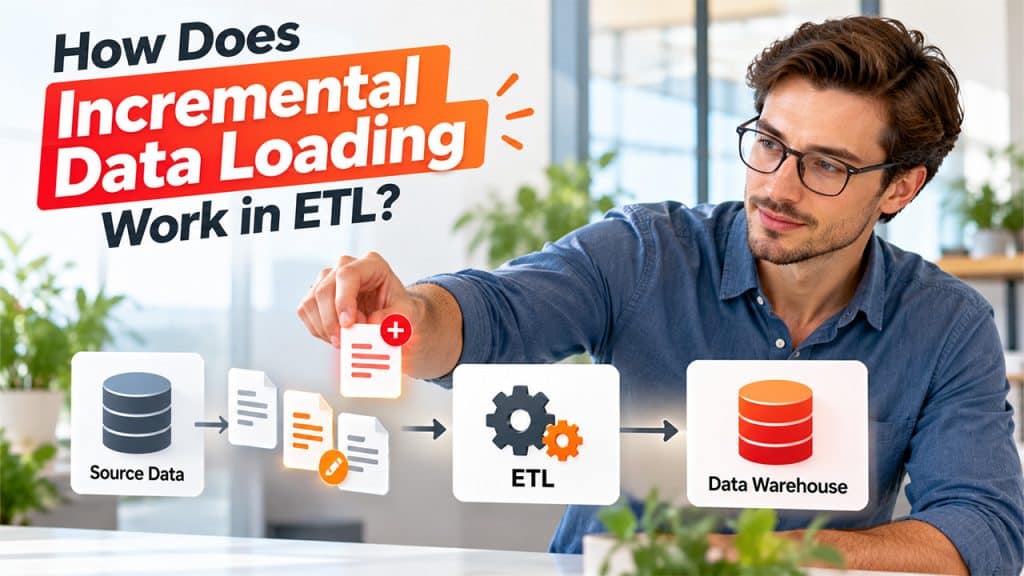
Incremental data loading identifies and processes only new or changed records. The pipeline uses a checkpoint to track what was processed and update it after a successful load. For web-based data sources, understanding How Web Scraping Works can help explain how data is collected before it enters the ETL pipeline.
- Identify Changes in the Source
Each ETL run needs a way to identify newly added or modified records. A timestamp, increasing ID, or another tracking method helps the pipeline determine which records need processing instead of reading the entire dataset again.
- Extract and Load the Changed Records
Once the pipeline identifies the changes, it extracts those records, applies the required transformations, and writes them to the destination. This reduces the amount of data processed during each run and can make recurring ETL jobs more efficient.
After the changed records are successfully written to the destination, the pipeline updates its checkpoint with the latest processed position. If the run fails before the checkpoint is updated, the same records can be processed again during the next run instead of being skipped.
Incremental Data Loading Vs Full Loading: What’s the Difference?
Incremental data loading and full loading differ mainly in how much source data each run processes. A full load reads the complete dataset and refreshes or rebuilds the target according to the pipeline design. It suits small datasets, initial migrations, recovery operations, or situations without change tracking. An incremental process handles only data that meets the selected change criteria.
| Factor | Incremental Data loading vs Full Loading |
| Data processed | Incremental loading processes new or changed records, while full loading processes the entire source dataset. |
| Runtime | Incremental loading usually takes less time for large, mostly unchanged datasets, while full loading takes longer as the dataset grows. |
| Resource usage | Incremental loading generally uses less network bandwidth and processing power, while full loading requires more resources. |
| Change detection | Incremental loading requires a watermark, CDC, timestamp, ID, or another tracking method. Full loading does not require change detection. |
| Common use | Incremental loading suits recurring data synchronization, while full loading suits initial loads, smaller datasets, or complete refreshes. |
The right method depends on the source, volume, change frequency, recovery needs, and target architecture. A complete refresh can remain practical during an initial CRM data migration, when a dataset is small, or when rebuilding the target is required; it is simpler than maintaining change tracking.”
Benefits of Incremental Data Loading
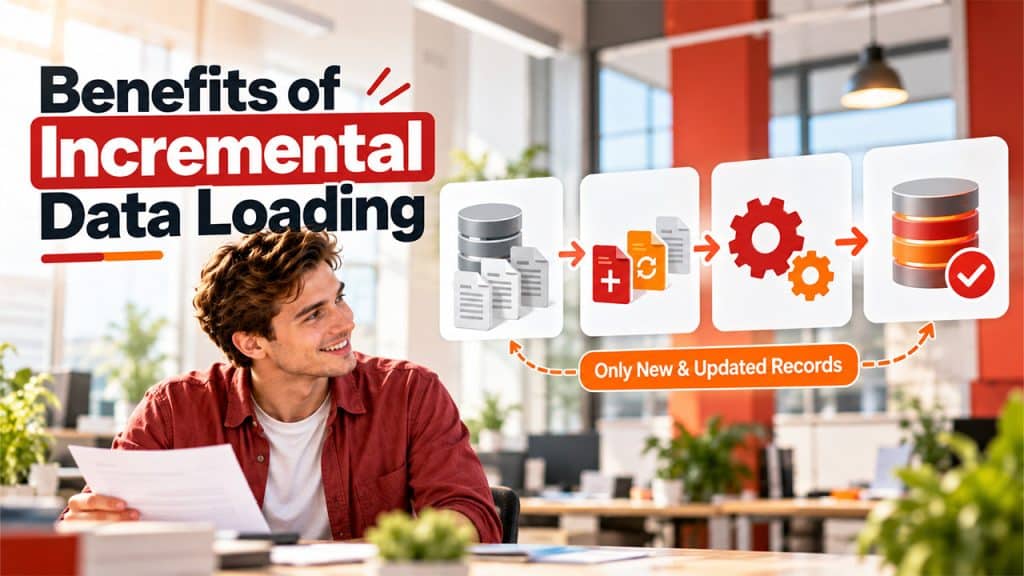
The main advantage is avoiding repeated processing of unchanged records. This reduces data transferred or transformed during recurring jobs. AWS notes that processing only newly added or updated records reduces the volume of data moved and processed. The approach can support ETL process optimization while using resources efficiently.
- Faster and More Manageable Pipelines: Smaller batches give ETL jobs less work to complete. This can shorten processing windows. Incremental processing lets teams align refresh frequency with business needs because the pipeline does not repeatedly scan the complete dataset.
- Better Scalability and Fresher Data: As source tables grow, repeatedly moving historical records becomes more expensive. Processing recent changes helps pipelines scale when most records remain unchanged. It consistently supports frequent updates for dashboards and reports. Freshness still depends on scheduling, source performance, transformation time, and destination capacity.
- Lower Operational Overhead: Once change detection and checkpoint handling are designed correctly, recurring jobs become more predictable. Time-based partitioning can reduce unnecessary reads. AWS recommends partitioning source data and filtering it to avoid scanning an entire storage location.
Methods for Implementing Incremental Data Loading
Teams can implement this approach in several ways. The method depends on source, capabilities, and change requirements.
- Watermark-based Loading: A timestamp such as created at or updated at provides a simple change boundary. The pipeline stores the highest processed value and requests rows beyond it during the next run. An increasing numeric ID works for append-only data. This method requires handling late records, identical timestamps, and failed jobs.
- Change Data Capture: CDC reads source-level inserts, updates, and deletes. It provides more complete change information than a new-record filter. The pipeline can apply events with inserts, updates, deletes, or upserts. Teams should confirm logs and recovery before deployment.
- Partition-based Loading: For files in cloud storage, the pipeline can process files created or modified since the last successful run. Date-based partitions can limit reads to relevant folders. This also helps organize Data Storage Solutions for recurring pipeline jobs. This works well for batch pipelines. AWS recommends partitioning to avoid unnecessary source reads.
- Control Tables and Checkpoints: A control table can store the last successful timestamp, ID, file name, partition, or CDC position. This state makes restart and monitoring easier. Record the checkpoint only after the destination write succeeds. The design should support replaying failed batches. Idempotent writes and upserts help maintain consistency.
Conclusion
Incremental data loading helps ETL pipelines process new and changed information without repeatedly moving the complete source dataset. It uses watermarks, timestamps, CDC, file tracking, and control tables to identify the next records more reliably. Compared with a full refresh, it can reduce recurring data movement when datasets are large and growing. However, it requires careful change detection, checkpoint management, delete handling, and recovery design. Teams should select the method that matches their source capabilities, data patterns, refresh needs, and reliability requirements.