


 Continue with Google

 Share on media
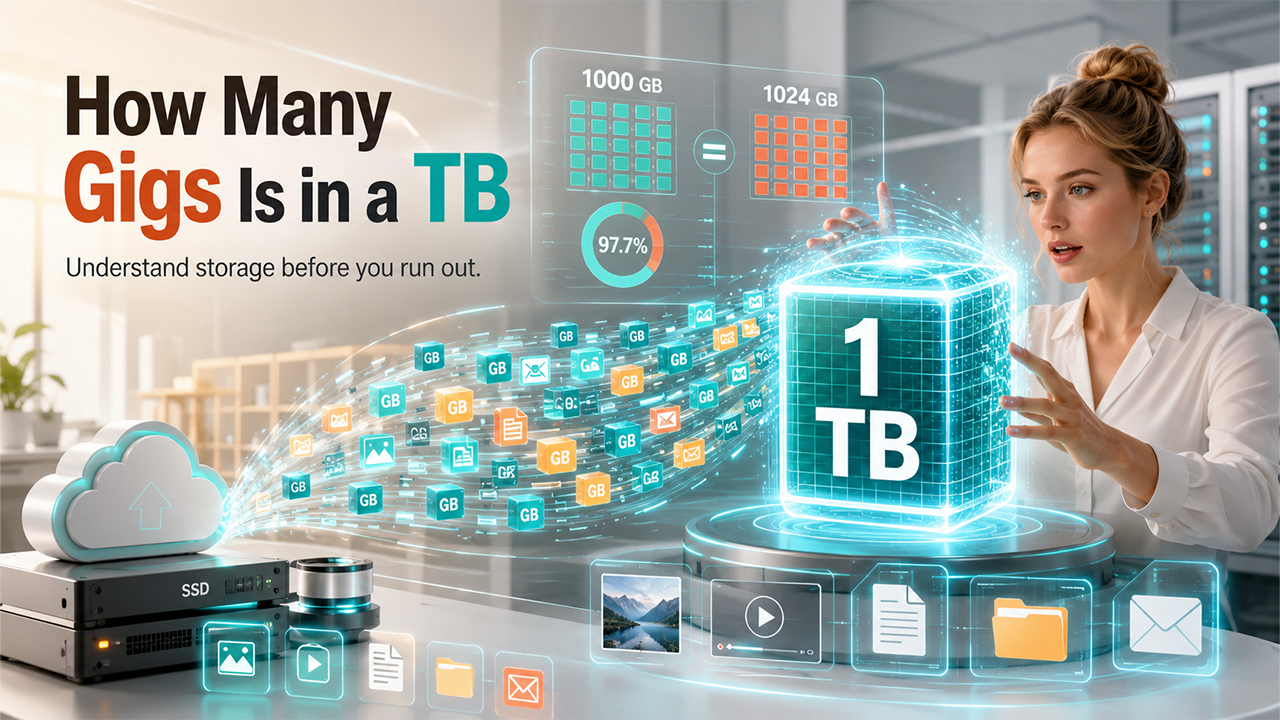
In the current digital ecosystem, computing devices heavily rely on efficient data storage systems for smooth operations. From simple text files to complex applications, every digital device is managed through computing storage systems. Whether buying a new laptop or upgrading smartphones, understanding the data computing size is essential. In selecting the storage capacity, the most common question that arises is how many gigs are in a TB?
What is a Computing Storage System?
The computing storage system can simply be explained as the hardware and software architecture, which is used to retain and store digital data. The storage system acts as a foundational component of the computer, which allows the system to save, port, and extract information for future applications. The technology also allows users to store software, files, operating systems, databases, and other forms of digital media for long-term usage.
The storage system is among the most crucial components of a computer, as it helps the system to save files permanently and run operating systems and applications. It also stores data from the users and other types of important backup information. Every single digital device across the globe, from smartphones to enterprise servers, is dependent on some form of storage systems.
Storage Conversion Explained
Storage conversion is the process through which digital storage units are converted into other storage units. In a computing storage system, the data is measured using the byte system, which includes bytes, kilobytes, megabytes, gigabytes, and terabytes. The storage conversion helps users to easily understand how much data can fit into a device or system. It is widely used in computers, smartphones, and all other types of digital devices.
Following is the quick conversion table:
| Size | Units |
| 8 bits | 1 byte |
| 1,000 bytes | 1 kilobyte (kb) |
| 1,000 kilobytes (kb) | 1 megabyte (mb) |
| 1,000 megabytes (mb) | 1 gigabyte (gb) |
| 1,000 gigabytes (gb) | 1 terabyte (tb) |
The storage conversion also helps users in comparing storage devices, choosing the right type of storage, and managing cloud storage plans. It also helps in estimating file sizes and organizing email storage.
Understanding Bytes, Gigabytes, and Terabytes

In digital storage systems, byte, gigabyte, and terabyte are considered fundamental units.
What is a Byte?
A byte is the fundamental or core unit of computing storage. It is the basic unit of digital information, which is used in computers and electronic devices. A single byte is made up of 8 bits. The 8-bit size acts as the industry standard, as it is the ideal size to represent a single character of text.
The bytes are among the most essential components of a computing storage system, as it is used to store files, process information, transfer data, and display text and images.
What is a Gigabyte?
A gigabyte is a digital storage unit, which is used to measure the amount of data stored on digital devices, like smartphones, computers, and hard drives, among others. Gigabytes represent a large amount of digital information. It is commonly used to measure the storage capacity of the device, along with file size and email storage systems.
In the decimal system, 1 GB equals 1,000 MB or about 1 million KB and 1 billion bytes. Similarly, in binary systems, 1 GB equals 1,024 MB.
What Can 1 Gigabyte Store?
The amount of data that can be stored in 1 GB depends on the type of file. In general terms, 1 GB can approximately store:
- 250 songs
- 100 photos
- More than 100 documents
- More than 1,000 emails without attachments
What is Terabyte?
Similar to a gigabyte, a terabyte, or TB, is a unit of digital storage, which is equivalent to approximately 1 trillion bytes or 1,024 GBs. Terabytes are commonly used in modern laptops and gaming consoles, that require heavy applications and games. It is also used across various high-end smartphones and cloud platforms like Google One or Dropbox.
What Can 1 Terabyte Store?
The total amount of data that can be stored in 1 terabyte depends on the type of files that are stored. Approximately, 1 TB can store about:
- 6.5 million pages of documents
- More than 250,000 photos
- More than 500 hours of standard HD video
- 40 to 50 average AAA games.
How is Storage System Works?
The computing storage system works by saving, organizing, managing, and retrieving digital data, for the computer or user to access the information whenever needed. At the core of the technology, the storage system converts data or information into binary codes, i.e., 0 and 1, stores it on a physical or cloud-based device, and retrieves it whenever requested by the user.
The detailed process of how the computing storage system works is as follows:
- Step 1: Data creation or input.
The storage process begins when the data is created or received by the computer. At this stage, the system temporarily holds information in its RAM.
- Step 2: Data processing.
Before the data is stored, the CPU of the computer processes the information and converts it into machine-readable binary form.
- Step 3: Writing data to the storage.
After processing, the data is sent to the storage system, such as HDD, SSD, USB, or cloud storage system, to safely store the information.
- Step 4: Organizing the data.
After writing, the system organizes data using a file system, such as NTFS, APFS, and ext4, among others.
- Step 5: Permanent saving of the data.
Secondary storage devices save data permanently. It stores the data even when the computer is turned off.
- Step 6: Retrieving stored data.
When the user opens the file, the system retrieves the information.
What is the Difference Between Decimal and Binary Memory?
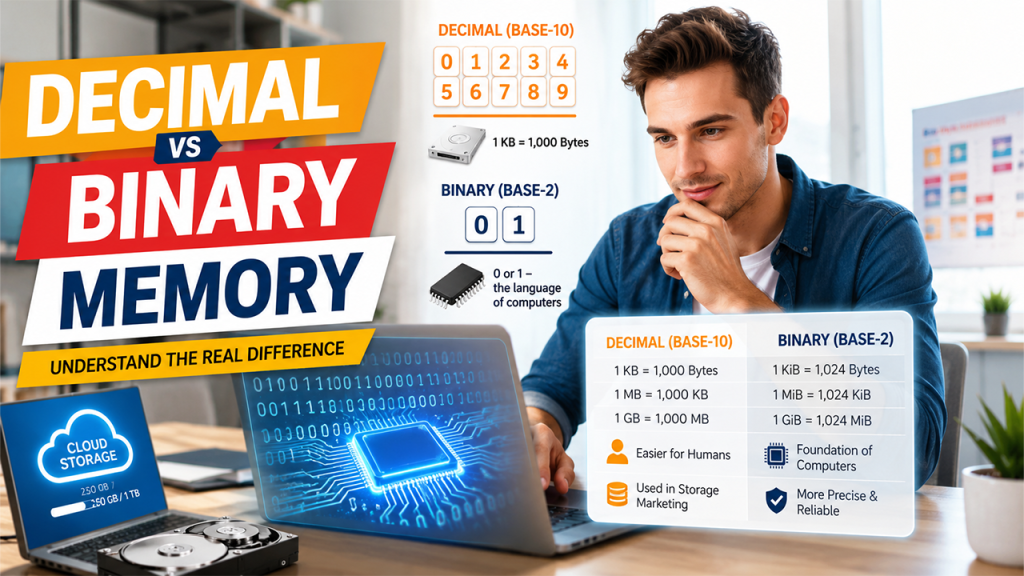
The core difference between the decimal and binary memory comes down to the storage measuring method of digital storage. The decimal memory uses a base-10 system, whereas the binary system uses a base-2 system. The digital systems, like computers and smartphones, generally rely on binary memory, whereas humans natively process information using the decimal system.
Decimal Memory System
The decimal memory system is generally referred to as a specific type of data storage, which is used in software to hold exact fractional numbers. The decimal memory system uses base-10 mathematics, rather than base-2.
The decimal system is mainly used in hard drive packaging and cloud storage plans. The system features simple numbers, which are based on 10s, and is easier for marketing and consumer understanding.
In the decimal system, 1 KB is equal to 1,000 bytes, and 1 MB equals 1,000 KB, and so on.
Binary Memory System
The binary memory system is a type of computer architecture in which memory cells exist in only one or two possible states. It is represented by 0 and 1. It serves as the foundational architecture for all modern digital computing devices. It also allows physical hardware to easily store and process complex data.
The binary memory system for storing digital data is considered reliable and versatile. The hardware with two distinct states is less prone to errors and is simple to use.
Key Difference between Decimal and Binary Memory System
Unit wise difference between Decimal and Binary system are as follows:
| Unit | Decimal Units (SI Standards) | Binary Units (JEDEC Standards) |
| 1 kilobyte (KB) | 1,000 bytes | 1,024 bytes |
| 1 megabyte (MB) | 1,000 kilobytes (KB) | 1,024 kilobytes (KB) |
| 1 gigabyte (GB) | 1,000 megabytes (MB) | 1,024 megabytes (MB) |
| 1 terabyte (TB) | 1,000 gigabytes (GB) | 1,024 gigabytes (GB) |
Types of Digital Storage System

Digital storage refers to the technology that is used to store, save, and retrieve data in electronic form. There are several types of digital storage, which include primary storage, secondary storage, tertiary storage, cloud storage, and network-attached storage, among others. Each type of storage is designed for different purposes, like speed, capacity, portability, and long-term backup.
Primary Storage
The primary storage is the type of memory that a computer uses while operating. It generally holds data temporarily, so that the CPU can quickly access the information. The primary storage also features fast access speed, along with temporary data storage. The storage is primarily used to run applications, multitasking, and temporary processing of data.
Secondary Storage
Secondary storage is mainly used to store long-term data. It keeps the files safe, even when the device is turned off. It offers permanent storage, along with a large storage capacity. The storage system is generally slower than the primary system. It is generally used for saving files, installing applications, and email storage.
When a storage drive is significantly slower than the rest of the system, it can also become a performance limitation, so users can use a bottleneck calculator to assess how different components may affect overall PC performance.
Tertiary Storage
Tertiary storage is mainly used for archiving and backup purposes. The tertiary storage is also referred to as backup storage and is not accessed frequently. It features a large capacity, along with a lower price. The storage system is used for long-term backups, archiving business data, and acts as a disaster recovery system.
Cloud Storage
Cloud storage is a type of data which is located on remote servers. Cloud storage is accessed through the internet and offers automatic backup. Cloud storage is generally used for file sharing, online backup, and collaboration. It is also used for email storage.
Network Attached Storage (NAS)
Network-attached storage is a dedicated storage device that is connected to a network. The system allows multiple users to access the data simultaneously. It features a shared storage system and is accessible over a local network or the internet. It also features high capacity and scalability. NAS is generally used for office file sharing, team collaboration, centralized backups, and media servers.
| Type | Speed | Capacity | Purpose |
| Primary | Fast | Low | Temporary processing |
| Secondary | Medium Fast | High | Permanent storage |
| Tertiary | Slow | Very High | Backup and archiving |
| Cloud Storage | Depends on the internet | Scalable | Remote access |
| NAS | Fast | High | Shared storage |
What is Email Storage?
Email storage is a type of digital space that is used to store emails, attachments, and mailbox data on the server. Every email that the user sends or receives occupies a small amount of storage, which is provided by the email service provider.
In an email, the text contents and attachments use the most space. The email storage works by not storing the emails directly on the device. Instead, they store the data on a remote server.
The step-by-step process of how the email storage works is:
- Email is sent or received.
- Email is saved on the server.
- The server allocates storage space to the email.
- The user can access it anytime using the internet.
The email storage is generally limited, depending on the service provider. Gmail and Outlook offer 15 GB of free storage, whereas iCloud Mail offers 5 GB of free shared storage. Users can also easily clean up the email storage. The user can follow the blog titled How to Clean Up Gmail Storage, to easily clean the storage space in Gmail.
When discussing digital storage systems and email storage, it is also important to understand the Gmail attachment size limit. Gmail allows users to send attachments up to 25 MB per email. If the file exceeds this limit, Gmail automatically converts the attachment into a Google Drive link instead of sending the file directly.
Conclusion
A computer storage system is the backbone of all modern digital devices. It enables seamless storage, retrieval, and organization of digital information in devices. To better understand the working of computing devices, it is essential to learn the core concepts, like storage units, and how many gigs are in a TB.
In summary, 1 TB is equal to 1,000 GB in the decimal system and 1,024 GB in the binary system. Understanding how many gigs are in TB helps the user make smarter decisions when buying or upgrading to a newer digital device, like a laptop or smartphone.
Frequently Asked Questions
What is storage conversion?
A storage conversion is the process of converting one digital storage unit into another. Using the storage conversion, one can easily convert GBs into TBs or MBs into GBs, and so on.
What is primary storage?
Primary storage is a type of temporary storage, like RAM. Primary storage is used by the computer while actively running applications and processing data.
How many megabytes are in a gigabyte?
There are 1,000 megabytes in 1 gigabyte, according to the decimal system, and 1,024 megabytes according to the binary system.
What type of storage system does cloud storage use?
Cloud storage uses a binary storage system, as it is just a network of physical servers, hard drives, and flash memory.
Is cloud storage better than NAS?
Cloud storage is considered better if the user prioritizes remote collaboration, automated office backups, and effortless scalability. Whereas a NAS or network-attached storage setup is considered ideal for users looking for massive local storage for large files, with zero recurring subscription fees.