


 Continue with Google

 Share on media

If you’ve landed here because your Strato Webmail login isn’t working, or you’re just trying to figure out how to set the whole thing up properly, you’re in the right place. Strato is one of the more established email providers in Europe, but its webmail interface isn’t always the most intuitive thing to navigate on the first try.
And another thing is that you must be aware from the start that there are some disadvantages to using this email service, and they can negatively affect its users’ experience. It is good to be prepared for anything and to know how to act in an emergency.
In this blog, we’ll walk through exactly how to log in, how to connect Strato to a desktop or mobile email client, what to do when the login screen won’t cooperate, and whether Strato is actually worth sticking with once you weigh the pros against the cons.
What Is Strato Webmail?
Strato Webmail is the browser-based email interface offered by Strato, one of the larger web hosting and domain providers in Europe, especially popular in Germany. You don’t need to download any special software because you can use your browser to sign into webmail.strato.de and check your inbox right away.
While researching, you may find some information about “Strato Communicator”. It is not a different service, but just another term for Strato Webmail. No installation is needed; no additional skills should be learned; it is just the same browser-based email management system as the former one, called differently.
Keep in mind that Strato Webmail can be used only with email addresses connected to Strato’s email package. Thus, if you do not have an email package with Strato, but you have a domain managed by Strato, you will not be able to access Strato Webmail.
How to Log in to Strato Webmail
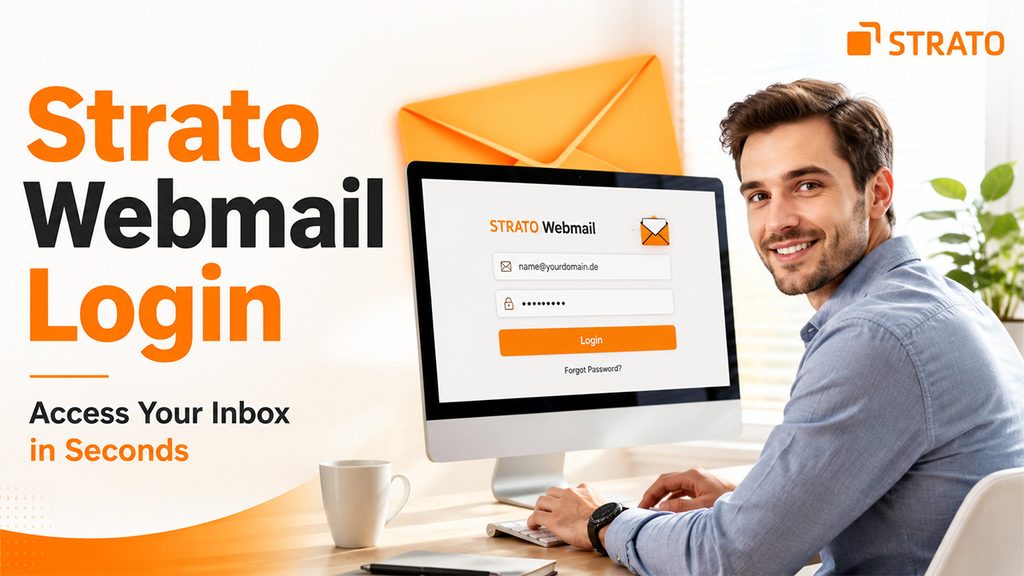
Logging in itself is fairly simple once you know where to go:
Open your browser and go to webmail.strato.de: This is the direct login page; no need to search for it through Strato’s main site.
Enter your full email address: Not just your username, the complete address, like name@yourdomain.de.
Enter your password: The one you set specifically for that email address inside your Strato customer account.
Check “stay logged in” if you’re on your own device: Skip this on shared or public computers for obvious security reasons.
Click login: And you’re in.
If you manage multiple email addresses under one Strato package, you’ll select which address you want to work with at login. You can see a full list of your addresses inside your Strato customer account under Strato Webmail Login settings, specifically under Email, Email Management.
Forgotten your password? Click the “Forgot Password” link on the login page. It takes you about two minutes to reset your password.
Setting Up Strato Webmail in Third-Party Email Clients
Instead of using Strato Webmail via your browser, if you prefer working with your inbox through third-party email clients like Outlook, Thunderbird, or Apple Mail, connecting to Strato Webmail is quick and easy:
| Settings | IMAP (Incoming) | SMTP (Outgoing) |
| Server | imap.strato.de | smtp.strato.de |
| Port | 993 | 465 |
| Security | SSL/TLS | SSL |
| Username | your-email@strato.de | Your-email@strato.de |
| Password | Your Strato password | Your Strato password |
IMAP connection is always preferred over POP3, because it ensures synchronization of all of your emails in your inbox between all of your devices instead of being tied down to one specific device. After these settings are added in the account settings in your email client, your inbox should be synchronized automatically, and there will be no need to return to the browser version of the email client.
One thing worth flagging here: some older client configurations used an authentication method that Strato has since phased out; more on that in the next section, since it’s one of the more common setup issues people run into.
Common Login Issues and How to Fix Them
Even with correct credentials, Strato Webmail Login problems do come up. Here’s what tends to cause them, and how to fix each one:
Password not accepted: Double-check capitalization; passwords are case-sensitive even though email addresses aren’t. If you’re unsure, reset it directly through your Strato customer account.
Webmail page won’t load: This is sometimes a Strato-side outage rather than anything on your end. Clear your browser cache, try a different browser, or check outage-tracking sites before assuming it’s your login.
Blocked by a firewall or network: Common on company networks that restrict access to webmail services. Check with your IT team if this happens consistently at work.
Emails not arriving in Thunderbird or Outlook, but webmail works fine: This one trips up a lot of users. Strato phased out an older authentication method a while back, and if your client still has “encrypted password” Selected in its settings, mail stops coming through. Switching the authentication setting to “normal password” fixes it; your connection stays secure either way since SSL/TLS handles the encryption at the connection level.
Strato has also experienced some actual downtime over the past couple of years, such as an outage earlier in the year where users lost access to IMAP and webmail services. It may be best to rule out the possibility of a service-wide problem before investigating any further on your end.
Strato Webmail Review: Pros and Cons
Before deciding whether to stick with Strato Webmail, it helps to weigh what it does well against where it tends to fall short.
Pros of Strato Webmail
Solid security: SSL/TLS encryption on all connections, plus spam and virus filtering built in by default.
Clean, functional interface: Nothing flashy, but it’s easy enough to navigate without a learning curve.
Good integration: Calendar, contacts, and email all work together within the same account, no extra setup needed.
European-based hosting: A real plus for anyone prioritizing GDPR-compliant data storage over US-based alternatives.
Cons of Strato Webmail
Recurring outages: Strato has had a handful of documented service disruptions over the past couple of years, including one affecting IMAP and webmail access earlier this year.
Communication gaps during issues: Several users have reported that outages weren’t clearly communicated, leaving people troubleshooting blind.
Costs money: Unlike free services, Strato Webmail comes as part of a paid hosting or email package.
Feature-limited for power users: If you’re used to more advanced tools, Strato can feel fairly basic by comparison.
If you’re new to managing hosted email versus free consumer inboxes, it’s worth understanding what is email hosting actually built on before comparing providers, since paid domain-based email works differently from a free Gmail or Outlook account under the hood.
Overall, Strato holds up reasonably well for straightforward business or personal use; the real friction shows up specifically around reliability during outages.
Strato Webmail Alternatives
If the outages or limited features have you considering a switch, there are a few solid directions to look:
Other hosting providers with email included: If you already use a custom domain, moving to a different hosting provider often lets you keep your professional address while getting more reliable servers and better support.
Free consumer email services: Options like Gmail alternatives such as Outlook.com or Proton Mail work fine for personal use, though a free @gmail.com-style address looks less professional for business communication.
Free consumer email services: Options like Gmail alternatives such as Outlook.com, Proton Mail, or Xfinity Email can work well for personal communication, depending on your requirements.
Third-party email clients: Apps like Thunderbird, Outlook, or Apple Mail can pull in your existing Strato mail and offer a smoother experience, though this doesn’t fix outages happening on Strato’s servers themselves.
Ultimately, what’s best for you will depend on the reason you wish to move from Strato. If it is an interface issue, you could consider changing the email client. If outages are your problem, then switching hosts will probably be necessary.
Conclusion
Strato Webmail does the job for straightforward email needs; logging in is simple, the interface is clean, and the security basics are solid. Where it stumbles is reliability; the outages and occasional communication gaps are real, documented issues worth going in with your eyes open about.
If you’re generally happy with Strato and just needed help logging in or setting things up in a client, hopefully this covered what you needed. But if reliability is a deal breaker for you, it’s worth weighing other hosting providers or even a simpler free email client setup that pulls your mail in without depending entirely on Strato’s own webmail interface.
In either case, knowing how the login process works, how to resolve typical problems, and what other options you have is definitely more beneficial than crossing your fingers that everything will work.
