










 Continue with Google

 Share on media
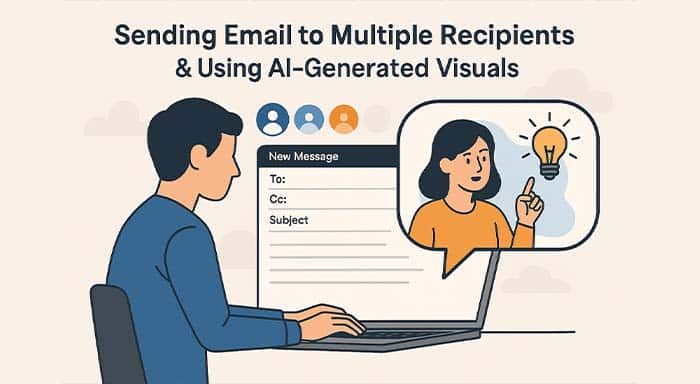
In today’s fast-paced digital world, mastering bulk email with AI-generated images can revolutionize your communication strategy. Whether for marketing, customer outreach, or business promotions, integrating AI-powered visuals enhances engagement and boosts email open rates. This guide explores how to optimize bulk email delivery while leveraging AI-generated images to create compelling content. Learn the best practices for automation, personalization, and improving email performance with the power of AI-driven visuals.
The Strength of Bulk Email Sending
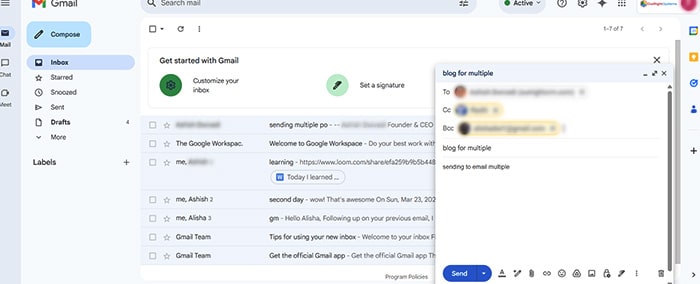
E-mail is an important means of communication, but typing out a message individually to several recipients can be a slow and laborious job. Fortunately, the facilities of “Send to All,” CC (Carbon Copy), and BCC (Blind Carbon Copy) facilitate easy delivery of messages to vast numbers of people without going through the chore of sending e-mails individually.
Understanding “Send to All,” CC, and BCC
- Send to All: This option enables users to send an email to all contacts in a predetermined list or database without requiring manual recipient selection. It’s perfect for firm-wide updates, event notifications, and marketing campaigns.
- CC (Carbon Copy): It allows you to send a replica of an email to several individuals, and every recipient can identify the other parties who received the email. This is helpful to keep teams and stakeholders updated.
- BCC (Blind Carbon Copy): In contrast with CC, BCC conceals recipients’ e-mail addresses from one another. This is a good option while sending emails to a large set of people yet preserving privacy.
Advantages of Bulk Emailing
- Saves Time: Rather than writing and sending separate emails, you can send a single message to several recipients at once.
- Ensures Consistency: All recipients receive the same message, minimizing the chances of miscommunication.
- Boosts Productivity: Automating bulk emails saves time for other critical tasks.
- Protects Privacy: BCC keeps email addresses private and minimizes the chances of unwanted responses.
- Maintains Professionalism: Bulk emailing via official channels guarantees a formal and systematic method of communication.
Further Bulk Email Features for Optimal Efficiency
- Email Scheduling: Gmail, Outlook, and Mailchimp facilitate scheduling emails beforehand for maximum timing.
- Email Tracking & Analytics: Tools such as Mailtrack and HubSpot offer open rate and engagement insights.
- A/B Testing: A/B testing subject lines and content variations optimizes email performance.
- AI-Powered Personalization: AI tools such as Phrasee and Copy.ai can personalize emails depending on the behavior of recipients.
- Compliance & Anti-Spam Protection: Compliance with GDPR and CAN-SPAM laws promotes ethical and legal email practices.
- Smart Content Suggestions: AI-powered subject line authors assist in increasing open rates and engagement.
Best Practices for Sending Bulk Emails
- Personalize When Possible: Even in bulk emails, using recipients’ names can make messages feel more engaging.
- Keep It Concise: Short and to-the-point emails improve readability.
- Use an Email Management Tool: Platforms like Mailchimp and Sendinblue help manage bulk emails efficiently.
- Avoid Spamming: Only send emails to people who have opted in to avoid being flagged as spam.
- Test Before Sending: Always send a test email to yourself to check formatting and links before sending it to a larger audience.
Common Mistakes to Avoid in Bulk Email Campaigns
Even well-planned email campaigns can fail if common mistakes are ignored. Understanding these issues can help improve deliverability, engagement, and overall communication performance.
Sending Emails Without Segmentation
Sending the same email to every subscriber may reduce engagement. Dividing your audience based on interests, behavior, or demographics makes emails more relevant and effective.
Ignoring Mobile Optimization
A large percentage of users open emails on mobile devices. Emails that are not mobile-friendly may appear broken or difficult to read, leading to lower engagement rates.
Overloading Emails with Images
Although AI-generated visuals improve engagement, excessive use of graphics can slow loading speed and distract readers from the main message. Balance visuals with clear text content.
Weak Subject Lines
Your subject line determines whether recipients open the email or ignore it. AI-powered tools can help generate compelling subject lines that improve open rates.
Not Using Professional Layouts
Using structured and responsive email templates helps create visually appealing emails that maintain consistency and professionalism across campaigns.
The Place of AI-Generated Pictures in Communication
Pictures are the key elements that exist today. AI-generated images spice up social media posts, presentations, and emails to get a point across. These help make the flow of complex data easy for a recipient to receive.
Advantages of Employing AI-Generated Pictures
- Creates Engagement: Visually, one absorbs the same amount of material quicker, rendering AI-generated images a brilliant tactic for capturing consideration.
- Makes Complicated Ideas Simple: AI-created infographics and illustrations make it easy to comprehend complex ideas.
- Affordable: AI software offers quality images without having to employ a designer.
- Highly Adjustable: AI-created images can be adjusted to fit branding and messaging.
- Time-Saving: AI-created images are generated immediately, saving on manual design time.
Popular AI Tools for Image Creation
- DALL·E – Creates artistic images from text inputs.
- Canva AI – Generates visuals for presentations, marketing, and social media.
- Deep Dream Generator – Generates surreal and visually appealing images.
- Runway ML – Provides AI-based tools for realistic image generation.
Best Practices for Using AI-Generated Images
- Ensure Relevance: Select images that support the message without distracting from it.
- Optimize for Email & Web: Compress images to avoid slow email opening times.
- Maintain Brand Consistency: Use your brand’s colors, fonts, and style.
- Use High-Quality Visuals: Low-quality images can damage credibility and professionalism.
- Avoid Overuse: Although images are useful, using too many can overwhelm an email or document.
Blending Bulk Emails and AI-Generated Images for Maximum Impact
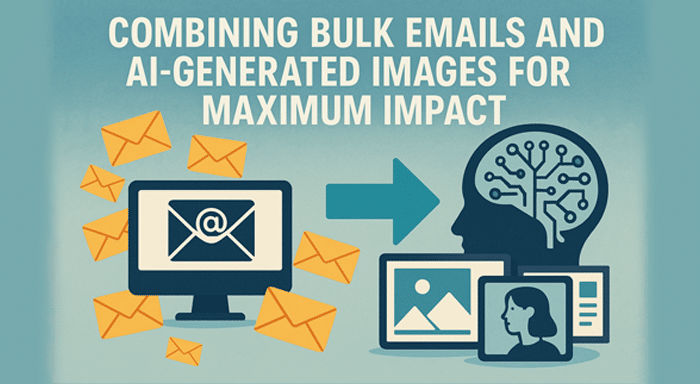
When used in unison, bulk emails and AI-generated images form a formidable duo that enhances communication. Here’s how:
- Engaging Newsletters: Companies can use AI-generated visuals to send newsletters with key points highlighted.
- Event Invitations: AI-generated banners add a personal touch to event emails.
- Educational Content: Teachers can apply AI images in bulk emails to explain lessons.
- Marketing Campaigns: Companies can reinforce promotional emails with AI-generated graphics.
- Corporate Announcements: Internal emails become more compelling with the addition of visuals.
Measuring the Success of Bulk Email Campaigns
Tracking email performance is essential for improving future campaigns. Modern email marketing tools provide valuable insights that help businesses optimize communication strategies.
Key Metrics to Monitor
Open Rate:
Shows how many recipients opened your email. Strong subject lines and proper timing can improve this metric.
Click-Through Rate (CTR):
Measures how many users clicked on links or buttons inside the email.
Bounce Rate:
Indicates emails that failed to reach recipients due to invalid addresses or technical issues.
Conversion Rate:
Tracks how many recipients completed a desired action such as purchasing a product or signing up for a service.
Unsubscribe Rate:
Helps identify whether your content is relevant and valuable to subscribers.
Businesses involved in direct mail marketing can combine email analytics with traditional campaign insights to build more effective multi-channel communication strategies.
Future Trends in AI-Powered Email Marketing
Artificial intelligence continues to transform how businesses communicate with customers. Emerging trends are making bulk emailing smarter, faster, and more personalized.
Predictive Personalization
AI tools can analyze customer behavior and predict the type of content users are most likely to engage with.
Automated Visual Creation
AI image generators now create branded visuals instantly, reducing the need for manual graphic design work.
Smart Send-Time Optimization
AI can determine the best time to send emails based on recipient activity patterns.
Interactive Emails
Modern email campaigns increasingly include polls, sliders, animations, and interactive visuals to improve engagement.
Advanced Email Automation
Platforms like MailerLite demonstrate how automation, segmentation, and analytics simplify modern email marketing workflows. Understanding what MailerLite is can help beginners choose the right platform for scalable campaigns.
Conclusion
Mastery of bulk email tactics and artificial intelligence-generated images has the potential to enhance efficiency in communication. The “Send to All” feature allows fast communication with the appropriate individuals, and AI-generated images support increased engagement.
Mastery of bulk email tactics and artificial intelligence-generated images has the potential to enhance efficiency in communication. The “Send to All” feature allows fast communication with the appropriate individuals, and AI-generated images support increased engagement.
By combining these techniques, professionals, teachers, and companies are able to save time, communicate efficiently, and leave a strong impression. For business marketing, learning, or collaborating with teammates, adopting these tools will help you remain competitive in today’s fast-paced digital age.
Frequently Asked Questions (FAQs)
What is bulk emailing?
Bulk emailing is the process of sending a single email message to multiple recipients simultaneously using email marketing tools or mailing systems.
Are AI-generated images safe to use in emails?
Yes, AI-generated images are generally safe when created through trusted platforms and used according to licensing guidelines. Always ensure the visuals are relevant and professional.
How can I prevent bulk emails from going to spam?
You can reduce spam issues by using verified email lists, avoiding spammy language, adding unsubscribe options, and following GDPR and CAN-SPAM compliance rules.
Which tools are best for bulk email campaigns?
Popular tools include Mailchimp, HubSpot, Sendinblue, and MailerLite because they provide automation, analytics, and personalization features.
Why is email professionalism important in bulk communication?
Professional communication builds trust and improves response rates. Following proper Email Etiquette ensures emails remain respectful, clear, and effective for recipients.