


 Continue with Google

 Share on media
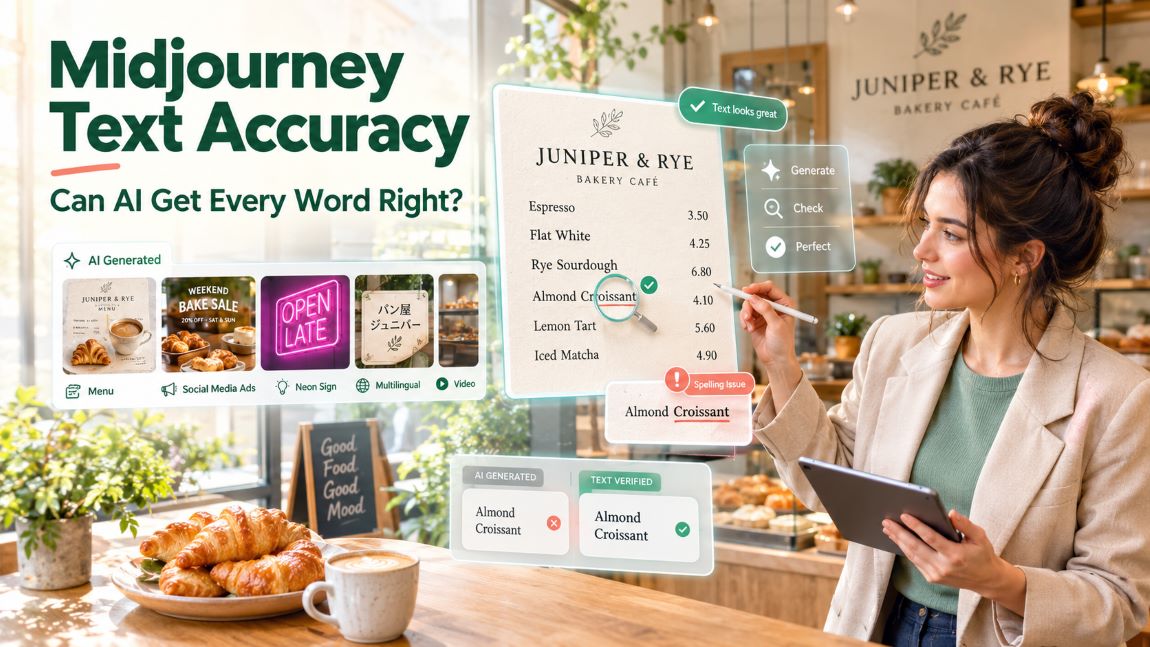
For years the standard advice about AI image models was simple: never ask them for text. Signs came back as alphabet soup, logos had extra letters and menus looked like a foreign language that does not exist. Newer Midjourney versions are supposed to have fixed that, and the marketing examples look convincing. But marketing examples are chosen. If you run a café, a restaurant group or an agency that produces menus, posters and social ads every week, you need to know something more precise: how much text can the model handle before it breaks, which version should you use, and what kinds of mistakes should you check for?
We set out to measure it. We invented a small bakery café called Juniper & Rye and used the Midjourney API to generate everything such a business might print or post: a one-word card, a three-word slogan, a six-item price menu, a 28-word notice, signs in four lettering styles, cards in French, Spanish and Japanese, the same ad in four social formats, and six short video clips. We sent the same text-length tests to versions 7, 8.1 and 8.2 with a fixed seed. Then we cropped every single image and checked the spelling by hand, word by word and price by price.
The short version: text in Midjourney 8.x is genuinely usable, up to a point that you can now measure. The longer version, with all the numbers, is below.
How we ran the test
Every Midjourney action is an asynchronous HTTP call. You submit a request, receive a task ID, poll until the status becomes SUCCESS or FAILURE, and download the result. An Imagine request returns a 2 × 2 grid and four individual images, so every test in this article produced four samples. We fixed the seed for each comparison, so differences between versions are not just random luck.
import time, requests
BASE = “https://api.apimart.ai/v1/midjourney”
H = {“Authorization”: “Bearer YOUR_KEY”}
def imagine(prompt, **opts):
body = {“prompt”: prompt, “speed”: “fast”, **opts}
tid = requests.post(f”{BASE}/generations/imagine”, headers=H, json=body).json()[“data”][0][“task_id”]
while True:
t = requests.get(f”{BASE}/{tid}”, headers=H).json()
if t[“status”] in (“SUCCESS”, “FAILURE”):
return t # t[“image_urls”] holds the four images
time.sleep(3)
for version in (“7”, “8.1”, “8.2”):
imagine(‘a printed card that says “Fresh Bread Daily”, …’,
version=version, size=”4:5″, seed=2026)
All requests used fast mode. Across 24 standard Imagine requests, the time from submission to a finished grid ranged from 67 to 114 seconds, with a median of 79 seconds. Version 7 was the quickest (median 73 seconds), version 8.1 took a median of 81 seconds and version 8.2 a median of 98 seconds. Text accuracy, as you will see, is worth the extra wait.
Our scoring was strict. A word counts as correct only if every letter is right. A menu item counts as correct only if its full name is spelled correctly. Extra invented words, which models love to add, are noted separately because they matter for real print work.
Test 1: the text-length ladder
The core of the test was a ladder of four steps, each one longer than the last. Every step used the same scene description, a printed card on a warm oak table in a bakery, so that only the amount of text changed:
Step 1: a printed card that says exactly “JUNIPER”
Step 2: a printed card that says exactly “Fresh Bread Daily”
Step 3: a printed menu card titled “JUNIPER & RYE” listing exactly: “Espresso 3.50”, “Flat White 4.25”, “Rye Sourdough 6.80”, “Almond Croissant 4.10”, “Lemon Tart 5.60”, “Iced Matcha 4.90”
Step 4: a printed notice card with exactly this text: “Our bakery opens at 6:30 every morning. All bread is baked in small batches with organic rye flour from local farms. Thank you for supporting your neighbourhood bakery.”
+ “, flat lay photograph on a warm oak table in a cozy bakery cafe, soft morning window light, the text is printed clearly and legibly”
(versions 7, 8.1 and 8.2 · size 4:5 · seed 2026 · speed fast)
Accuracy at each step of the ladder. Every image was cropped and checked by hand.
The chart tells the story clearly. A single word is now easy for every version: all twelve cards said JUNIPER. With three words, version 7 began to fail, while both 8.x versions were perfect. With a full menu, version 7 collapsed completely: not one of its 24 menu lines was readable. Versions 8.1 and 8.2 got about two thirds of the item names right. And with a 28-word paragraph, version 7 managed only a handful of words, while 8.1 and 8.2 spelled more than 80 percent of the words correctly, with the best single images reaching 26 and 28 out of 28.
The most useful conclusion is that text accuracy no longer falls off a cliff in version 8.x. It degrades gradually as text gets longer, and the errors become small and specific rather than total. That changes how you should work: instead of avoiding text, you generate several candidates and pick the cleanest one.
Test 2: three words, and a surprising leak
The three-word step, “Fresh Bread Daily”, showed something we did not expect.
The same three-word prompt and seed on versions 7, 8.1 and 8.2.
Version 7 produced two correct cards, one that read “FRESH BRAD DAIY” and one that replaced “Daily” with an invented phrase. Version 8.2 produced four clean cards. Version 8.1 also spelled the slogan correctly in all four images, but in two of them it printed an extra word above the headline: “EXACTLY”, in one case spelled correctly and in the other garbled. The word came straight from our prompt, where we had written says exactly “Fresh Bread Daily”. The model treated an instruction word as part of the text to print.
This happened again later in the test. The word “exactly” appeared on menu cards and on a French card too. If you write prompts for text, keep instructions and copy clearly separated, and avoid words like “exactly”, “the text”, or “that says” right next to the quoted copy. Putting the copy at the end of the sentence and using quotation marks worked best for us.
Test 3: a menu with six items and six prices
A menu is the real test for a café. It combines a title, six product names and six prices, and every error is visible to customers.
The best of four menu cards from each version.
Version 7 produced attractive cards full of invented words that only look like menu items. Versions 8.1 and 8.2 were far better, but not perfect. We scored item names and prices separately:
| Version | Title correct | Item names correct | Typical errors |
| 7 | 1 of 4 | 0 of 24 | Every item garbled |
| 8.1 | 2 of 4 | 17 of 24 | “Almond Croissant”, “Lemon Tart”, truncated title |
| 8.2 | 4 of 4 | 16 of 24 | “Almond Croissant”, last item hidden or garbled |
| 8.1 with HD | 3 of 4 | 20 of 24 | “Almond Croissant”, a few wrong or misplaced prices |
A few patterns stood out. “Almond Croissant” was the hardest phrase in the whole test: across all twelve 8.x menu images and the four HD images, it was spelled correctly only four times, usually becoming “Almond Crosisant” or “Almond Crossaint”. Short, common words such as “Espresso” and “Flat White” were almost always right. Prices were generally correct as numbers, but they were sometimes placed on the wrong line, so that a price no longer lined up with its item. The best single menu from version 8.1 had all six prices correct and five of six item names, which is close to usable after one small retouch.
We also tried the HD option on version 8.1 with the same prompt and seed. HD images came back at 1968 × 2464 pixels, twice the width and height of a standard image, and took 106 seconds. The extra resolution helped: 20 of 24 item names were correct, compared with 17 for the standard run. If text matters, HD is worth testing.
Test 4: a whole paragraph
Notices, opening hours and allergy information are longer than a menu line. Our 28-word notice is a realistic example.
The best paragraph card from each version.
Version 7 produced convincing-looking cards with almost entirely invented text: only the first word, “Our”, survived reliably. Version 8.1 averaged 24 correct words per card, and its best card had 26 of 28 words right, with only “small batches” and “farms” mangled. Version 8.2 had a wider spread: one card was perfect apart from a stray extra token (“in amu small batches”), while another lost a third of its words. Typical errors were merged words (“smallstatetas”), small substitutions (“bakd”, “fm”) and a phrase printed twice.
For anything that must be accurate, such as allergy information or opening times, the conclusion is simple: do not rely on generated text alone. Generate the design with Midjourney, then set the paragraph in a real typeface in your design tool. For teams creating AI-generated marketing assets alongside product guides, user manuals, and other technical content, choosing the right documentation platform can help keep information organized and easier to maintain. Explore our guide to the top technical documentation software to compare tools for creating, managing, and publishing technical content.
Test 5: four lettering styles
Real cafés rarely use plain printed text. They use serif logos, hand-lettered windows, neon signs and chalkboards. We tested short text in each style on version 8.1:
an elegant cream poster with the words “Juniper & Rye” in a classic serif typeface, and below it “Est. 2019”
a hand-lettered script logo reading “Juniper & Rye” painted in gold on a bakery shop window
a pink neon sign on a dark brick wall that reads “OPEN LATE” in glowing neon tubes
a chalkboard menu on a cafe wall written in white chalk: “TODAY: Pumpkin Soup 7.50”
(+ “, photograph, clear legible lettering” · version 8.1 · size 4:5 · seed 31)
Serif, script, neon and chalk lettering. Short text was almost flawless in every style.
Short text in a strong style was the most reliable result of the whole test. The serif poster, the neon sign and the chalkboard were correct in all four images each, including “Est. 2019” and the price “7.50”. The neon sign is particularly impressive: the tube shapes are consistent, and the glow is believable. The gold script window sign was readable in all four images, but in all four the model added the word “BAKERY” underneath, which we never asked for, and one image repeated part of the name. That is typical of decorative styles: the model fills empty space with plausible extra lettering. Brand teams should look for added words, not just misspelled ones.
Test 6: accents and non-Latin scripts
Many cafés use French and Spanish product names, and international brands need other scripts. We tested three cards on version 8.1:
“Pâtisserie Fraîche · Crème Brûlée · Café Noisette”
“Año Nuevo · Piña Colada · Señorita Panadería”
“パン屋 ジュニパー” (Japanese: “Juniper Bakery”)
Common accents worked; less common ones were moved or dropped. The Japanese card was correct every time.
The results were more nuanced than “accents work” or “accents fail”. Common accents were reliable: the â in Pâtisserie, the é in Café and the û in Brûlée were correct in almost every image, and the ñ in Año and Piña appeared in seven of eight cases. Less common accents were not. “Crème” became “Créme” in all four French cards, the î in “Fraîche” survived at most once, “Señorita” never received its ñ, and “Panadería” always had its accent on the wrong letter (“Panadéria”). In other words, the model seems to know which accents look French or Spanish, but not exactly which letter they belong on.
The Japanese card was the surprise of the test. All four images rendered パン屋 ジュニパー correctly, in clean, well-proportioned characters. One added a second, garbled line of small katakana underneath, so the same rule applies: check for extra text.
Test 7: one ad, four social formats
Social campaigns need the same message in several aspect ratios. We sent one ad prompt with four different size values and the same seed:
a social media ad for a bakery: a warm photo of fresh croissants with the headline “WEEKEND BAKE SALE” and the line “20% OFF · SAT & SUN”
(version 8.1 · sizes 1:1, 4:5, 9:16 and 16:9 · seed 55)
The same copy in four formats. The layout adapts to each shape.
This was the best result for practical marketing work. Fifteen of the sixteen images had both lines of copy exactly right, including the percent sign, the middle dot and the ampersand. The one failure was a 9:16 image that printed “BAKE” twice and garbled the second line. Better still, the model adapted the layout to each shape: a centred headline for square posts, a stacked headline for vertical stories, and a wide, single-line treatment for 16:9 banners. The four formats do not look like one template resized, but they clearly belong to one campaign.
Test 8: changing one word
Campaigns change. The discount goes from 20 to 30 percent, or a founding year needs updating. We tried two ways to make that change. The first was the Edits endpoint, which takes an existing image and an instruction:
Change only the text “20% OFF” to “30% OFF”. Keep everything else exactly the same: the croissants, the layout, the fonts and the colors.
(edits · image = the 4:5 ad · version 8.1)
Left: the original. Middle: Edits. Right: a new request with the updated copy and the same seed.
Edits was the clearest failure in our test. It took 79 seconds and returned four images in which the croissants, the background and the layout had all changed. The “WEEKEND BAKE SALE” headline disappeared from every image. Only two of the four showed “30% OFF” at all, and one of those printed “20% OFF” and “30% OFF” together. Our second Edits test, changing “EST. 2019” to “EST. 2024” on the serif poster, was worse: the model rewrote the poster into unrelated scenes and the brand name became “JUNPER”, “ENYPER” and “JYNPIERE”. Edits rewrites the whole image, and text is the first thing it loses.
The alternative worked much better. We simply sent the original ad prompt again with “30% OFF” in place of “20% OFF”, keeping the same seed. All four new images had the correct new discount, and three had a perfect headline (the fourth used a slightly warped hand-lettered “WEEKEND”). The images are not identical to the originals, but they share the same style and colours, so they fit into the same campaign. For text changes, regenerate; do not edit.
Test 9: does the text survive animation?
Finally, we animated six of the images with Midjourney’s video model, using low motion and 720p output. Each clip is five seconds long. The six clips took between 160 and 218 seconds each to render. One request failed upstream after ten seconds and succeeded on a simple retry. Failed tasks are not charged, so a retry loop is all you need.
We checked the text in the first, middle and last frames of every clip. The neon sign, the gold window sign, the 16:9 ad and the Japanese card kept their lettering perfectly stable from start to finish. The other two clips taught us something. The chalkboard clip’s camera moved closer and slightly sideways, so by the end the words were cut off at the edge of the frame. And in the menu clip, the model re-rendered the menu as the camera moved: the price of the Rye Sourdough changed from 6.80 to 4.30, and a second copy of the menu card appeared. Video models treat text as just another texture, so prices and product names can change between frames. Always watch the last frame of a clip that contains prices.
We combined the clips, the comparison images and a short narration into the walkthrough below.
Walkthrough: stress-testing Midjourney typography for a fictional bakery (about 2.5 minutes).
What the test cost
Text work involves more retries than other image work, so cost per usable image matters more than cost per request. Using the current Midjourney API pricing, a fast Imagine request costs $0.055 for four images, an edit costs $0.055 and a five-second 720p clip costs $0.40, which made it easy to plan this test in advance.
| Step | Requests | Price each | Total |
| Imagine, fast (ladder, styles, languages, ads, HD, regeneration) | 25 | $0.055 | $1.38 |
| Edits | 2 | $0.055 | $0.11 |
| Video clips, 720p | 6 + 1 failed | $0.40 | $2.40 |
| Total | 34 | $3.89 |
The 27 image requests in this test produced 108 images for $1.49. Even if you need four or five attempts to get a perfect menu, the generation cost is a few cents. As always, the expensive part is checking the text, which is why we recommend building that check into your workflow rather than leaving it to chance.
A typography checklist for Midjourney 8.x
- Use version 8.1 or 8.2 for anything with text. Version 7 failed at three words and collapsed completely on menus.
- Keep instructions away from the copy. Words such as “exactly” can end up printed in the image.
- Short text in a strong style is the safest choice. Neon, serif and chalk lettering with up to five words were correct in all twelve images.
- Expect about two thirds accuracy on menu items. Generate several candidates, try HD, and fix the remaining words in a design tool.
- Set long paragraphs in real type. More than 80 percent of words were correct, but that is not enough for opening hours or allergy notes.
- Check uncommon accents letter by letter. è, î, í and the ñ in less common words were usually wrong or misplaced.
- Look for extra words, not just misspellings. Decorative styles added “BAKERY” to every script sign and invented small print elsewhere.
- Regenerate instead of editing text. Same seed plus new copy kept the campaign style; Edits destroyed the layout.
- Check the last frame of every video. Prices can change and text can drift out of frame during a clip.
The bottom line
Midjourney 8.x can finally write. Short signs, slogans, social ads and Japanese characters came out correctly almost every time, and even a six-item menu was close to usable in the best images. The limits are now measurable rather than mysterious: accuracy falls gradually with length, rare accents slip, decorative styles add words, Edits loses text, and video can rewrite numbers. For a café or an agency, that means AI can produce the finished design for most short-copy assets, and a strong first draft for longer ones. If you want to run the same typography tests on your own brand, or compare Midjourney with other image models under one API key, you can find them on APIMart.
