


 Continue with Google

 Share on media
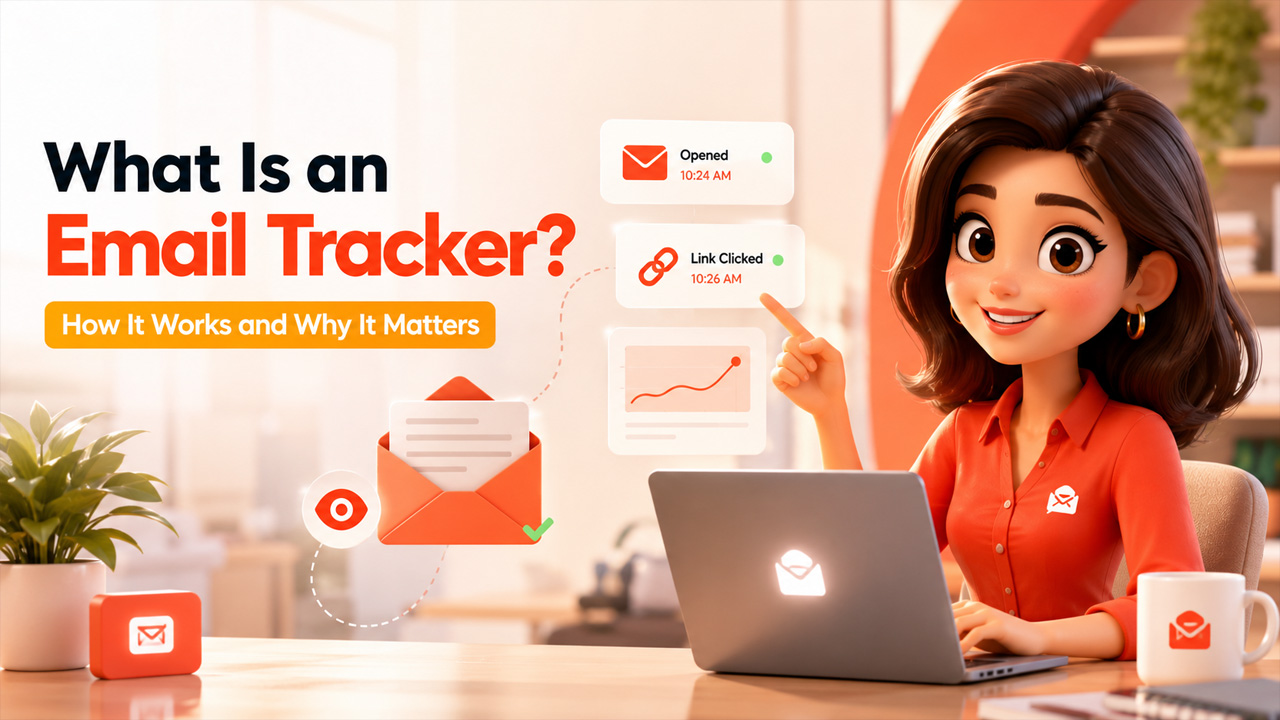
Ever sent an important email and then just waited, wondering if it actually landed, let alone got read? That’s the exact gap an email tracker is built to close. Instead of guessing whether your message disappeared into the void or hasn’t been opened yet, you get a clear answer in real time.
It is a very small yet highly effective tool that operates in the background of all your sent messages, alerting you whether they have been opened and, more often than not, whether any of the links have been followed. It can be employed from a simple freelancer keeping track of his or her invoices to entire sales teams timing their calls with prospects.
In this blog, we’ll get into what an email tracker actually is, how it works under the hood, the features worth knowing about, and why it’s become such a standard part of how people communicate professionally today.
What is an Email Tracker?
An email tracker is a tool that tells you what happens to an email after you hit send, specifically, whether it was opened, when it was opened, and sometimes whether any links inside were clicked. Email tracking helps to eliminate in sending emails.
The email trackers function seamlessly in the background. Once the email tracker is installed, all you have to do is keep on sending your emails as you normally would, and the data will be collected for you without your need to do any extra work.
The use of email tracking is especially prevalent in industries such as sales, recruitment, and marketing. In these industries, knowledge about whether your email has been viewed and interacted with can play a role in determining how and when you follow up with the person whom you emailed.
How Email Tracking Works
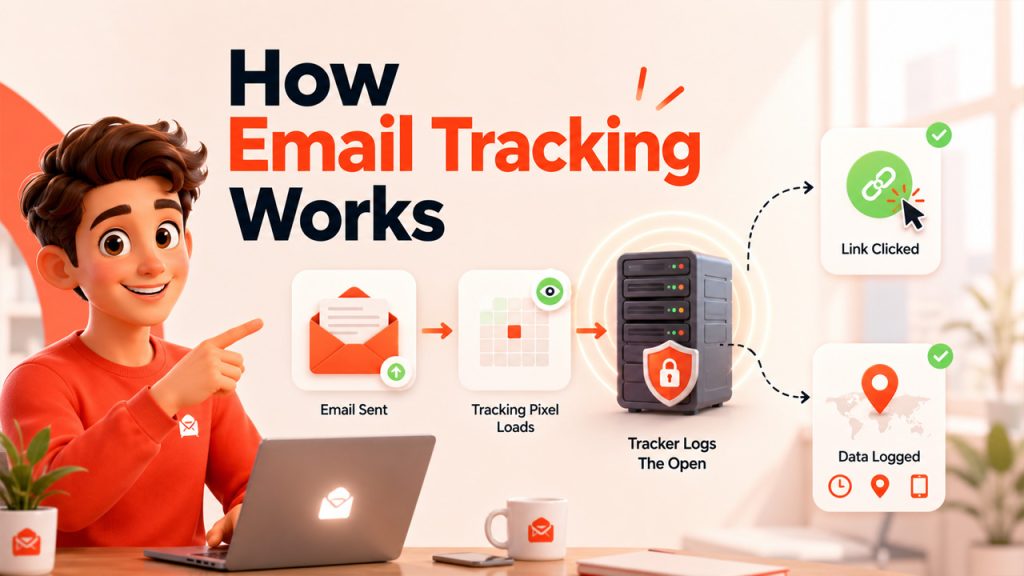
The mechanics behind an email tracker are simpler than most people expect, and it comes down to two main techniques working behind the scenes:
Tracking pixels: A tiny, invisible image gets embedded inside the email. When the recipient opens it and their email client loads that image, the tracker logs it as an “open”. It is the same basic technology that’s been used for years, just applied to email instead of web pages.
Link tracking: Instead of linking directly to the original URL, the email uses a special tracked link that redirects through a tracking server first, then sends the recipient on to the actual destination. Every click gets logged along the way.
There are a few nuances worth knowing. Opens can be missed if a recipient has images disabled in their email client, since the tracking pixel never loads in that case. Clicks, on the other hand, tend to be far more reliable, since they don’t depend on image loading at all.
Most mail tracker tools also log the time of the open, and sometimes rough location or device data, giving a fuller picture of not just whether someone engaged, but roughly when and how.
Key Features of Email Tracking Software
Not all email tracking software is built the same, but here’s what tends to separate a genuinely useful tool from a basic one:
Real-time open notifications: Get notified the moment someone opens your email, rather than checking a dashboard manually to find out.
Click tracking: See exactly which links inside your email got clicked, useful for gauging real interest rather than just a passive open.
Read receipts and history: A running log of every open and click, so you can look back and spot patterns in how someone’s engaging over time.
Multiple opens tracking: Some tools show how many times an email was reopened, which can hint at how seriously someone’s reviewing it.
Bulk tracking for campaigns: For anyone sending outreach or newsletters at scale, tracking performance across an entire batch, not just single emails, matters a lot more.
Integration with existing inboxes: The best tools work directly inside Gmail or Outlook rather than requiring a separate platform to check constantly.
For businesses building broader Email Marketing Strategies, these features go beyond curiosity; they directly shape when to follow up, what messaging is actually resonating, and which contacts are worth prioritizing.
Benefits of Using an Email Tracker
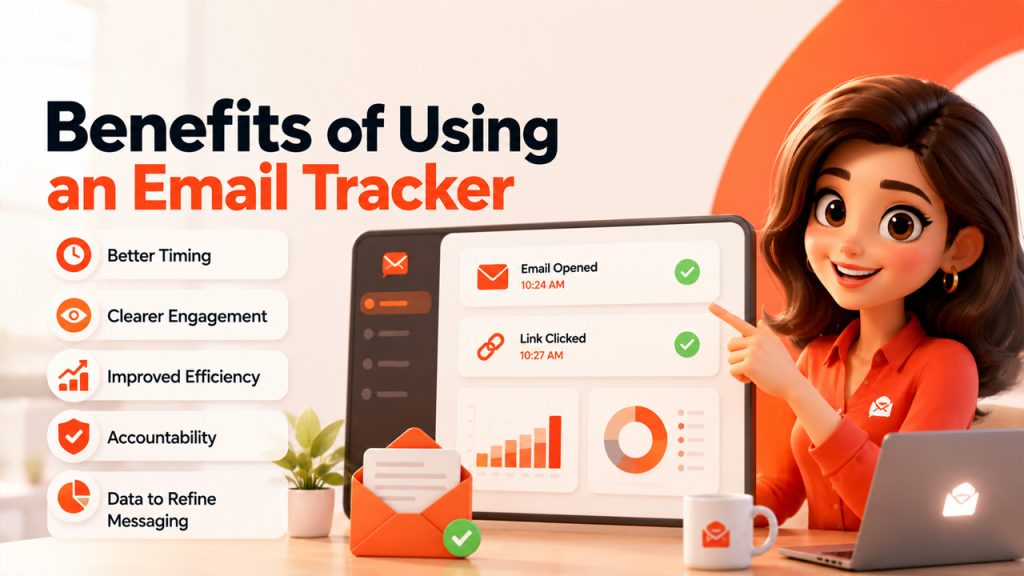
Once it’s part of your routine, an email tracker ends up saving more time and guesswork than most people expect going in:
Better timing on follow-ups: Instead of guessing when to check back in, you can follow up right after someone opens your email, while it’s still fresh in their mind.
Clearer sense of engagement: Knowing whether a message was opened and whether links were clicked gives you a much better read on genuine interest versus silence.
Improved sales and outreach efficiency: Sales teams can prioritize leads who are actively engaging over ones who haven’t opened a single email in weeks.
Accountability for important emails: For client work or time-sensitive requests, knowing something was actually seen removes a lot of unnecessary back-and-forth.
Data to refine messaging: Patterns in opens and clicks over time can reveal what subject lines or content actually get attention.
Plenty of email marketing platforms, including tools like Flodesk, build tracking directly into their campaign features, so you’re not bolting on a separate tool just to see how your emails are performing.
Use Cases: Who Actually Use Email Trackers
An email tracker isn’t limited to one type of user; it flexes depending on what you actually need to know:
Sales teams: Time follow-ups around actual engagement instead of guessing, and prioritize leads who are opening and clicking over ones going cold.
Recruiters: Confirm candidates actually saw outreach messages before assuming silence means disinterest.
Freelancers and consultants: Get confirmation that an invoice, proposal, or contract was actually opened by the client, without needing to ask directly.
Marketers: Track engagement across email campaigns to see what’s landing and what’s getting ignored, refining strategy based on real data instead of guesswork.
Job seekers: Know whether a hiring manager actually opened an application email before following up.
Budget-conscious marketers running smaller campaigns often turn to affordable platforms like Moosend, which bundles tracking features into its broader automation tools rather than treating it as a separate add-on.
Challenges and Limitations of Email Tracking
Email tracking is useful, but it’s worth knowing where it falls short before relying on it completely.
However, accuracy is not assured. The fact that open tracking requires an image being loaded into the email means that anyone who has disabled images in their email client cannot be registered as an “open”, even though they may have opened the email and read its contents.
Privacy concerns are a real consideration too. Some recipients, and increasingly some email clients, actively push back against tracking pixels for privacy reasons. Apple’s Mail Privacy Protection, for example, pre-loads images for all incoming emails regardless of whether they’re actually opened, which can quietly inflate open rates and make the data less reliable than it looks.
There’s also a problem of incompatibility. Email tracking software is designed to work on Gmail or Outlook email clients, and this means that if you don’t use either or if your recipient doesn’t use either, tracking might not work.
Conclusion
Ultimately, using email tracking allows getting rid of one of the most widespread frustrations connected with work communication, which is not being aware of whether or not your email was received. In case you are trying to follow up with a client, whether it be a sales prospecting email, checking on your resume, or making sure your client received some particular information, having such kind of knowledge really matters.
Of course, there is no guarantee that the collected data will be 100% accurate since there is always privacy protection as well as the possibility that the images were disabled. However, even with the mentioned limitations, it is much more helpful than the complete lack of any information.
Whether you choose to use a special tracking service or simply take advantage of the available tool in your current email provider, the benefits remain the same.
Frequently Asked Questions
How does an email tracker work?
An email tracker includes an invisible pixel that is put in your email. The minute your email recipient opens and loads the image, it gets logged as an open. Clicks are also tracked in the same way; they use a redirected link to reach the desired location.
Can recipients tell if their email is being tracked?
Absolutely not; most mail tracking applications operate in the background without any recipient notification at all.
Does email tracking work on all email providers?
Usually no; most trackers are developed exclusively for Gmail and Outlook and cannot work with other email providers effectively.
Why do some opens not get tracked?
If your email recipient has image loading turned off in their email client, tracking will be impossible as the tracking pixel will never load.
Is email tracking accurate?
Click tracking tends to be highly reliable, since it relies on link redirection. Open tracking is a bit less precise, since it depends on the tracking pixel loading, and things like Apple’s Mail Privacy Protection can also affect how accurate open data actually is.
