











 Continue with Google

 Share on media
Every time you sign up for something online—whether it’s a new website, a free trial, or just to download a PDF—you’re putting your real email address out there. And sure enough, within days, your inbox starts filling up with promotional emails you never asked for. It’s just a normal and frustrating part of being online today, but honestly, it gets old fast.
That’s where a temporary email comes in. Instead of giving your email address, you use a disposable one. It works for whatever you need, sticks around just long enough, then vanishes. No spam overload. No digital footprints. Just a clean, uncluttered inbox.
By 2026, privacy is no longer limited to techies—it’s for everyone. From regular users, developers, and entire businesses, more people are turning to temporary email tools to safeguard their main inbox. This guide will break down what a temporary email really is, how it works, why it’s worth using, and what its limits are.
What Is a Temporary Email?
A temporary email is just what it sounds like: a disposable email address you set up for quick use, then drop when you’re done. There is no need to sign up, fill out your details, or make a long-term commitment. You get the emails you need, and once you’re finished, the address and associated messages just disappear.
You’ll hear these called fake emails, burner emails, disposable emails, or throwaway addresses. They all refer to the same idea—an email that lets you keep your real identity and a permanent inbox secured from unwanted junk.
Here’s how a temporary email stands apart from a regular one:
- No sign-up needed: Most services give you an email address right away you visit the page.
- Short lifespan: These addresses usually last from 10 minutes to a few hours.
- No personal information needed: There’s no need to hand over your name, phone number, or create a password.
- Receive only: Most temporary inboxes can receive emails but cannot send them.
Popular temporary email tools such as temp-mail.org, YOPmail, and Email on Deck are often used for this purpose. They are free, instant, and require no account creation whatsoever.
How Does a Temporary Email Work?
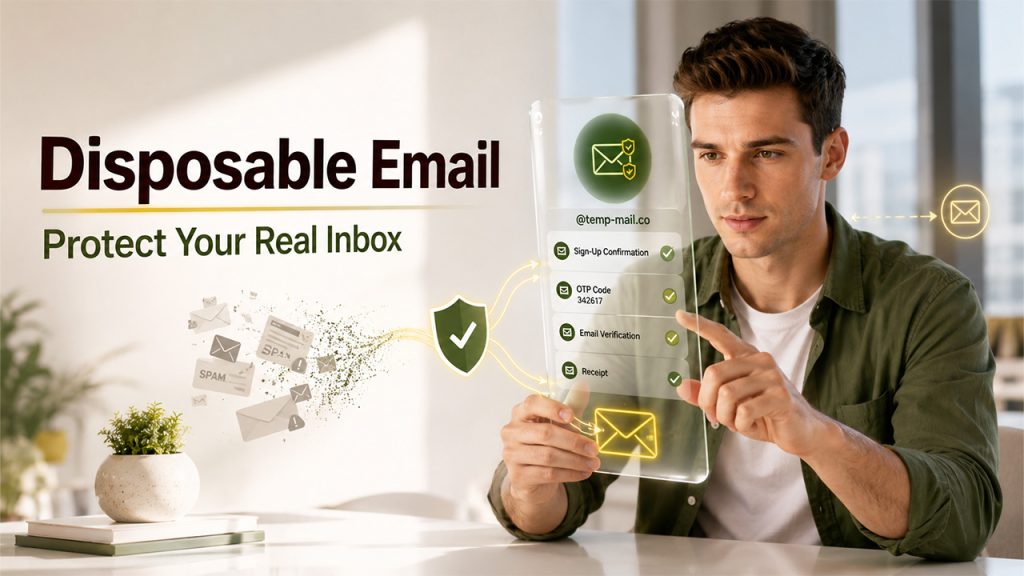
The process is straightforward. When you go to a temporary email site, it automatically creates a random email address for you tied to one of their own domains. You copy that address, use it wherever you need to sign up or get a verification email, and check the temporary inbox for new messages.
Here is how it usually goes:
- Go to temporary email platforms such as temp-mail.org or YOPmail.
- The site automatically generates a unique email address without doing anything.
- Enter this address wherever a sign-up or email verification is needed.
- Check the temporary inbox to get confirmation emails or OTPs.
- Once done, the address and its contents disappear and are permanently deleted.
A few services add extra features like Email Masking. That’s where messages move through a proxy address and land in your real inbox. Unlike a throwaway address, Email Masking supports two-way communication and keeps your actual email private. It’s a powerful security layer for users if they want ongoing privacy, not just a one-time fix.
An email alias is similar. It’s a backup address connected to your main inbox, so you can send and receive mail without showing your real address. For example, Email on Deck adds another verification step to the process for more security than single-step alternatives. YOPmail links inboxes to chosen usernames, so anyone with that username can read the mail—useful, but publicly accessible.
When Should You Use a Temporary Email?
Not every online activity requires your permanent email address. Temporary emails are most useful in situations where you need short-term access without creating a lasting connection between your identity and a website.
Some common use cases include:
- Signing up for free trials: Avoid future marketing emails after the trial period ends.
- Downloading ebooks, templates, or PDFs: Get access to the resource without exposing your primary inbox.
- Testing websites and applications: Developers and QA teams can verify email workflows without creating multiple real accounts.
- Participating in online forums or communities: Reduce unwanted messages from unfamiliar platforms.
- One-time purchases or promotions: Receive confirmation emails without joining long-term mailing lists.
- Checking unfamiliar websites: Protect your real email when you’re unsure how a website handles user data.
While temporary emails are excellent for these low-risk situations, they should never replace a permanent email account for important personal or professional communications.
Key Benefits of Using a Temporary Email
Millions of people turn to temporary emails every day, and honestly, there are numerous reasons why.
Spam Prevention
This is the most immediate benefit. When you sign up for newsletters, free trials, or grab a one-time download, all those annoying promotional emails store in your inbox you will never have to manage and unsubscribe from.
Privacy Protection
Every time you drop your real email somewhere online, you’re basically feeding a growing digital profile. Websites track you, sell your data, and add your address onto endless marketing lists. If you use a temporary email, you cut down on that traceability and keep your personal details away from random platforms.
Low Data Breach Risk
Data breaches happen all the time now. If a site you signed up gets hacked, attackers just find your disposable email, which isn’t tied to your other accounts, unlike your main address. It’s way less valuable, so you stay safer.
Useful for Testing and Development
Developers and QA teams often utilize temporary email tools. They use them to test signup flows, verification links, email templates, and password reset features. It keeps the real inbox clean and mitigates the hassle of making a bunch of permanent accounts.
No Registration Required
Unlike setting up an Email alias or configuring Email Masking, most temporary email services need nothing from you. Visit the site, and an address is ready immediately.
Risks and Where Temporary Emails Fall Short
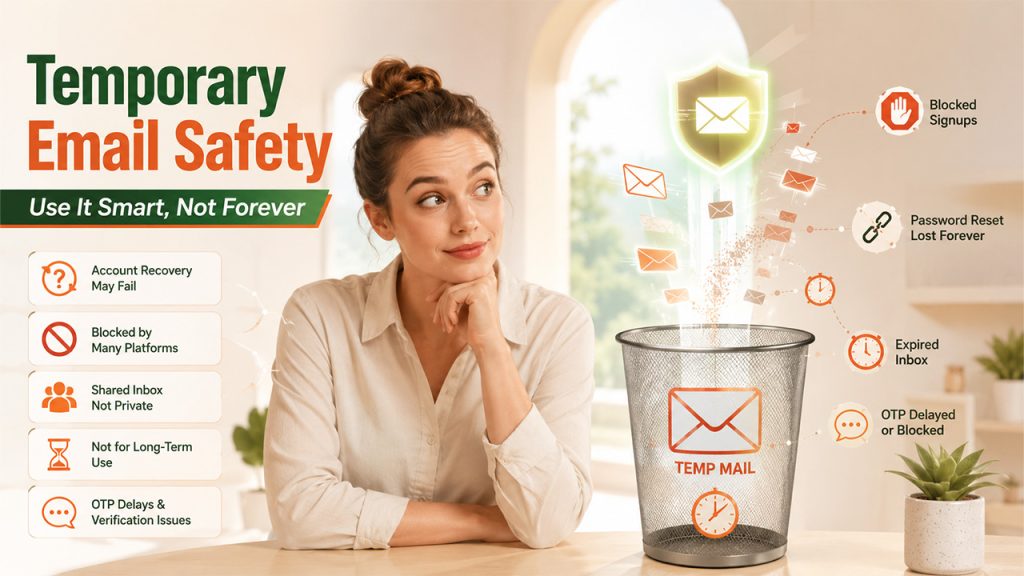
Temporary emails are one of the most valuable tools, but they do have real drawbacks you should know about.
- Inefficient for account recovery: If you lose access to a service you signed up for with a temporary email, password reset links will head to an inbox that’s already expired.
- Blocked by many platforms: Many websites actively block disposable email domains to prevent fake signups and fraud. Tools like temp-mail.org or YOPmail are common platforms in this block list.
- Shared inbox risks: Some temporary email providers use public inboxes. Anyone can generate the same address and see whatever messages you get. Never send or receive sensitive information using a temporary inbox.
- Not a long-term solution: A fake email is a short-lived address used for quick use only. When it comes to banking, government, healthcare, or professional communication, stick to a permanent and secure email address.
- OTP and verification delays: One-time passwords and verification codes can get blocked or arrive too late in temporary inboxes, which makes it unreliable for urgent, time-sensitive logins.
If you need privacy with high dependency, look into Email Masking or Email alias options. They provide real-time protection with no limitation, similar to throwaway addresses.
Temporary Email vs Email Alias vs Email Masking
Many people confuse temporary emails, email aliases, and email masking because all three help protect privacy. However, they serve different purposes.
| Feature | Temporary Email | Email Alias | Email Masking |
|---|---|---|---|
| Lifespan | Minutes to hours | Long-term | Long-term |
| Connected to Main Inbox | No | Yes | Yes |
| Can Receive Emails | Yes | Yes | Yes |
| Can Send Emails | Usually No | Yes | Often Yes |
| Account Recovery Support | No | Yes | Yes |
| Best Use Case | One-time signups | Personal organization | Ongoing privacy protection |
Temporary Email: Best for quick registrations, downloads, and short-term verification needs.
Email Alias: A secondary address linked to your primary inbox that helps organize incoming mail while keeping your real address hidden.
Email Masking: Creates unique forwarding addresses for websites and services, allowing ongoing communication without revealing your actual email address.
Choosing the right option depends on how long you need privacy and whether you expect future communication from the service.
Best Temporary Email Tools in 2026
Here’s a quick overview of the go-to options of 2026:
- temp-mail.org: This is one of the most popular and commonly used platforms. It delivers an instant address builder, a clean inbox interface, and automatic expiry. A reliable solution for users needing quick, one-time verifications.
- YOPmail: It’s been around a while. You get a persistent inbox connected to a username, but anyone can access it if they know the address. So, don’t use it for anything private.
- Email on Deck: The tool has a two-step setup to create fake email addresses—offers a bit more protection compared to click-and-go services.
Each of these temporary email tools offer something a little different. For simple, short-term verifications, any of these will do. If you need ongoing privacy, go with Email Masking or an Email alias. That’s where you’ll get real, lasting protection.
Conclusion
In today’s digital world, temporary emails are the simplest and most effective privacy tool that offers a quick, seamless solution. Regardless of whether you’re testing a new app, preventing spam, or limiting your exposure during online sign-ups.
Websites like temp-mail.org, YOPmail, and Email on Deck make it simple to get a disposable address in seconds. But if you want something longer-lasting security layer, email masking and alias tools offer more stability without losing that privacy edge.
The key is knowing when to use each. A temporary email is best for quick, low-risk, and one-time conversations. For anything important—like your accounts, finances, or professional communication—always stick to a secure, permanent address. When you use them in the right context, temporary emails are a smart addition to user’s online privacy toolkit.
Frequently Asked Questions
Is it legal to use a temporary email?
Yes, in most countries it is. People use temporary emails to cut down on spam and protect their privacy, and that’s legally fine. What matters is what you do with it—using fake emails to access services, commit fraud, or bypass restrictions isn’t allowed.
What is the difference between a temporary email and an Email alias?
A temporary email is just a throwaway address that disappears after a short while. There’s no connection to your real inbox. An email alias, on the other hand, links to your main account, letting you receive and respond to emails while keeping your real address hidden.
Can I use a temporary email for banking or government services?
No, always use a permanent, verified email for anything important—like your bank, healthcare, or government accounts. You need a stable email address for things like account recovery or official updates.
Why do some websites block temporary email addresses?
Websites block throwaway email addresses to fight spam, stop automated sign-ups, and avoid fraud. Known domains from sites like temp-mail.org and YOPmail are frequently identified by these filters.
What is Email Masking, and how is it different?
Email Masking is also a privacy feature, but it works a bit differently. When you use a masked address, it forwards messages to your real inbox through a proxy address. Masked addresses can be permanent and let you reply, so they work for ongoing conversations rather than single-use situations.