Continue with Google
Merchant
Store or restaurant name, branch, and address printed at the top.
Send a photo, a scan, or an emailed receipt, and ExtractMails applies receipt OCR to read the store name, date, purchased items, tax, and total. Your team gets expense records ready to check instead of a pile of paper slips.
Get Started
Receipts are small, faded, and scattered across wallets, camera rolls, and inboxes. Employees forget them, finance chases them, and someone eventually types each amount into an expense sheet.
Receipt OCR reads the printed text for you, so the record exists the moment the receipt arrives.

Working with the ExtractMails receipt parser needs no special preparation. You send the receipt, the engine reads the printed text, and the details you selected return as a tidy record. Here is the path every receipt follows from your inbox to your expense sheet.
Email the photo, scan, or forwarded message, and it joins the processing queue.
The engine reads the printed characters and finds the fields you selected.
Merchant, date, amount paid, and tax are placed into separate fields.
Each result is shown for a quick comparison with the original receipt.
A receipt is short, but it carries the facts an expense claim depends on. ExtractMails reads the merchant, the date, what was bought, and how it was paid. The fields returned depend on your extraction setup and on what is printed on the receipt.
Store or restaurant name, branch, and address printed at the top.
Date and time of the transaction, useful for matching travel or event days.
Each product or service with its quantity and price.
Tax amount, tip, discount, and final amount paid, held in separate fields.
Card type, last digits shown, or cash, plus the receipt number for reference.
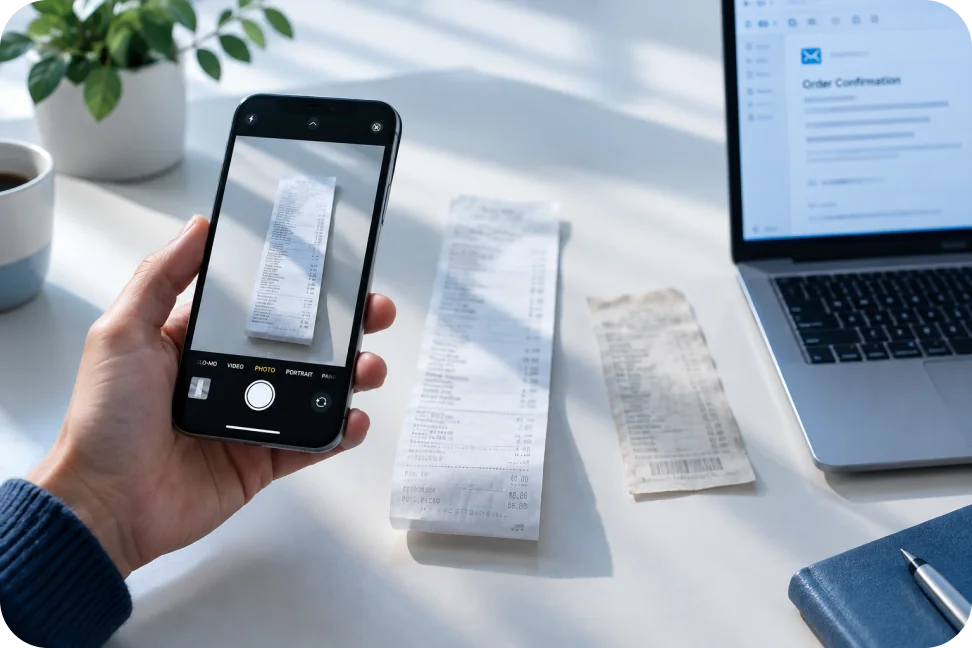
Receipts rarely arrive in good condition. Receipt OCR has to cope with curled paper, shadows, and fading ink, so the quality of the image matters. ExtractMails reads supported receipt images and files, and results improve when the printed text is legible.
Reading receipts automatically changes how expense work feels. The ExtractMails receipt parser gives your team uniform records, quicker claim checks, and fewer questions sent back to employees.

Receipts show up wherever money leaves a company card or an employee's pocket. ExtractMails and its receipt OCR reading cover the routine moments below, so each purchase reaches your records with its details intact.
Taxi fares, hotel folios, and meal slips collected during a trip.
Restaurant bills and event costs that need clear dates and amounts.
Stationery, hardware, and pantry purchases made by different team members.
Out-of-pocket spending submitted at the end of the month.
Records are useful once they land where expenses are tracked. Results from the receipt parser can be prepared for supported spreadsheets, databases, and business applications, so approved entries flow into reports without being copied by hand.
Available formats depend on the functionality you use.


It reads receipt images and files, then returns details such as merchant, date, purchased items, tax, and total as organized data.
ExtractMails works with supported receipt photos, scans, and emailed receipts. The exact formats available depend on the extraction functionality you choose, so confirm yours with our team.
Yes. Fields such as merchant, date, tax, and total can be selected based on your extraction requirements and what each receipt actually shows.
Yes. Receipts attached to emails or included in the message text can be parsed, depending on your configured extraction setup and the content received.
Accuracy depends on how legible the receipt is. Extracted fields are presented for review, so your team can compare them with the original before approving.
Receipts sit alongside other paperwork your team handles. When invoices, bank statements, or purchase orders need the same treatment, each has its own dedicated page.
Make invoice processing easy by pulling data from supported invoice documents.
Gather financial details contained in bank statements, which can be supported, and log the transaction history as data.
Simplify purchase order processing by extracting the key details from supported purchase order documents.
Tell us how many receipts reach your team, where they come from, and which fields your expense sheet needs. We will show you how ExtractMails turns each receipt into a record your reviewers can approve at a glance.
Get Started