


 Continue with Google

 Share on media
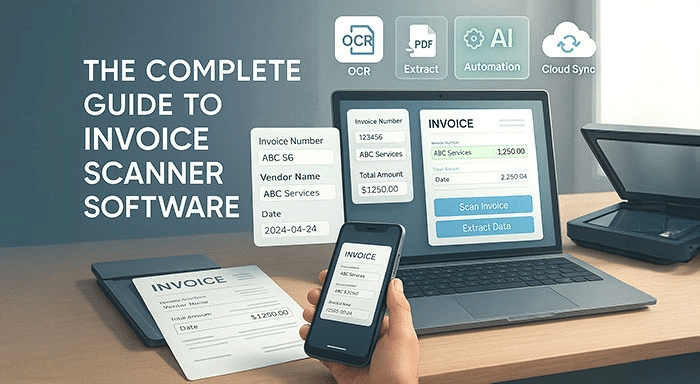
In the current business world, manual invoice processing has emerged as a major slowdown for businesses of all sizes. Meet invoice scanner software – a revolutionary technology that’s changing the way businesses manage their accounts.
payable functions. This in-depth guide covers everything you need to know about invoice scanning solutions and how they can make your financial operations more streamlined.
Understanding Invoice Scanner Software
Invoice scanner software is a computerized solution that employs the use of optical character recognition (OCR) technology and artificial intelligence to scan, digitize, and extract data from paper or electronic invoices. These advanced tools can read, understand, and process invoice information with very high accuracy, eliminating the need for manual data entry and minimizing human error.
Today’s invoice scanning technologies are more advanced than mere digitization. They have the ability to extract essential information like vendor names, invoice numbers, dates, line items, tax values, and overall costs automatically. Smart tools like Extract Mails software further streamline this process by sorting the information and formatting it in structured forms that can easily be incorporated into accounting packages, enterprise resource planning (ERP) systems, and other business applications.
Major Features of Current Invoice Scanner Software
Advanced OCR Technology: Top-notch optical character recognition engines can read printed text from scanned documents with high accuracy, even when encountering low-quality images or out-of-the-ordinary fonts.
Data Extraction and Validation: Sophisticated algorithms recognize and extract useful information while verifying data against established rules and past patterns.
Multi-Format Support: Advanced solutions are capable of processing invoices in multiple formats, such as PDF files, images (JPEG, PNG), and even photographs from mobile phones.
Automated Workflow Management: In-built approval workflows direct invoices to relevant staff according to predetermined rules like amount thresholds or vendor types.
Exception Handling: Intelligent systems mark unusual or potentially suspect invoices for human check, minimizing the risk of inaccuracy without sacrificing efficiency.
Integration Capabilities: Powerful APIs and pre-configured connectors allow easy integration with best-of-breed accounting applications, ERP systems, and other business applications.
How Invoice Scanner Software Works
Understanding the workflow helps businesses choose the right solution and implement it effectively. Although different platforms offer unique features, most invoice scanner software follows a similar process.
Step 1: Invoice Collection
Invoices are imported into the system through multiple channels, including email attachments, PDF uploads, scanned paper documents, cloud storage, or mobile applications.
Step 2: OCR-Based Data Extraction
The software uses Optical Character Recognition (OCR) to identify and convert text from invoices into structured digital information. Modern AI-powered OCR can recognize vendor names, invoice numbers, purchase order references, tax amounts, payment terms, line items, and total balances with high accuracy.
Step 3: Data Validation
After extraction, the software validates invoice information by comparing it with predefined business rules, vendor records, purchase orders, or previous transactions. This significantly reduces duplicate invoices and manual errors.
Step 4: Approval Workflow
Invoices are automatically routed to the appropriate departments or managers based on approval rules such as invoice value, vendor category, or project assignment. Organizations that already use BPA software can further automate these approval workflows, reducing manual intervention and improving operational efficiency.
Step 5: Integration with Accounting Systems
Once approved, invoice data is exported directly into accounting software or ERP platforms, eliminating repetitive manual entry while maintaining accurate financial records.
The best software for scanning invoices
1. Rossum
One of the quickest cloud-based document processing systems is Rossum. With AI document processing, the cloud-based gateway provides end-to-end workflow automation. Automated document communication can increase data accuracy and workforce productivity.
A business can quickly organise and process all incoming document traffic, whether it takes the form of a PDF in the inbox or a letter in the physical mailbox. Additionally, Rossum provides OCR technology. This eliminates human error and cuts down on time-consuming procedures.
2. ABBYY
The US-based company ABBYY combines process automation with intelligent document processing. It assists a company in transforming enterprise data and obtaining the knowledge required for digital transformation. Features for data capture, process intelligence, optical character recognition, and invoice capture software capabilities are all included in the automation software.
The ABBYY fine reader server reduces the amount of time spent on high-volume document processing and optimizes document workflows.
3. The DocParser
Hundreds of prosperous companies use DocParser, a web-based document management tool, to automate their processes and retrieve data from Word, PDF, and image documents. With the aid of anchor keywords, the technology makes use of Zonal OCR technology, which is sophisticated pattern recognition.
Simply upload or scan the invoice document to use the user-friendly software, then train it to extract the necessary data without any coding knowledge. You can either link the system to thousands of cloud apps like MS Power Automate, Workato, and Zapier, or you can choose preset rules and download the data straight to an Excel, CSV, JSON, or XML format.
4. Astera
Astera is an integrated, enterprise-class data management platform powered by artificial intelligence. It eliminates manual intervention through automatically extracting, validating, integrating, and storing data. Additionally, the solution utilizes cutting-edge OCR and AI technologies to accurately process a large volume of documents, such as purchase orders, invoices, arrival notices, and more.
5. Docsumo
As a provider of intelligent document processing (IDP) solutions, Docsumo excels at extracting information from unstructured documents. It provides a number of features for preprocessing, analysis, document review, and data extraction. This intelligent invoicing system is designed to handle diverse invoice formats, using advanced AI to accurately extract data even when layouts vary. It streamlines organization by automatically sorting invoices into specific folders based on key criteria. Users can quickly extract important information using ready-to-use AI models without requiring setup or specialized training.
6. The DocuClipper
DocuClipper is a data extraction tool that takes information out of a variety of documents using OCR technology. Data from invoices is extracted by the tool and then transformed into structured formats like Excel, CSV, or QBO.
This solution improves speed and accuracy by utilizing OCR technology to reliably extract invoice data across formats. It gives users the ability to create unique automation rules for ERP systems’ smooth data handling and classification. The system is a flexible addition to any financial workflow because it extracts line-item details as a built-in feature with no additional fees. It also integrates easily with popular accounting platforms like QuickBooks, Xero, Sage, and NetSuite.
7. QuickBooks
QuickBooks blends cutting-edge automation features with decades of accounting experience. Millions of businesses around the world trust their platform because it has developed from simple accounting software to a complete financial management solution.
Managing financial matters is incredibly simple with this tool. When you want, it can remind people to pay and send them repeated invoices on a schedule. Even when you’re not there, you can create invoices on your phone. It’s excellent for international business because it works with multiple currencies. It monitors your products, records your work hours, and even automatically reconciles your bank accounts. It also offers clear reports to help you understand how well your business is performing. QuickBooks centralizes your financial data for convenient access and management, much like HR software does with employee data.
Read also: CRM Software Integrated with QuickBooks: A Complete Guide for Growing Businesses
The Future of Invoice Processing
Invoice processing is becoming more intelligent, thanks to advancements in technologies like artificial intelligence (AI) and machine learning. Looking ahead, invoice scanning solution will be capable of even more impressive tasks—such as predicting cash flow, quickly resolving payment issues, and detecting fraud at an early stage.
More and more businesses are turning to digital tools to keep track of their invoices. Those who jump on the automated systems bandwagon now will be in a much better position to manage a large number of transactions while working faster and more efficiently.
Benefits of Using Invoice Scanner Software for Businesses
Implementing invoice scanner software provides long-term advantages beyond simply reducing paperwork. Businesses can improve financial accuracy, accelerate payment cycles, and gain better visibility into their accounts payable processes.
Faster Invoice Processing
Automation significantly reduces the time required to process invoices compared to manual data entry, allowing finance teams to focus on higher-value tasks.
Improved Accuracy
AI-powered extraction minimizes human errors by accurately capturing invoice details, reducing costly mistakes in financial records.
Lower Operational Costs
By eliminating repetitive manual work, organizations can reduce administrative expenses while increasing overall productivity.
Better Compliance and Audit Readiness
Digital invoice storage creates a complete audit trail, making regulatory compliance and financial audits much easier.
Increased Scalability
As companies grow, invoice volumes increase rapidly. Automated invoice processing allows businesses to manage thousands of invoices without hiring additional staff.
Better Data for Business Intelligence
Accurate invoice data can be integrated into analytics platforms, helping organizations improve reporting, forecasting, and ETL Process Optimization for better business decision-making.
FAQs
What is invoice scanning software?
This software is an essential tool for the financial department. With its ability to scan invoices, it automatically transforms digital PDFs or conventional documents into useful data.
How to scan an invoice?
To scan an invoice, simply upload the image or PDF to the scanning software. The software will use OCR to pull out important details like the vendor, amount, and date. After that, you can review the information and approve it before it is integrated into your system.
What are the benefits of using invoice scanning software?
It offers a wide range of benefits, for starters, it automates data entry, which means fewer mistakes and faster processing times. It also keeps your records neat. You can easily search for what you need, it plays nicely with other systems, helps you save money, and gives you better audit trails for managing your finances.
Can this software work with accounting tools?
Absolutely! Most invoice scanning software can seamlessly connect with popular accounting platforms like QuickBooks, Xero, SAP, and others through APIs. This means you can transfer data smoothly and automate your workflow without a hitch.
Is it safe to use invoice scanning software for handling sensitive financial information?
Definitely! Trustworthy invoice scanning software employs top-notch encryption, secure cloud storage, access controls, compliance certifications, and audit trails to keep your sensitive financial data safe and sound.
