


 Continue with Google

 Share on media

The usage of email marketing won’t disappear any time soon; however, how it should be done is drastically evolving. Manually crafting every message, arranging sequences one by one, and handling all of the monitoring yourself, all of those tasks were a routine part of the process. Nowadays, with the introduction of technologies such as Clawdbot, you could automate most of your routine without compromising the personalized touch that email marketing needs.
If you’ve heard about Clawdbot AI and wanted to know more about its role in the email marketing process, here is where you should turn. No matter if you’re a beginner at email marketing or you are looking for some ways to optimize the process of your email campaign, this article has everything you need to know.
Here, in this blog, you will find out what Clawdbot is, what its relation to email automation is, and how you could use Clawdbot for your email marketing campaigns.
What is Clawdbot?
Clawdbot is a free AI-driven content generation and automation app created by MoltBot, an independent software development company. The developers made the tool available to the general public to allow regular users, from creators to marketers and small business owners, to leverage AI-powered content capabilities at no cost or without complex subscription plans and extensive technical knowledge.
In simple terms, the Clawdbot AI app enables users to generate content, automate routine processes, and organize work with content management. While initially gaining traction among creators for creating content for blogs and social media, Clawdbot can also be used to automate the process of sending emails, which is the focus of this guide.
It’s also important to mention that Clawdbot was officially renamed to OpenClaw in January 2026 due to issues related to the similarity of the names to the Anthropic Claude AI project. Despite the official renaming, Clawdbot remains popularly searched by its original name.
What is Email Automation and Why is It Important?
Email automation is a rather simple concept of sending out emails automatically to the right recipients at the right time and without hitting the send button every time. Instead of creating every single email manually and sending it out right away, you just set up the sequence and rules and wait for your system to take care of everything.
If you run newsletters, manage a business, or keep in contact with an audience of some sort, then automation is essential. Not only does manual email communication require too much time that you do not have, but it also requires constant effort that tends to be forgotten once a hundred other things come into play.
This is also where tools like AI Email Writer platforms have become genuinely useful, helping users not just schedule and send emails automatically, but also generate the actual content that goes into them, cutting down the time it takes to go from idea to a polished, ready-to-send email.
How to Use Clawdbot for Email Marketing

Getting started with Clawdbot for email marketing is straightforward, even if you’ve never used an AI tool for this purpose before. Here’s a simple step-by-step breakdown of how to put it to work:
Step 1: Set Up Your Clawdbot Account
Go to the official website of the OpenClaw (formerly Clawdbot) and create your account there for free. Creating an account takes little effort and does not require any experience in the matter
Step 2: Define Your Email Goal
Think of your goal before creating the email so that you can give it to Clawdbot AI and get the desired results. Whether it is a welcome email, a promotional one, or another type of email, it should be clearly formulated.
Step 3: Generate Your Email Content
Create the content of your email by using a content generation service. It will generate the draft that can be easily edited afterward.
Step 4: Set Up Automation Triggers
Once you have finished creating your content, you will be able to link it up with your email platform and create triggers, which will determine the times at which the emails will be sent out by the email campaigns.
Step 5: Review, Test, and Deliver
It is important to review all AI-generated content before sending. Test your sequence, check that links work, and make sure the tone feels right. For larger teams, pairing Clawdbot with Robotic Process Automation Software can streamline sending, tracking, and reporting at scale.
Key Benefits of Using Clawdbot AI for Email Automation
Using Clawdbot for email automation brings some genuinely practical advantages, especially for beginners or small teams who don’t have the budget or bandwidth to manage everything manually.
- Time-saving: Email generation and creation of email sequences require a lot of time, and Clawdbot AI saves a considerable amount of time on the content creation part.
- Consistency in email marketing: Keeping up with an email schedule is often quite difficult, but automation ensures emails continue to go out even if your schedule is packed.
- Easy to learn: Copywriting skills aren’t required to start working with the software since no previous technical knowledge is necessary.
- Ability to customize tone and style: The outputs are easy to customize to create brand-specific emails.
- Free of charge: Most email marketing AI software providers work according to monthly subscriptions, whereas the Clawdbot AI service does not charge anything for the basic features.
The described benefits can be used by newbies in email marketing who would like to try something relatively risk-free and valuable before using expensive software.
Clawdbot Email Automation Use Cases
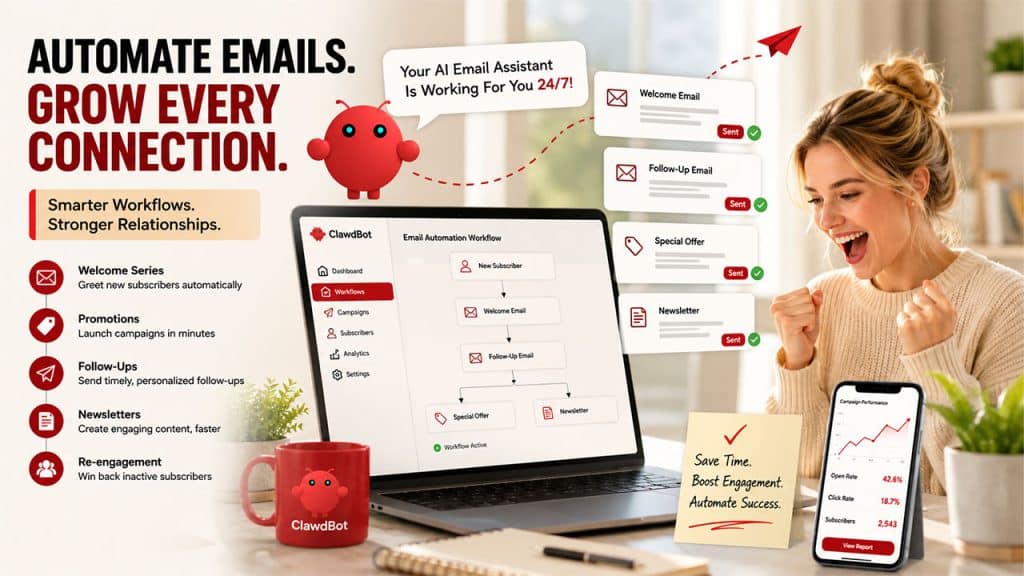
One of the best ways to understand how Clawdbot fits into an email workflow is to look at the specific situations where it actually comes in handy. Here are some of the most practical use cases for beginners and small teams:
- Welcome email series: Automatically welcome new subscribers to your brand or newsletter with a professionally written email without having to compose each individually.
- Promotions: Compose a promotion email campaign copy quickly and schedule its release automatically.
- Follow-up emails: Automate follow-up emails sent after a customer’s action, such as making a purchase, subscribing to a newsletter or contacting customer service.
- Newsletter content generation: Draft newsletters regularly using the help of Clawdbot AI, cutting down on the time needed to draft an issue.
- Re-engagement campaigns: Re-engage inactive subscribers with an email campaign composed using AI to reduce the effort and time spent on this type of email.
All these use cases show how to apply Clawdbot for email marketing, not only to write emails but also to create an automated system of communicating with customers behind the scenes.
Tips for Getting the Most Out of Clawdbot
Getting good results from Clawdbot consistently comes down to a few habits that make a noticeable difference, especially when you’re just starting.
- Be specific with your prompts
The more specific you are when giving Clawdbot AI instructions, the better the result. Instead of saying “write a promotional email”, say something along the lines of “write a promotional email for our 20% off sale aimed at existing clients who have not made purchases in the last 90 days”.
- Edit before hitting send
It is important to remember that although Clawdbot AI generates high-quality content, there will always be a need for some editing because the content generated by the artificial intelligence will never sound entirely natural.
- Begin with one sequence at a time
When beginning the process of automating your sequences with Clawdbot AI, start with just one sequence first, such as your welcome sequence or a follow-up sequence.
- Be clear about your objectives
When developing any email, you should always be sure about what you want from the recipient. If your objective is clear, it will result in a concise email, be it opening a link. Buying something, or just going through all of it.
- Use Documentation to keep things straight
As your email campaign list grows, you will need to keep in mind what you have set up, what you already have, and what you need to change. Referring to solid Technical Documentation practices helps teams stay organized and avoid duplicating or accidentally overwriting existing automations.
Conclusion
Getting started with email automation doesn’t have to be complicated, and that’s exactly what makes Clawdbot such a practical starting point for beginners. A free Clawdbot AI tool that handles both content generation and automation removes most of the friction that usually stops people from setting up a proper email workflow.
We’ve covered what Clawdbot is, how it connects to email automation, and practical marketing, from setting up your account to building sequences that run in the background without constant manual effort.
Whether you’re sending your first welcome sequence or building out a re-engagement campaign, Clawdbot gives you the tools to do it more efficiently than starting from scratch every time.
Frequently Asked Questions
What is Clawdbot AI used for in email marketing?
Clawdbot AI helps users generate email copy, set up automated sequences, and manage repetitive email tasks like follow-ups, newsletters, and promotional campaigns without writing everything from scratch.
How do I use Clawdbot for email marketing as a beginner?
Start by creating a free account, define your email goal clearly, use the content generation feature to draft your emails, connect them to your email platform, set up automation triggers, and review before sending.
Do I need technical skills to use Clawdbot for email automation?
No, Clawdbot is designed with beginners in mind and doesn’t require any coding or copywriting experience to get started with basic email automation.
Can Clawdbot replace a dedicated email marketing platform?
Not entirely. Clawdbot handles content generation and basic automation well, but for advanced features like detailed analytics, A/B testing, and large list management, pairing it with a dedicated email platform is recommended.
Is Clawdbot free to use?
Yes, Clawdbot offers its core content generation and automation capabilities free of charge, making it a low-risk option for beginners exploring email automation for the first time.
