

 Continue with Google

 Share on media
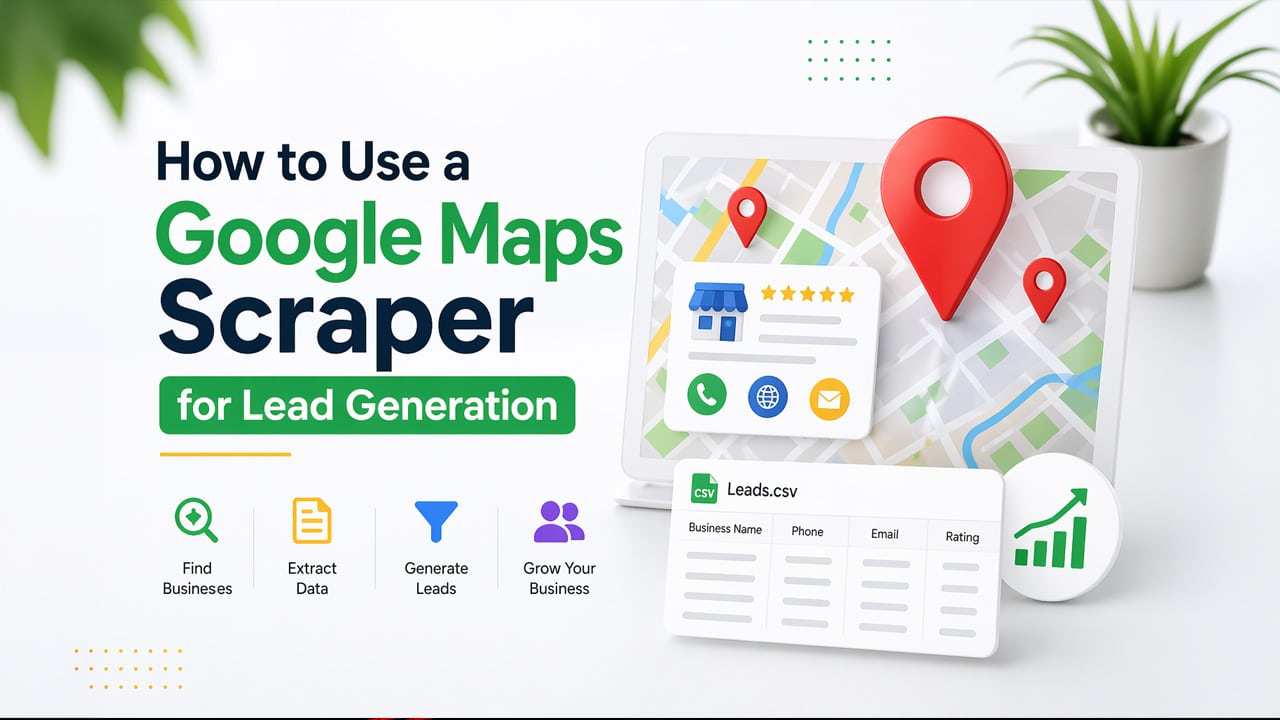
Learn how to use Google Maps Scraper for effective and high-quality lead generation in 2026, in just a few easy steps.
Lead generation is considered the backbone of any successful business. From digital marketing agencies to sales professionals, access to targeted and accurate data helps boost the outreach effort. The Google Maps Scraper tools help the users collect accurate and location-based targeted leads. The Google Maps Scraper tool is a specialized software which helps users to collect publicly available business data from Google Maps listings. These data commonly include key information like, business name, address, phone number, website URL, ratings & reviews, and categories. Google Maps Scraper offers highly targeted data to users, along with updated listing and direct contact opportunities.
What is Google Maps Scraper
A Google Maps Scraper is a tool that is designed to automate the extraction of business data. The tool can extract data like names, addresses, phone numbers, websites, and ratings, among others, from Google Maps. The tool helps transform an interactive map listing into a structured data source, like CSV or Excel, for easy lead generation and market research.
The Google Maps Scraper offers a significant distinction from other general Web Scrapers or Email Scrapers. The Email Scrapping tools handle pagination, along with “load more” clicks, and IP rotations to collect high-volume data, whereas the Google Maps Scraper tools specialize in navigating the complex and bot-protected interface to extract structured data.
Key Features of Google Maps Scraper Tools
The Google Maps Scraper tools offer various key features, like data extraction, targeted searching, and high-volume scraping. Some of the major features include:
- Data Extraction: The tool helps in gathering comprehensive business details, like name, address, phone number, website, rating, reviews, and business hours.
- Targeted Searching: The tool can gather data based on specific queries, location, or categories.
- Lead Generation: Through the Google Maps Scraper tools, businesses can extract contact information, such as social media, phone numbers, and email addresses, to create valid business leads.
- Automation: The tool allows businesses to schedule the scraping process based on regular intervals. This helps in eliminating manual data entry.
- High-Volume Data Scraping: The Google Maps Scraper tools are designed to gather thousands of data points and results.
Benefits of Google Maps Scraper
The Google Maps Scraper tools automate the extraction process for businesses, ensuring a rapid and cost-effective lead generation. The tool enables businesses to collect thousands of targeted leads, which include name, address, phone number, and email address, for CRM integration. Some of the key benefits of Google Maps Scraper are as follows:
- Rapid Lead Generation: The tool can instantly collect thousands of targeted leads, which are based on niche and location.
- Comprehensive Data Extraction: The tool has the feature to extract detailed information, which includes business names, addresses, phone numbers, websites, URLs, social media profiles, and rating counts, among others.
- Competitor Intelligence: The tool can analyze competitors by gathering ratings, reviews, and service area data.
- High-Quality Data: The tool can access up-to-date and real-time business information, which also includes newly opened businesses.
Why Use Google Maps for Lead Generation
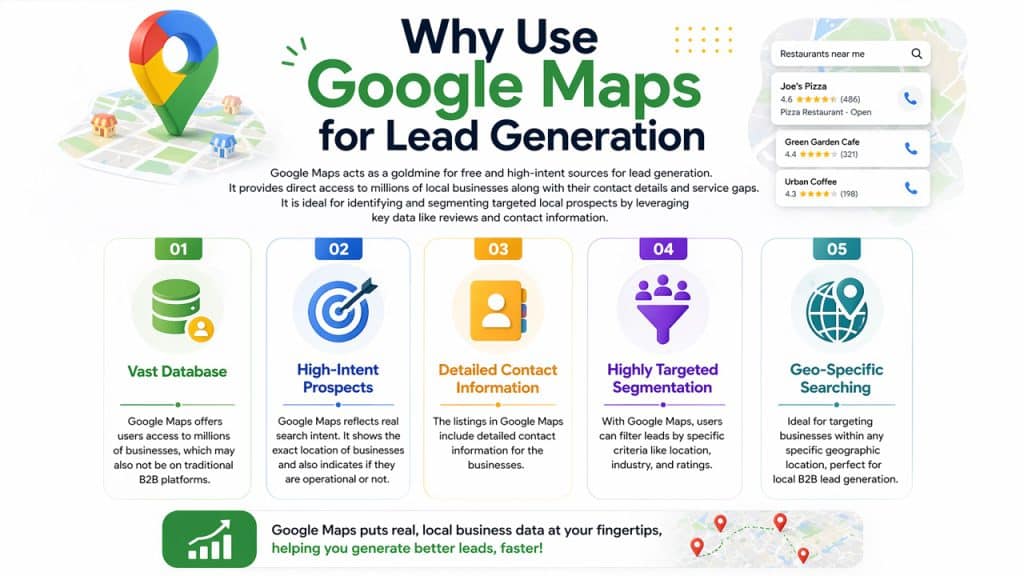
Google Maps acts as a goldmine for free and high-intent sources for lead generation. It also provides direct access to millions of local businesses, along with their contact details and service gaps. Google Maps is also ideal for identifying and segmenting targeted local prospects by leveraging key data like reviews and contact information.
Some of the key benefits of using Google Maps for lead generation are as follows:
- Vast Database: Google Maps offers users access to millions of businesses, which may also not be on traditional B2B platforms.
- High-Intent Prospects: Google Maps reflects real search intent. It reflects the specific location of the businesses listed and also indicates if they are operational or not.
- Detailed Contact Information: The listings in Google Maps include detailed contact information for the businesses.
- Highly Targeted Segmentation: With Google Maps, users can filter the leads by specific criteria, like location, industry, and ratings.
- Geo-Specific Searching: Google Maps is also considered ideal for targeting businesses within any specific geographic location, making it ideal for local B2B lead generation.
How to Use Google Maps Scraper for Lead Generation
The process of using a Google Maps Scraper involves using tools for extracting business data, like names, phone numbers, and URLs, among other into a CSV or Excel file. The process for using a Google Maps Scraper tool for lead generation includes the following steps:
- Step 1: Defining Target
Before starting the scraping, it is essential to identify who you want to target. It includes choosing the targeted industry, geographic area, and pain points for businesses.
- Step 2: Choosing the Right Scraper
Selecting the right scraping tool is essential, as features like CRM integration, bulk data extraction, and file export options may vary.
- Step 3: Perform a Google Maps Search
Go to Google Maps and type the targeted query. You should use a variation of keywords to get a broader result.
- Step 4: Extract the Data
Once you have searched the query, you can run the scraper tool, which will automatically collect all the necessary details and export them into a spreadsheet format.
- Step 5: Clean and Filter the Data
The cleaning and filtering of the raw data is among the most essential steps in lead generation. In this step, you can remove duplicate entries, incomplete listings, and irrelevant businesses.
- Step 6: Enrich the Leads
You can follow up on the data, like visiting the business website, checking social media profiles, and finding email addresses, to make sure the data collected is relevant.
Popular Google Maps Scraper Tools
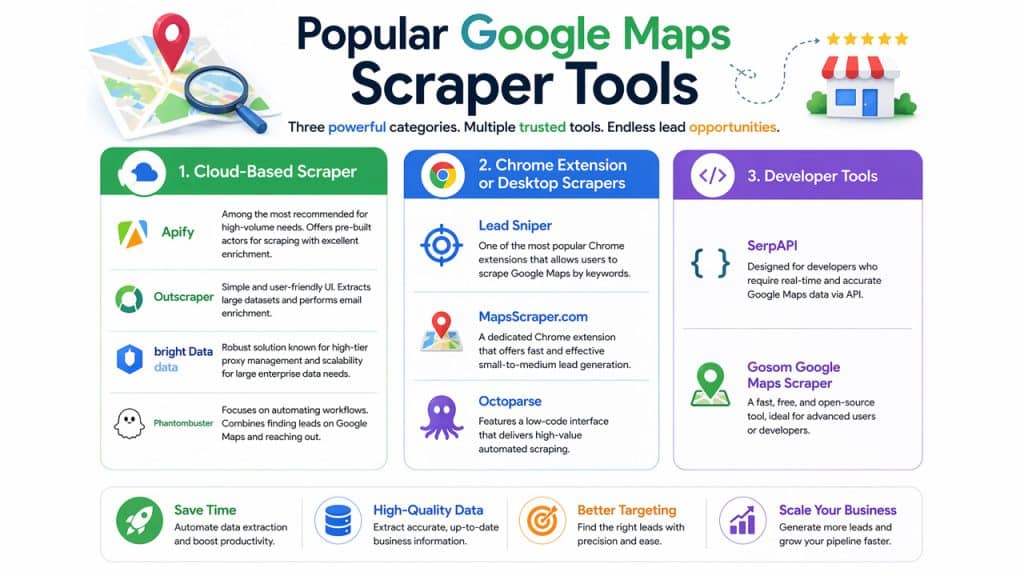
There are three main types of Google Maps Scraper tools available, including cloud-based scrapers, Chrome extensions (desktop scrapers), and developer tools. Some of the popular tools include:
Cloud-Based Scraper
- Apify: It is among the most recommended Google Maps scraper tools for high-volume needs. The tool offers pre-built actors, ideal for scraping with excellent enrichment.
- Outscraper: Offer simple and user-friendly UI. The tool also offers the extraction of large datasets and can perform email enrichment.
- Bright Data: The tool features a robust solution, which is renowned for high-tier proxy management. The tool also offers scalability for large enterprise data needs.
- Phantombuster: The tool focuses on automating the workflow. It combines finding leads on Google Maps and reaching out.
Chrome Extension or Desktop Scrapers
- Lead Sniper: The tool is among the most popular Chrome extensions, which allows users to scrape Google Maps by keywords.
- MapsScraper.com: A dedicated extension that offers fast and small-to-medium lead generation.
- Octoparse: The tool features a low-code interface, which offers high-value automated scraping.
Developer Tools
- SerpAPI: The tool is designed for developers who require real-time and accurate Google Maps data via API.
- Gosom Google Maps Scraper: A fast, free, and open-source tool, which is ideal for advanced users or developers.
Applications of Google Maps Scraper
The Google Maps Scraper offers key applications in lead generation, competitor intelligence, and market research, among other areas. The Google Maps Scraper tools automated the data extraction process from Google Maps to generate leads and analyze competitors. Some of the key applications of Google Maps Scraper include:
- Lead Generation & Sales Prospecting: The tool helps in gathering thousands of prospects instantly, based on specific industries and locations.
- Competitor Intelligence: It also helps in analyzing the location, pricing, customer rating, and service areas of the competitors, to benchmark one’s own business.
- Market Research: The tool helps in analyzing the market saturation by density mapping various businesses, based on their types.
- Data Enrichment: The Google Maps Scraping tools help populate the existing database with updated contact information.
Google Maps Scraper vs Email Scrapers
The Google Maps Scraper tool is primarily focused on extracting data from listings on Google Maps, whereas the Email Scrapers tool gathers data from websites. The difference between Google Maps Scraper and Email Scraper is as follows:
| Google Maps Scraper | Email Scraper | |
| Primary Function | Focuses on listing data in Google Maps, like business name, category, location, phone number, and others. | Focuses on finding contact information, especially public email addresses from websites. |
| Data Depth | Offers quick and high-volume data. | Slow and offer more intensive data. |
| Ideal For | Local SEO and Cold Calling | Cold Emailing |
| Limitation | Limited to what’s listed on Google Maps | Depends on finding publicly listed email addresses on the business website. |
Best Practices for Using Google Maps Scraper
To extract data from Google Maps effectively, it is essential to navigate various technical barriers and anti-bot measures. Some key successful approaches to attain highly effective and efficient data using Google Maps Scraper tools include:
1. Geographical Segmentation
Google Maps restricts the results to between 20 and 120 listings per query, even if more results exist. The Geographical Segmentation approach helps in collecting more relevant data from each location. The approach is also termed the “ZIP Code Strategy”, as in this, instead of searching for any businesses in an area, you can use the ZIP codes for a deeper scan. Searching by specific ZIP code or district also forces Google to surface smaller and less prominent businesses, which would stay hidden in a larger geographical search.
2. Technical Safeguards and Ethics
Google has also employed sophisticated bot detection, which includes CAPTCHA, behavioral fingerprints, and IP blocking. To overcome these barriers, you can use rotational Residential Proxies, which change the IP addresses for every request and prevent detection from a single source. You can also add random delays of 2 to 3 seconds between every request, along with implementing natural scrolling patterns.
3. Search Optimization
Refining the query parameters ensures a higher quality of the dataset, along with reduced irrelevant results. You can use “Main Activity Only” or “Exact Match” settings to avoid related category results. You can also search using the local language to access all local listings. You can also use specific keywords, instead of broad terms, to build more qualified lead lists.
4. Data Quality and Enrichment
The raw data obtained from the Google Maps Scraper tools are often messy and require post-processing to convert them into an actionable dataset. You can enable “Delete Duplicate” from the settings to remove the same businesses under different search queries. You can also use the URL of the scraped website to find additional details, like emails and social links.
Conclusion
Utilize Google Maps to extract accurate and targeted business data using Google Maps Scraper. Google Maps Scraper offers users a practical and scalable strategy for lead generation. It also gives the user direct access to the businesses, using the publicly available data from Google Maps listings. The Google Maps Scraper tool helps users collect a vast database of local businesses and identify any business opportunities. The process of collecting targeted data using Google Maps Scraper starts by defining the target and ends by enriching the leads. You can also use various tools, such as cloud-based scrapers, Chrome scrapers, and developer tools, to collect data from Google Maps.
Frequently Asked Questions
How accurate is the data extracted from Google Maps Scraper?
The data collected using Google Maps Scraper is generally reliable, as the information is updated by the businesses themselves. Although cleaning and verification are still required to convert the data into actionable leads.
How do I find email addresses from the scraped data?
You can find the email addresses of the businesses using the website, social media profiles, or by using email-finding tools.
Can I automate Google Maps Scraping?
Yes, many Google Maps Scraper tools allow automation to gather and export data efficiently.
Do I need any technical knowledge to use Google Map Scraper?
No. Many of the Google Maps Scraper tools are designed to be beginner-friendly and require little to no technical or coding knowledge.
Are Google Maps Scraper tools better than paid lead tools?
Yes. Generally, Google Maps Scraping tools are ideal for high-volume and cost-effective lead generation, whereas the traditional paid or premium lead tools may offer superior data freshness and higher accuracy.