


 Continue with Google

 Share on media
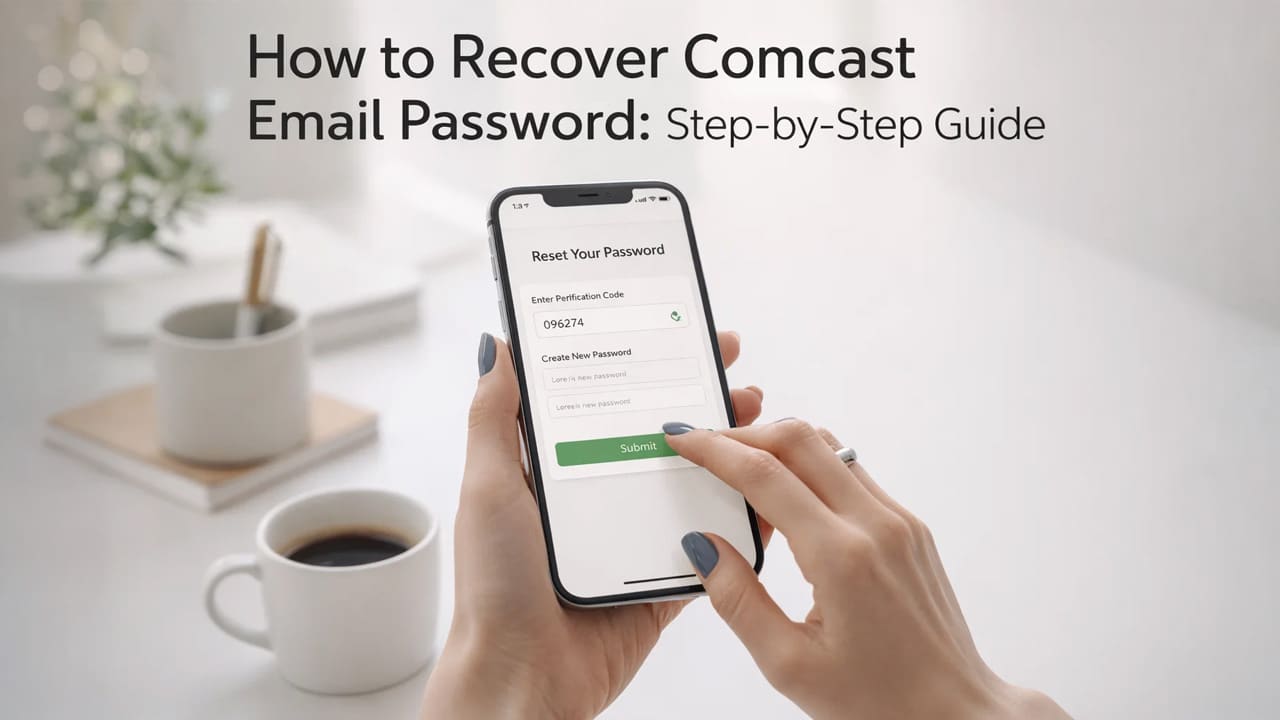
It has happened to all of us. You open your browser, navigate to Comcast email, type in your password thinking it’s the right password, and a red error message is what you get. After trying so many times, you still get nothing. Being locked out of your inbox is frustrating especially when it is tied to your subscriptions, important invoices, and personal communications.
The good news is that recovering your Comcast email password is easier than you think with the right method. What you need is a clear understanding of how the process works, what to prepare before you start, and what to do if something goes wrong. This comprehensive guide tells you exactly what you need.
Xfinity Email is the current home of your account settings, recovery options, and password management tools. If you keep that in mind, it will save you a lot of unnecessary back-and-forth.
What You Need to Recover Comcast Email Password Successfully
Rushing to reset your password without having the right information is the most common reason why the process fails halfway through. Before you start, make sure you have the following ready:
- Access to Recovery Email Address: It is the alternate email you set up when you created your Xfinity account.
- Access to Recovery Phone Number: Xfinity will send a verification code via SMS to your recovery phone number.
- Your Xfinity Username: This is typically your @comcast.net email address or a username you created while creating an account.
- Stable Internet Connection: It sounds obvious, but an interrupted connection mid-reset can cause errors.
- Use a Browser That Allows Cookies for Xfinity Password Reset: These can sometimes interfere with the reset flow.
If you are not sure which recovery phone number or email is linked to your account, try to remember when you first signed up with Comcast or Xfinity. If you have changed your phone number and didn’t update your account, things can get a little complicated but there’s a way for that which we’ll cover in the troubleshooting section.
How to Recover Comcast Email Password (Step-by-Step)
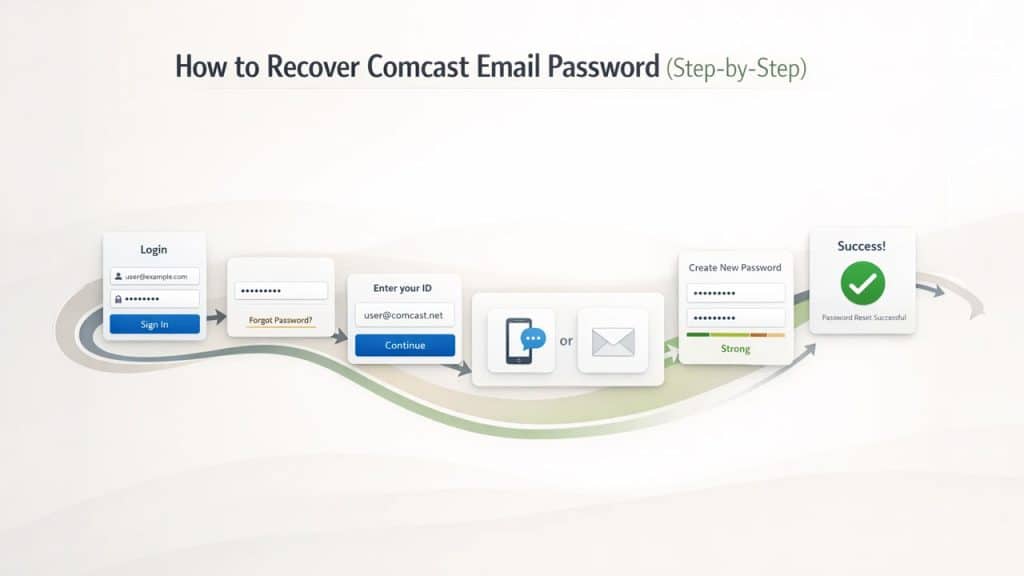
To restore your Comcast Email password successfully, follow these steps carefully and you’ll have access to your inbox within minutes.
1. Navigate to Xfinity Sign-In Page
Open your browser and go to xfinity.com. Click on the sign in button on the top right corner of the page. This is the official gateway to your Comcast email account.
2. Click on Forgot Password
You will see a “Forgot Password” on the sign-in screen. It’s the link beneath the password field. Click it. This directs you to the Xfinity Password Reset Page, which is specifically designed so that you can recover your Comcast email password access.
3. Enter Your Xfinity ID
You’ll be asked to enter your Xfinity ID, which is your @comcast.net email address or your Xfinity username. Type it carefully and click “Continue.”
4. Choose Method for Verification (SMS or Email)
Now, Xfinity will display the recovery options that are linked to your account. You will be given two choices: receive a verification code via text message to your registered phone number or receive a reset link to your recovery email address. Choose whichever you currently have access to.
5. Enter the Verification Code
Check your phone or inbox of recovery email for the code or reset link. Enter the code in the field provided on the Xfinity page. If you’re using a reset link sent to your email, simply click that link, and it will take you directly to the password creation screen.
6. Create a Strong New Password
You’ll now be taken to a screen where you can set up a new password for your Comcast email account. Choose a strong password by mixing uppercase and lowercase letters, numbers, and at least one special character. Avoid using obvious choices like your name, birthdate, or the word “password.” Xfinity requires your new password to meet specific strength criteria, so the system will let you know if your chosen password doesn’t qualify.
7. Log In with Your New Comcast Email Password
Once your new password is confirmed, go back to the Xfinity sign-in page and log in using your Comcast email address and the new password you just created. You should now have full access to your inbox.
Common Troubleshooting Issues When You Recover Comcast Email Password (Fixes)
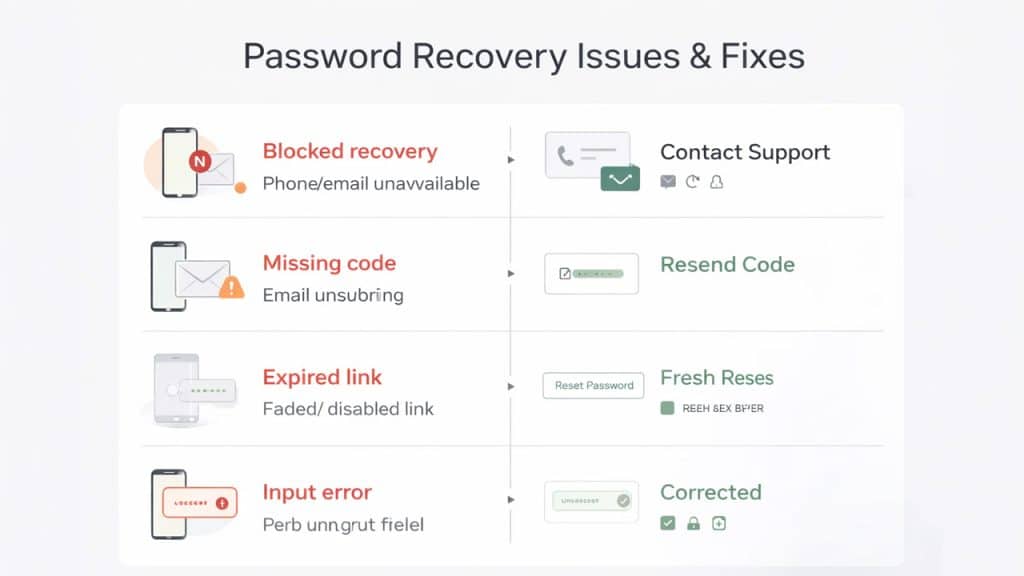
There might come a time when the process doesn’t go smoothly on the first try. Let’s see what are the most common roadblocks that people might come across when trying to recover Comcast email password access and what to do to fix them:
- No Access to Recovery Phone or Email: If both of your recovery options are unavailable, you’ll need to contact Xfinity support directly. They can verify your identity through your account details and billing information.
- Verification Code Not Received: Check your spam folder if you’re waiting for an email as sometimes it may land there. If it’s an SMS, make sure your phone has a signal and that the number on file is still active. Additionally, you can also request the code to be resent.
- Expired Password Reset Link: These links typically expire within a short window. In such a case, head back to the Xfinity reset page and request a new one. Make sure to take action before the link expires.
- Xfinity Username Not Recognized: Double-check the spelling of your Comcast email address. Also, try to enter just the username part without the @comcast.net extension, as some accounts are set up with a plain username rather than an email-format ID.
- Comcast Account Suspended: If Xfinity has flagged your account for a billing issue or suspicious activity, a password reset alone won’t restore access. Contact Xfinity customer support to resolve the account status first.
After You Recover Comcast Email Password: Security Tips
It is a relief that you got back access to your Comcast email. However, the real win is to make sure you don’t end up in the same situation again. Here’s what to do:
Update Recovery Email and Phone Number in Xfinity
Once you reset your password and log back in, go to your Xfinity account settings and confirm that your recovery phone number and backup email address are current. If you’ve got a new number recently, update it now and set it as your recovery phone number.
Use Password Manager to Secure Comcast Email Password
To keep your passwords secure, use tools like 1Password, LastPass, or Bitwarden. These tools store your passwords, and you won’t have to rely on your memory every time you try to login. These tools also generate strong and unique passwords for every account which will improve your overall online security. If you also use Gmail, you can follow this guide on Reset Your Gmail Password to recover or change your Gmail account password securely.
Enable Two-Factor Authentication (2FA) for Xfinity Account
To add an extra layer of protection to your Comcast email account, Xfinity Email supports two-factor authentication. Even if someone gets access to your password, they won’t be able to get in without having to go through the second verification step.
Avoid Reusing Passwords Across Multiple Accounts
If the password of your Comcast email account is the same as your password for another account, a breach on that another platform can expose your email to risks. Use different passwords for different accounts and make sure each password is unique.
Monitor Comcast Account Activity for Suspicious Logins
Xfinity allows you to review recent sign-in activity. Make a habit of checking your account activity every few weeks. This helps you recognize and catch anything suspicious before it escalates into a real problem.
Conclusion
Losing access to your Comcast email account can feel upsetting, especially when that inbox holds years of important information and conversations. But the process of recovering your Comcast email password is manageable when you know where to look and what to expect. The steps are simple and with little preparation like updating your recovery information, enabling two-factor authentication and using password manager, you can ensure this kind of lockout doesn’t happen again. Your email is one of the most important digital assets you own. Treat it that way and keep it secure.
Frequently Asked Questions (FAQs)
Can I recover my Comcast email password without a phone number or recovery email?
Yes, but it requires contacting Xfinity support directly. They’ll verify your identity using your account and billing details before resetting your access.
Is Comcast email the same as Xfinity email?
Yes. Xfinity is Comcast’s consumer-facing brand. Your @comcast.net address and your Xfinity ID are part of the same account system.
How long does the password reset link stay valid?
Xfinity’s reset links typically expire within a short time window. If yours has expired, simply return to the reset page and request a new one.
What if I forgot both my password and my username?
On the Xfinity sign-in page, there is also a “Forgot Xfinity ID” option alongside the password reset link. Use that first to recover your username, then proceed with the password reset.
Will resetting my password delete my emails?
No. Resetting your Comcast email password only changes your login credentials. All your stored emails, contacts, and account data remain completely intact.