

 Continue with Google

 Share on media
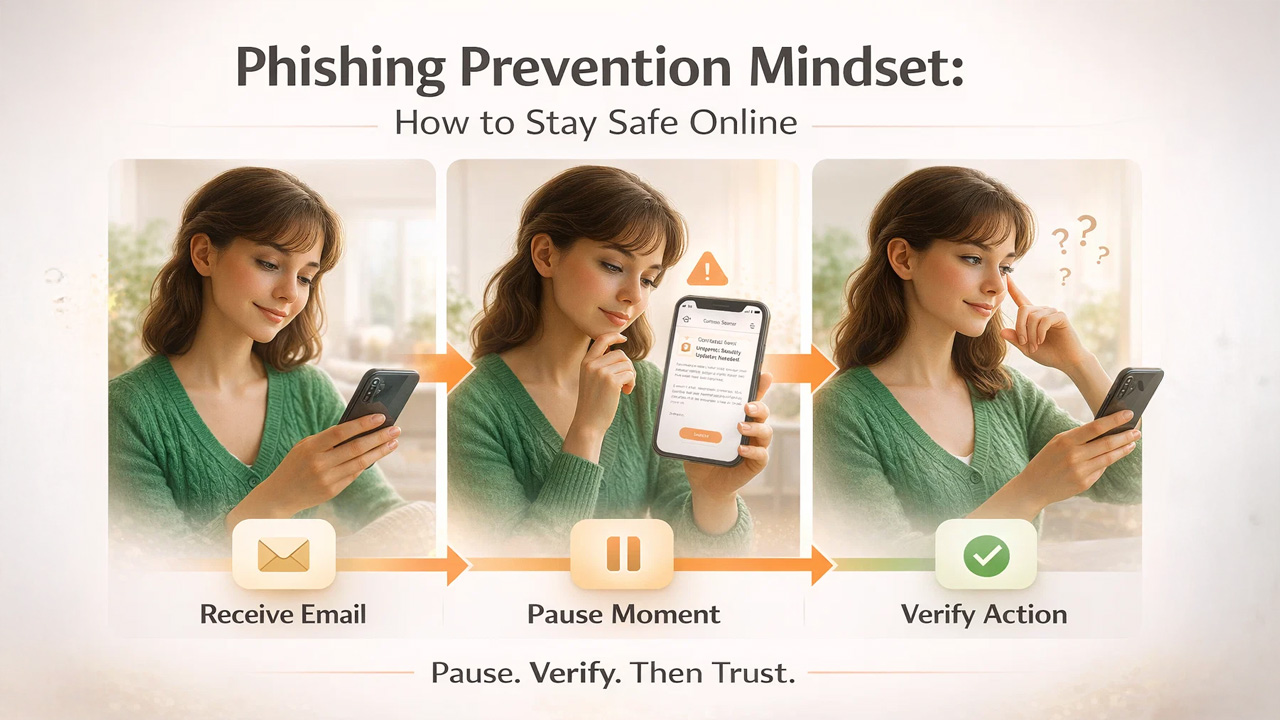
It was a Tuesday afternoon. Sarah, a marketing manager at a mid-sized firm, was ploughing through her inbox after back-to-back meetings. An email popped up from what looked like her company’s IT department.
Subject line: Urgent: Your account will be suspended in 24 hours. The email had the right logo, the right colors, and even the right sign-off format. There was a blue button in the middle: Verify Your Account Now.
She hovered over it. Something felt slightly off, but she couldn’t say exactly what. The email address in the sender field looked almost right, but not quite. She forwarded it to IT instead of clicking. It turned out to be a spear phishing attempt targeting three people in her department that same week. The thing is, Sarah wasn’t as tech-savvy as most people. She was just paying attention at the right moment. That’s the whole game with phishing. It doesn’t target your ignorance, rather it targets your attention.
Phishing Email Structure: Key Components You Must Know
Before you can spot a phishing email, it helps to understand what it’s actually made of and what each part is trying to accomplish. Looking at real phishing email examples makes these patterns much easier to recognize in practice. A typical phishing email has four working components.
- Sender Address: Often designed to look legitimate at a glance, with subtle misspellings or added characters.
- Subject Line: It usually starts with something alarming, time-sensitive, or curiosity-inducing.
- Body Copy: A plausible story built around a problem you apparently need to fix immediately.
- Call To Action: A link or attachment that does the actual damage once you engage with it.
Every single element serves one purpose: to get you to click before your brain catches up.
7 Warning Signs to Identify a Phishing Email Quickly
These are the signals that you’ll start seeing everywhere once you know them. Learning how to identify a phishing email and more broadly, how to spot fake emails comes down to recognizing these patterns consistently. These are also the most common signs of a phishing email that security experts flag across every industry.
- Mismatched Sender Email Address: The display name might say “PayPal Support”, but the actual email address is something like support@paypal-helpdesk.net. Always click on the sender’s name to reveal the full address before trusting anything. Cybercriminals often target users searching for topics like “How to Set Up a PayPal Account with Gmail” by creating fake PayPal setup or verification emails designed to steal login credentials and financial information.
- Generic Greetings Like “Dear User”: Legitimate companies that have your account information will address you by name. “Dear Customer” or “Hello User” is a classic sign that the sender doesn’t actually know who you are.
- Urgent or Threatening Language: Phrases like “your account will be closed,” “immediate action required,” or “you have 48 hours to respond” are engineered to make you panic. Real companies give you time and options; scammers don’t.
- Suspicious or Mismatched URLs: Hover over any link without clicking it. The URL that appears at the bottom of your screen often reveals the real destination which is almost never the official website it’s pretending to be.
- Requests for Sensitive Information: No legitimate bank, government agency, or service provider will ask you to confirm your password, social security number, or full card details over email.
- Unexpected Attachments or Files: An invoice you don’t recognize, a document that needs your signature, or a zipped file from someone you barely know; these are phishing classics. If you weren’t expecting it, don’t open it.
- Unusual Tone, Error, or Gut Feeling: This one is less about logic and more about instinct. A slightly different font, an unusual turn of phrase, a logo that’s a pixel or two wrong. Your gut often picks up on inconsistencies before your conscious mind does. Trust that feeling enough to pause and think.
Advanced Phishing Attacks: When Emails Look Legit
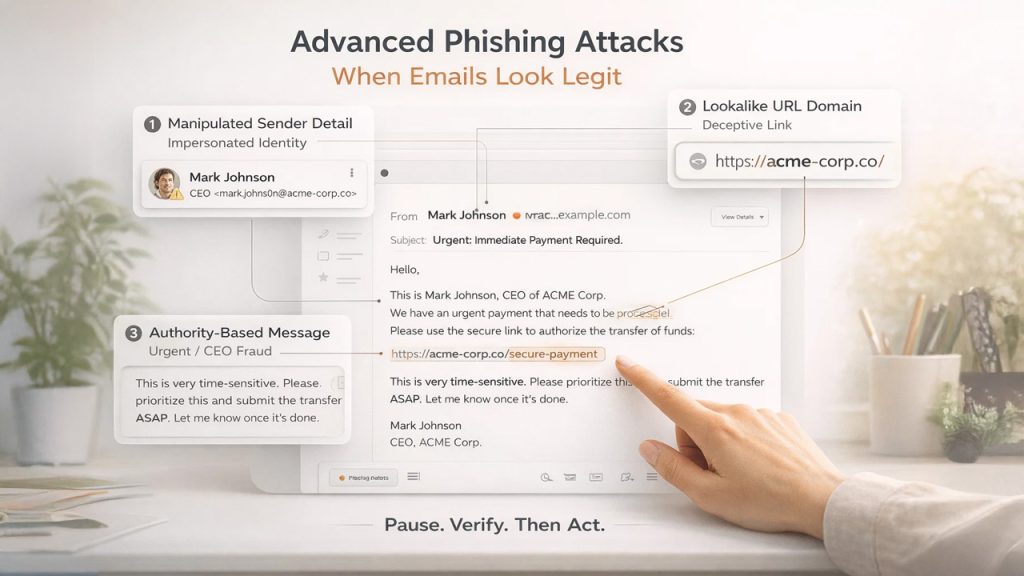
Here’s where it gets genuinely difficult. The seven signs of a phishing email listed above cover most attempts, but the more dangerous ones are designed to avoid all of them. These are worth knowing about because they’re becoming more common.
If you’re still building your foundational understanding, this guide on what is phishing, its types and prevention cover the full picture clearly.
Spear Phishing (Targeted Email Attacks)
Instead of casting a wide net, attackers research a specific person, their company, role, colleagues, and craft an email that references real details. It might appear to come from your actual manager’s name, reference a real project you’re working on, and ask you to review an attached document.
Lookalike Domains and Fake URLs
Attackers register domains like “arnazon.com” or “paypa1.com” substituting letters with similar-looking characters. At normal reading speed, these are nearly impossible to catch without deliberately slowing down.
CEO Fraud and Business Email Compromise (BEC)
An email that appears to come from your company’s CEO asking for a quick wire transfer or gift card purchase bypasses normal skepticism because both the source and the emotional pressure feel overwhelming. This is sometimes called CEO fraud, and it has cost businesses enormous amounts of money.
The common thread in all of these is that they exploit context and emotion rather than just impersonating a brand. The defense isn’t a checklist; it’s a pause. Even a ten-second pause to ask, “does this make sense?” before you click it is often enough to recognize the scam.
60-Second Phishing Email Checklist Before You Click
Next time something lands in your inbox and triggers even a flicker of doubt, run through this before you do anything else:
Stop and ask yourself:
- Do I actually have an account with this company or recognize this sender?
- Did I expect this email, or did it arrive out of nowhere?
- Is there an unusual urgency, a threat, or a too-good-to-be-true offer?
- Does the sender’s actual email address match the company it claims to be from?
- If I hover over the link, does the URL look legitimate and consistent?
- Is it asking me to provide personal information, login credentials, or payment details?
- Would I be comfortable calling this company directly to verify before clicking?
If you answer “no” or “I’m not sure” to more than two of these; don’t click. Go directly to the company’s official website by typing the address yourself or calling them using a number you find independently.
This checklist takes less than a minute. It has saved people from handing over bank credentials, installing malware, and triggering data breaches at their organizations.
Why Phishing Emails Still Work in 2026 (And Why They’re Dangerous)
Hundreds of millions of phishing emails are sent every single day. And despite decades of awareness campaigns, security software, and spam filters that stop spam emails from reaching your inbox, phishing remains one of the most effective forms of cybercrime on the planet.
It’s not because people are naive. It’s because phishing has evolved. Today’s phishing emails don’t look like the clumsy, typo-riddled messages of the early 2000s. They look like emails from your bank, your boss, Netflix, or the IRS. The logos are pixel-perfect, the language is professional, and the emotional hooks are precisely calibrated to make you act before you think.
The Federal Trade Commission notes that phishing messages are designed to tell a convincing story that makes clicking feel like the responsible and urgent thing to do. This framing is intentional. Urgency is the enemy of scrutiny, and that’s exactly what scammers target. So, knowing how to identify a phishing email isn’t just a technical skill. It’s a habit of paying attention that you build over time.
Phishing Prevention Mindset: How to Stay Safe Online
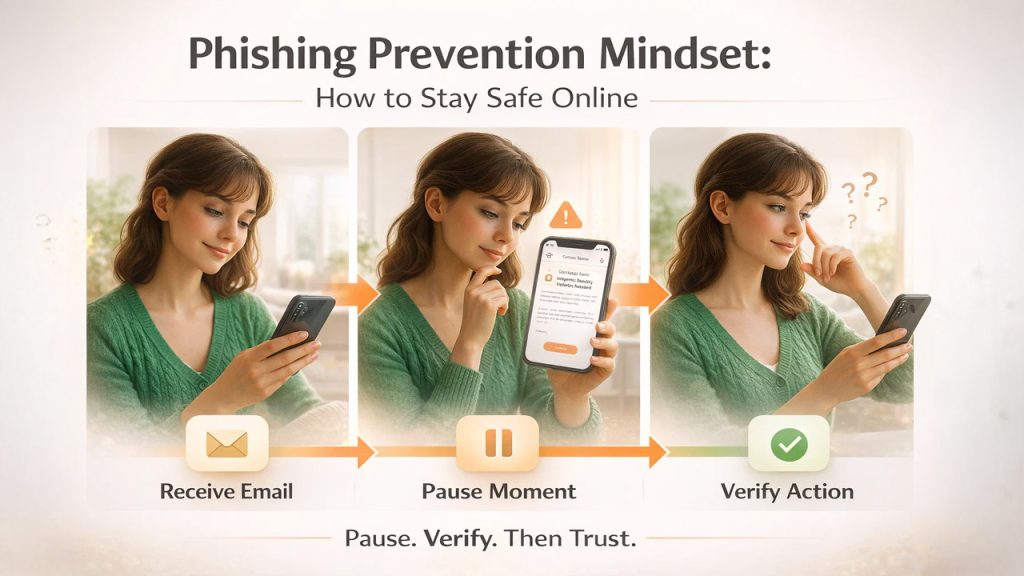
Real vulnerability isn’t a lack of knowledge. It’s the assumption that you’re too smart to fall for it.
Why Overconfidence Leads to Phishing Attacks
Confidence is exactly what attackers want you to feel. When you assume you’ll “just know” a phishing email when you see one, you stop looking carefully. That’s the moment a well-crafted email gets through.
Adopt a Zero-Trust Approach to Emails
Treat every unexpected email that asks you to do something as suspicious by default regardless of how legitimate it looks. Verify before you trust, rather than trusting and hoping for the best. Switching to a secure email setup with encryption and authentication adds a structural layer of protection beyond habit alone.
FTC-Recommended Phishing Safety Practices
If you’re not sure whether an email is real, contact the company directly. Use contact information you already know to be accurate, not anything provided in the email itself. Go around the email rather than through it. This one habit separates people who get phished from people who don’t.
It’s not about being more technically literate. It’s about being less automatically trusting of things that arrive in your inbox uninvited. Phishing succeeds in the gap between receiving an email and thinking about it. Close that gap, even slightly, and you’ve already done most of the work.
Final Thoughts: How to Protect Yourself from Phishing Emails
Phishing isn’t going away, rather it’s getting sharper, more personalized, and harder to spot. But here’s the reassuring truth: you don’t need to be a cybersecurity expert to protect yourself. Following email security best practices — from strong passwords to two-factor authentication gives you a reliable defense layer that works even before a phishing email reaches you. You just need to slow down for sixty seconds before you click anything that feels even slightly unexpected.
People who get caught aren’t careless people. They’re busy people who were moving too fast in a moment that required them to pause. Build the pause into your habit, stay mildly skeptical of urgency, and verify before you trust. That combination alone will protect you from the vast majority of phishing attempts you’ll ever encounter.
Your inbox is yours. Don’t let someone else hijack it because they sent a convincing email on a busy Tuesday afternoon.
Phishing Email FAQs: Common Questions Answered
Can a phishing email look exactly like a real one from my bank?
Yes; attackers can replicate logos, formatting, and tone well enough to fool most people at first glance.
Is it dangerous to just open a phishing email without clicking anything?
Opening it is usually harmless, but clicking a link or downloading an attachment is where the risk begins.
What should I do immediately if I accidentally clicked a phishing link?
Disconnect from the internet, run a security scan, and change your passwords straight away.
Do phishing emails only come from unknown senders?
No. Spear phishing attacks frequently impersonate colleagues, managers, or people you already trust.
Where can I report a phishing email if I receive one?
Forward it to reportphishing@apwg.org or report it to the FTC at ReportFraud.ftc.gov.