


 Continue with Google

 Share on media

Remember the time when you first signed up for Gmail? You would have got an original welcome email that is still sitting somewhere in the inbox. It might be there drowned in the tens and thousands of emails that you have collected over the years. Looking for it is not a simple task and is almost like digital archeology.
The good news is that you do not have to actually go through your inbox page by page to find your old emails. You might have thousands of pages in your inbox, and doing that is just a waste of time. There are in-built features in Gmail that lets you go straight to your old messages in seconds. You just need to know where to look for the emails.
In this guide, we will see exactly how to find the oldest emails in your Gmail account. Irrespective of the fact whether you want to feel nostalgic, need to find an important document you received ten years ago, or just want to clean your digital clutter. We will cover numerous methods to find old emails in Gmail and what you will do with old messages once you find them.
How to Find Your Old Email in Gmail Using All Mail?
This is the quickest technique to reach your Gmail message. There is somewhat a hidden feature in Gmail that empowers you to go straight to the last page of your inbox. Let us see how it works:
- Open All Email:
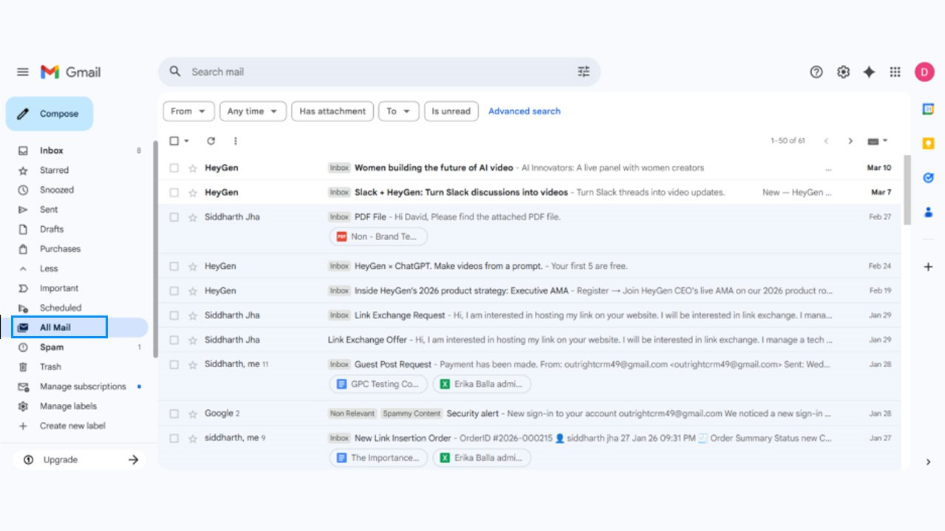
In the left sidebar of Gmail, select “All Email.” In case you have various labels, you might first need to select the “More” option. It is a special view that lets you see everything in your account including archived messages. The only thing it does not include are Trash and Spam.
- Check the Message Count:
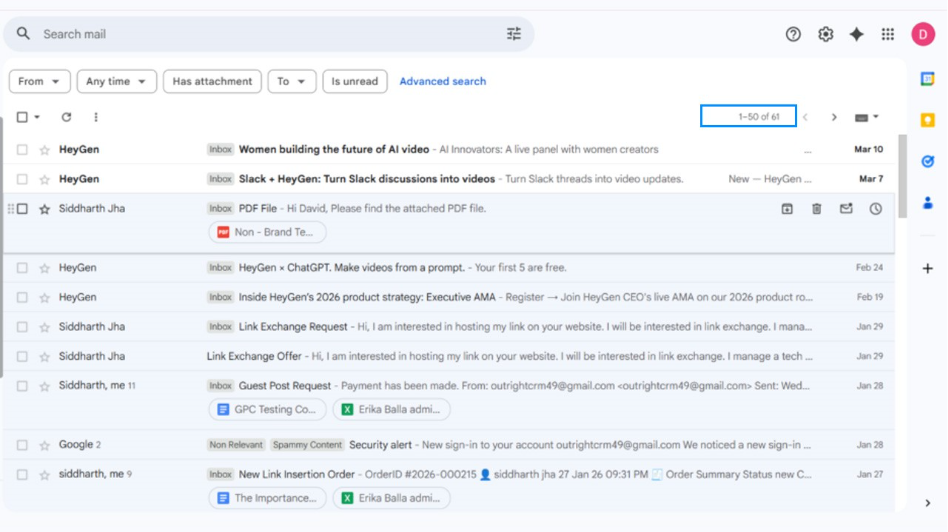
At the very top of your message list, you will notice a range and number, something like “1-50 of 10,040.” The precise number depends on how many emails you have received. For example, in the screenshot, it shows “1-50 of 61.”
- Move Your Mouse Over the Count:
Next, you need to hover over the count. You will see a dropdown appearing on the screen. In the dropdown, there will be two options “Newest” or “Oldest.” Gmail does not highlight or make it obvious straightaway. However, you will see the dropdown once you hover your mouse over the count.
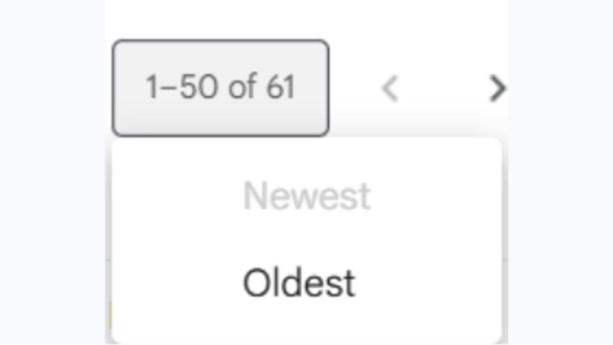
- Select the Option “Oldest”:
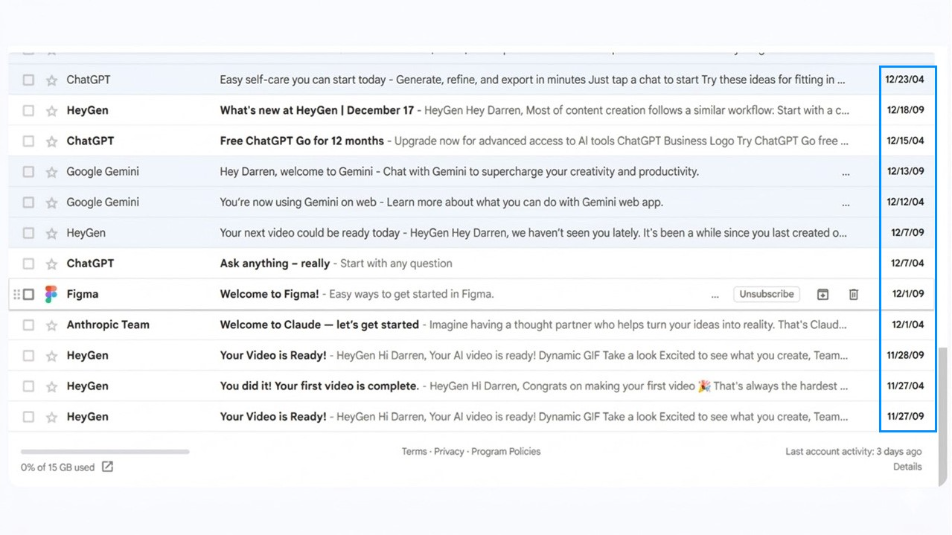
Choose the option in the dropdown menu. Gmail then instantly loads the last page of your “All Mail” view. Click on these emails to see the individual messages inside. If they had an attachment, you would see the attachment as well. You are now seeing the oldest message beginning from the very first email that you received when you signed up for Gmail.
How to Find Old Emails in Gmail Using Gmail Search Operators?
The search bar of Gmail has more capabilities than people understand. You can utilize special commands also known as “special operators” to find emails from particular time periods. This approach gives you much better control than simply navigating to the oldest message. The following table gives you a list of search operators you can use to find old emails.
A Quick Reference to Gmail Search Operators
| Operator | Its Purpose | Example | Results |
| “Older than:” | Relative time search (d/m/y) | “Older than: 6m” | Messages that are older than 6 months will appear |
| “Older than:” | Searching for messages older than the given time | “Older than: 10y” | All emails older than 10 years will appear |
| “Older than:” | Finding emails from last few years | “Older than: 3y” | All emails more than 2 years ago will appear on the screen |
| “Before” | Finding messages before the given date | “Before: 2015/01/01” | All emails sent before 1st January 2015 will appear on the screen. |
| “After” | Finding messages after the precise date | “After: 2010/01/01” | All emails sent after 1st January 2010 |
| “Data Range” | Combines after and before | “Before: 2017/09/01” and “After: 2016/02/14” | Only emails sent between that period will appear on the screen |
How to Combine Search Operators for Precision?
You have the option of mixing other search terms of Gmail to find the exact email you are looking for. This is where the power of search operators becomes useful. Some real-world examples to help you understand how you can combine various search operators:
- “from: Christopher@example.com older_than: 2y” helps you find all emails sent by Christopher 5 years ago.
- “has attachment before: 2019/05/19” locates all emails with attachments from the exact data in 2019.
- “subject: invoice older_than: 2y” surfaces all invoice emails from older than 2 years.
- “in: spam older_than: 1m” helps you find whether there are any messages older than 1 month. (Note: You should not find any spam mail older than 1 month as Gmail auto deletes. To learn further about why emails go to spam, check out our dedicated blog)
What to Do with Old Emails in Gmail Once You Find Them?
So, once you have found all your old messages, you might wonder what actions you can perform on them? If you want to access them later in the future, you can leave them as it is. However, if you want to do some cleanup, we can help you do that:
Email Cleanup Strategies
| Strategy | Best For | Risk Level | Effort |
| Bulk Archive | Keep emails that are not priority but could be important in future | Low (Reversible) | Low |
| Bulk Delete | Deleting all unwanted mails that are taking up space | High (Permanent) | Low |
| Label+archive | Organized retention | Low | Medium |
| Selective Delete | Mixed content | Medium | High |
| Unsubscribe First | Decluttering Your Inbox Without Blocking | None | Medium |
Read More: Read our dedicated blog on cleanup Gmail storage to understand comprehensive strategies to cleanup your Gmail workspace.
Reasons for Finding Old Emails in Gmail
There might be various reasons for finding old emails as explained below:
- Feeling Nostalgic: One of the reasons for finding old emails is to revisit the message from someone that truly matters to you. It can be a motivational quote from your father or a token of appreciation you got in your first job.
- Finding Old Documents: Another key reason is to look for key documents that were shared with you by someone in the past. These can be insurance policies, old tax returns, lease agreements, property documents, contracts, or receipts from old purchases.
- Legal Requirements: Sometimes old emails and attachments can become useful in legal disputes, acting as evidence that can work in your favor. From workplace investigations to compliance audits, an email thread from years can make or break the case.
- Recovering Account Credentials: People can search for old emails to find password reset messages or account confirmation for Gmail accounts that they had set up years ago. Such emails can contain account numbers, usernames, links, etc.
- Monitoring Past Conversations: As a freelancer, if you have been exchanging emails with clients through Gmail, you might have done a few projects that were paused unexpectedly or was stopped due to a conflict. If you get an opportunity to resume these projects, you might need a full history of conversation that perhaps might have started five years ago.
- Reconnecting with Old Contacts: Sometimes, Gmail remains the only place where you can get in touch with your old acquaintance, a client, an ex-manager, or a school friend. Accessing old emails can give you their contact details to get back in touch.
- Cleaning Up Gmail: Once you reach the 15 GB limit of Gmail, you automatically stop receiving any new emails. This is a common but tricky problem and requires a serious solution. Finding old emails and deleting them is one of the ways you can create more space in your Gmail.
- Organizing Your Gmail: Currently, your Gmail inbox might be scattered in distorted inbox with multiple threads from the same sender that dates back a couple of years ago. If you want to organize your Gmail with different labels, then finding old emails is a wise option.
Conclusion
Looking for old emails in Gmail does not have to be a difficult experience. Irrespective of whether you use “All Mail” oldest-first trick or leverage search operators such as “before:”, “after:”, and “older_than:”, you can focus on specific messages within a few seconds. Once you find the archived documents, conversations, or old receipts, you can choose whether you keep, label, archive, or just delete them. A Gmail that is well-maintained saves storage space and ensures that your most vital communications are exactly where you require them.