








 Continue with Google

 Share on media
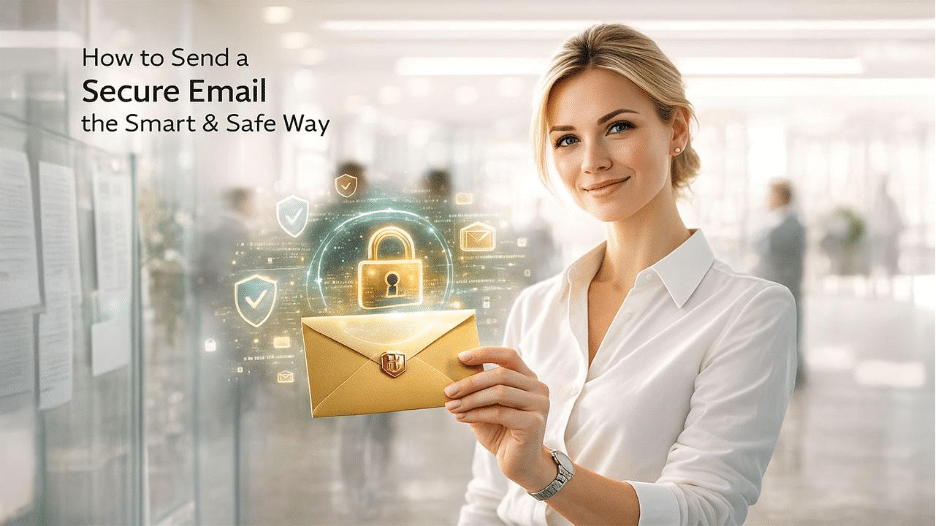
Email is still the backbone of modern email communication, offering numerous advantages of using email for both business and personal needs. We rely on it to share contracts, invoices, login details, personal documents, and confidential business conversations. Yet, most people don’t realize that standard email is about as secure as a postcard easy to read if it falls into the wrong hands.
The use of secure email isn’t limited to big enterprises and their IT departments. Learning how to send a secure email should be a priority for anyone who wants to maintain their privacy and keep their conversation safe. For your better understanding, the following guide will explain what secure email is, why it is important to keep emails secure, and steps that you must take to send a secure email with minimal effort and utmost privacy.
What Makes an Email “Secure”?
A secure email aims to keep your message safe from prying eyes; that is, basically, from anyone who shouldn’t be reading it. To achieve this, you need email encryption (which keeps your email content under wraps), access controls (to make sure only the right people can get to your email), and identity verification (to confirm that the person sending the email is indeed who they claim to be).
When you secure an email properly, it leads to the following things:
- Only the intended recipient will be able to read it.
- It won’t be possible to alter the message when transiting.
- Sensitive attachments remain protected.
- Your identity as the sender can be verified.
If any of these protections are missing in your email, there is a possibility that someone might intercept it before it reaches its destination, forward it to another party by mistake, or gain access to it by hacking into an email account.
Why Sending Secure Emails Matters More Than Ever
Sensitive data is sent through email daily, often unprotected, which presents a variety of risks:
- Data breaches that can expose sensitive information of clients or customers.
- Non-compliance with regulations such as GDPR and HIPAA may result in financial penalties. Understanding and implementing email security policies helps organizations maintain compliance and protect sensitive information.
- Reputation damage can follow from a single leaked email.
- Possible monetary loss due to interception of payment or invoices details.
Sending a secure email isn’t necessarily about being paranoid, rather, it’s about keeping the conversation safe and protected in a digital world where cyberthreats are growing at an incredible speed.
Common Situations Where Secure Email Is Essential
When sending sensitive information via email, there will be certain situations where additional protection should be used, as outlined below:
- Contracts, legal documents, or NDAs: These documents contain financial terms & conditions, confidential clauses, or personal details. They can lead to legal or business risks if intercepted or forwarded accidentally.
- Financial records/invoices: Bank account details, payment amounts, and transaction references are all prime targets for fraudsters. Securing these emails helps prevent tampering or invoice redirection scams.
- Login credentials or reset links: Email encryption is vital when sending your login details (like your username and password). If someone intercepts that email, they could access your account the moment it lands in their inbox.
- Personal identification details: It’s essential to protect personal information (such as your social security number, address, or date of birth) by encrypting it. If this information falls into the wrong hands, it could lead to identity theft.
- Healthcare or insurance information: Medical records hold very sensitive data that is protected by legal and regulatory standards, making email encryption a top priority to safeguard this information and any health insurance claims.
- Internal company data: Internal reports, business plans, or employee information must stay in those hands who are trusted to avoid leaks or competitive disadvantages.
If you wouldn’t feel comfortable sharing certain information publicly, then it’s a clear sign that you should send a secure email.
How Secure Email Works (In Simple Terms)
Email encryption is essential for keeping your email secure. It transforms your message into a jumble of unreadable text while it’s being sent. Only the intended recipients who have the right key or authentication can unlock and read it.
There are two key stages when email encryption plays a crucial role:
- In transit: This safeguards your email as it moves between servers.
- At rest: This protects emails that are stored in inboxes or archives.
The most secure email methods typically use a combination of both approaches.
Email security also involves authentication methods that help verify where a message comes from. What Is DKIM explains how DomainKeys Identified Mail (DKIM) uses a digital signature to help receiving mail servers verify the sending domain and detect whether a message has been altered.
Secure Email vs Regular Email: What’s the Difference?
Many people assume that every email is automatically protected, but that’s not always the case. Standard email services often use basic transport encryption while the message is moving between servers. However, this doesn’t always protect the content once it reaches the recipient’s mailbox.
| Feature | Regular Email | Secure Email |
|---|---|---|
| Message Encryption | Limited or none | End-to-end or advanced encryption |
| Attachment Protection | Usually unencrypted | Can be encrypted and password-protected |
| Identity Verification | Basic | Supports digital signatures and authentication |
| Access Control | Limited | Expiration dates, passcodes, restricted forwarding |
| Compliance Support | Not suitable for sensitive data | Supports GDPR, HIPAA, and similar regulations |
If you’re sharing confidential business information, financial records, healthcare data, or legal documents, choosing a secure email method provides significantly better protection than sending a standard email.
Practical Ways to Send a Secure Email
There’s no one-size-fits-all solution. The best method relies on who is the recipient you’re emailing and how sensitive the information is.
1. Use Built-In Email Encryption (Outlook or Gmail)
The majority of email providers today offer email encryption features for all levels of security.
Examples of Email Encryption Options:
- Microsoft Outlook – Offers encryption when requested, along with Do Not Forward and Confidential options.
- Gmail – Provides confidential mode that includes date-and-time expiration options and the ability to limit access to each recipient.
Both Microsoft Outlook and Gmail provide simple and effective ways to use email encryption when sending and receiving emails.
Business Uses: Sending emails on an everyday basis with a moderate level of sensitivity.
2. Password-Protect Attachments
If your email service doesn’t support email encryption, another simple alternative is to protect your attachments.
You can:
- Encrypt PDF or ZIP files with a password.
- Share the password via a different channel (SMS or call).
While this approach is not perfect, it adds an extra layer of protection.
Best for: Sharing documents quickly with outside recipients.
3. Use Secure Email Portals
Secure email portals enable the recipient to access their message via a secure web interface instead of using their inbox. The email contains a secure link, not the sensitive content itself. The recipient must authenticate their identity prior to being able to view the message.
Best for: Secure portals are best to use when sending sensitive information in industries with stringent regulatory requirements such as law, healthcare, financial services, and other compliance-related industries.
4. End-to-End Encryption Tools
End-to-End email encryption protects your email so that no one except you and your recipient can see what was sent and/or received. Not even your provider has access to that information. To do this, both parties must use compatible encryption tools or digital certificates.
Best For: It is fit for highly confidential or regulated communication.
5. Avoid Sending Sensitive Data in Plain Text
Even though you may use a secure tool, don’t include passwords, PIN’s or access codes directly in messages that you send a secure email to a recipient.
Instead: For low-risk sign-ups or situations where you don’t want to share your primary inbox, services such as YOPmail can provide a temporary email address.
- Share links with limited access
- Use temporary details
- Split sensitive details across multiple channels
If one layer fails to protect, you will have another chance of preventing unauthorized access.
How to Send a Secure Email in Outlook, Gmail, and Yahoo
Each email provider has unique solutions for protecting information and handling security concerns. Some email providers have built-in email encryption options; some require you to complete additional steps and/or use a third-party tool(s) to achieve secure emailing. Below is a description of how to send a secure email using the three most common email platforms.
How to Send a Secure Email in Outlook
If you are using Microsoft 365, Outlook, or Army 365 Webmail Email, understanding the available security features can help protect sensitive email communications.
Steps to encrypt email in Outlook (Desktop or Web):
- Open Outlook and click New Email.
- Type your message as you always do.
- In the message window, go to the Options tab.
- Click Encrypt in the ribbon.
- Choose an encryption option:
- Encrypt Only – prevents unauthorized reading
- Do Not Forward – blocks forwarding, copying, or printing
- Click Send.
If you need a more detailed walkthrough with screenshots and troubleshooting tips, read our complete guide on Send Encrypted Email in Outlook, which explains different encryption methods, Microsoft 365 options, S/MIME setup, and best practices for protecting sensitive business communication.
After sending your email, Outlook will automatically encrypt it using your selected option. If the recipient uses either Outlook or Microsoft 365, they will be able to open your message as they normally would. However, if the recipient does not use either Outlook or Microsoft 365, they will receive a secure link to view the email via Microsoft’s encrypted web portal.
Additional Security (S/MIME): For the business user, Outlook also provides the ability to use S/MIME (Secure/Multipurpose Internet Mail Extensions), which provides a digital certificate to encrypt emails between parties to ensure true end-to-end email encryption. Users within regulated industries heavily rely on S/MIME to support their compliance policies.
How to Send a Secure Email in Gmail
Gmail automatically encrypts emails in transit using Transport Layer Security (TLS) whenever the recipient’s email service supports it. For additional privacy, Gmail also offers Confidential Mode, which lets you control how recipients access your messages. However, Gmail does not provide true end-to-end encryption for personal accounts by default.
Using Gmail Confidential Mode
- Open Gmail and click Compose.
- Write your email.
- Click the Confidential Mode icon (a padlock with a clock) at the bottom of the compose window.
- Configure your security settings:
- Set an expiration date.
- Choose whether to require an SMS passcode (available for some recipients) or a standard passcode.
- Click Save, then send your email.
Confidential Mode helps prevent recipients from forwarding, copying, downloading, or printing your message. You can also revoke access before the expiration date if necessary.
Important: Confidential Mode improves message privacy but is not the same as end-to-end encryption. For highly sensitive information, consider using end-to-end encryption solutions, secure email portals, or encrypted file-sharing services.
How to Send a Secure Email in Yahoo Mail
Yahoo Mail does not provide any in-built email encryption features for outgoing emails, so it will be necessary to use some other methos to ensure that your message is protected.
Options for sending secure emails with Yahoo:
- Password-protect your attachments: Encrypt your document (PDF, ZIP etc.) prior to attaching and providing the password via a separate communication channel.
- Send encrypted messages using secure email services or secure email portals: Use a secure email tool provided by a third party to send a secure email with encryption, regardless of the recipient’s email provider.
- Send encrypted links to files that you share: Upload your sensitive files to a secure platform and then send the secure access link to that file using Yahoo Mail.
Although these approaches add extra steps, but they are required in order to protect any confidential information that you are sending from a Yahoo account.
How to Verify That an Email Is Encrypted
Using an encryption option is only the first step. Before sending sensitive information, it’s worth confirming that your message is actually protected.
Here are a few simple ways to verify encryption:
- Check whether your email provider displays a lock or encryption icon before sending.
- Confirm that encryption is enabled in the email options or security settings.
- If you’re using S/MIME or PGP, verify that the recipient’s encryption certificate or public key is valid.
- Send yourself a test email first to confirm that encryption is working correctly.
- Ask the recipient whether they received the encrypted message or a secure access link.
Taking a few extra seconds to verify encryption can prevent accidental exposure of confidential information.
Best Practices for Sending Secure Email Messages
Security tools are most effective when they are combined with good habits. Following comprehensive email security best practices can significantly lower everyday risks:
- Always double-check recipient addresses before hitting send: A tiny typo or an autocomplete mistake could mean your sensitive information lands in the wrong hands, and once it’s sent, there’s no taking it back.
- Create strong, unique passwords for your email accounts: If your email gets compromised, it could expose years of personal communication, so it’s crucial to avoid reusing passwords across different platforms.
- Enable two-factor authentication (2FA): This adds an extra layer of verification, which makes it difficult for attackers to get into your inbox, even if they somehow manage to get your password.
- Keep your email software up to date: Regular updates often come with security patches that often fix vulnerabilities that attackers are actively trying to exploit.
- Be wary of public Wi-Fi: Unsecured networks can create an opening for attackers to intercept your data, especially if your emails aren’t encrypted.
- Educate your team about phishing and social engineering: Many security breaches start with a fake email that appears real and convincing. Staying aware of common phishing or scam techniques is often your best line of defence. When you identify malicious senders, knowing how to block an email address in Gmail or your email provider can prevent future threats.
Common Mistakes That Undermine Email Security
Mistakes that weaken protection can occur even when precautions are taken. Let’s see how:
- Assuming that all internal emails will always be secure: A hacker could hack into an internal system, and not every internal email is automatically encrypted.
- Reusing passwords between platforms: If someone has broken into one of your services, they often attempt to access all of your services using the same password. In some cases, it works.
- Forwarding sensitive email unnecessarily: There is a risk; the more times you forward an email, the more likely it is to be seen by untrustworthy people, particularly when you send it from original secured source to another unsecured source.
- Clicking on links or attachments that you do not know: If someone sends you a link or an attachment, you could inadvertently download malware, or it may direct you to a fake login page that could steal your login credentials.
- Neglecting to implement the latest software updates: You are allowing known security vulnerabilities to remain open much longer than necessary by neglecting software updates that strengthen privacy and security.
How to Know If Your Email Is Secure Enough
Before you send any sensitive information, take a moment to ask yourself these following questions:
- Would I be comfortable if this email were intercepted?
If the answer is no, you need email encryption or another secure method to protect your emails.
- Am I complying with data protection regulations?
Regulations often require reasonable safeguards, not just good intentions.
- Is the recipient verified?
Make sure you send emails to the correct person and the correct address after double-checking the details.
- Is encryption actually enabled or just assumed?
Don’t always rely on defaults. Before hitting the send, remember to confirm that the security option is turned on.
These quick checks can help you avoid mistakes that could lead to dire consequences once committed.
Final Thoughts
Sending a secure email does not need advanced technical skills or knowledge. It also does not require any expensive or elaborate tools. The first step to send a secure email is to understand the ways that make them secure and to be aware of the benefits and right features. Developing good habits of sending and receiving secure email and continuing to do so will benefit you in the long run.
With an increasing level of trust based on the ability to keep private information secure, sending a secure email is now part of being a responsible, professional, and respectful user who protects other people’s data. It doesn’t matter if you’re sending a medical document, a legal contract or simply a confidential note; taking a few extra steps to add a layer of protection will always save you from bigger problems later. There are many reasons why taking the time to become aware of and use the tools to secure emails is worthwhile.
Frequently Asked Questions (FAQs)
Can I send a secure email for free?
Yes. Most major email providers, including Gmail and Outlook, offer free security features such as encryption during transit, Confidential Mode, or encrypted email options. For advanced end-to-end encryption, you may need third-party tools or premium business plans.
Is Gmail secure enough for sending confidential information?
Gmail provides Confidential Mode and encrypts emails during transmission using TLS whenever possible. However, it does not offer end-to-end encryption by default, so highly sensitive information is better protected using additional encryption tools or secure email services.
What is the safest way to send confidential documents by email?
The safest approach is to use end-to-end encryption or password-protected attachments combined with a separate communication channel for sharing the password. Secure email portals are also widely used by healthcare, legal, and financial organizations.
Can encrypted emails be forwarded?
It depends on the encryption method being used. Some secure email services include features such as Do Not Forward, expiration dates, or restricted access, preventing recipients from forwarding, copying, or printing the message.
Do both sender and recipient need encryption software?
Not always. Some services, such as Outlook’s Microsoft Purview Message Encryption or secure email portals, allow recipients to read encrypted messages without installing additional software. However, true end-to-end encryption methods like S/MIME or PGP generally require both parties to use compatible encryption technologies.