











 Continue with Google

 Share on media
When it comes to the world’s top video gaming company then the name that appears on first is Electronic Arts (EA). Electronic Arts Emails, is one of the leading companies in the gaming industry that offers prominent titles such as FIFA, The Sims, Battlefield, & Apex Legends.
If you’re the one who is experiencing issues with your EA (Electronic Arts) account and within the game. Furthermore, facing issues with any of EA’s services and looking to reach out to EA’s support team via email then don’t need to worry anymore.
Since, in this article, we will assist you in resolving your issue by showing your the right and practical email gateway options. Hence, let’s move with the flow to configure the process.
Can you contact Electronic Arts by email?
Yes, but EA no longer provides a public customer support email for most issues. Instead, users should visit the EA Help website, choose their game or account issue, and the portal will display the available contact methods, which may include email, live chat, or phone support depending on the issue and region.
Can You Contact Electronic Arts Directly by Email?
Many users search for an official Electronic Arts email address, expecting to send an email directly to EA support. However, EA no longer provides a public customer support email for most account or game-related issues.
Instead, the company uses its EA Help portal, where support options are displayed based on your issue, account, game, and region. Depending on your case, you may be offered:
- Email support
- Live chat
- Phone support
- Social media assistance
- Community forums
Using the EA Help portal ensures your request reaches the correct support team faster than sending emails to unofficial addresses found online.
If you’re interested in the history of electronic communication, you can also read our guide on Who Invented Email to learn how email became one of the world’s most widely used communication methods.
Here’s a simple and step-by-step guide to contact Electronic Arts via email
1. Step. Visit the EA Help Website
First of all, you have to head over to the official EA (Electronic Arts) website and look for the help section of the website. For this, you can directly ping at https://help.ea.com/en/help-home/.
This is the central hub for all the Electronic Arts Emails support, where you can find out the help section along with the articles, contact options, and more.
2. Step. Sign In to Your EA Account
Once you’re on the official EA Help website then you have to click on the “Sign In” option which is located in the top-right corner of the page. After finding out the sign-in section, you need to log in with your EA account credentials.
In case, you don’t have an account then you are required to create your account before contacting EA support further.
3. Step. Search for Your Issue
Here you have signed in to your account or have created your account at the official site now you have to look for the search bar at the top of the page. Once, you find it then you have to type in your issue or select a relevant topic from the available categories of drop-down.
Whether you’re facing a problem with your EA account, or looking for help with a specific game. Plus, if you have technical issues regarding the game then the Electronic Arts Emails help section will offer you a solution for various concerns. Therefore, you can get the right one there to solve your issue.
4. Step. Select Your Game or Platform
After selecting your issue option or category you need to narrow down your category a little more. For this, you have to choose the game or platform that is relevant to your issue.
For instance, if you’re having trouble with FIFA 23 then you need to select the game. Alternatively, you are required to choose your gaming platform such as PlayStation, Xbox, or PC to get customized support.
5. Step. Choose a Contact Method
This is the step in which you specify your issue-resolving method such as via email, phone call, live chat, WhatsApp, SMS, Social media, etc. For this, you need to scroll down to the “Contact Us” button and have to choose the appropriate option.
Here, the help section of the website will present you the various support options depending on the nature of your issue and your location. It will include the ability to email (EA’s) Electronic Arts Emails customer support team.
In case, the option to email isn’t appearing to you immediately on the site then you have to follow the additional steps prompted on the page.
6. Step. Submit Your Email Query
Once you’re directed to the contact form then you have to fill out the necessary details about your problem there. You need to be as clear and detailed as possible while describing the issue that you’re facing.
Moreover, you have to include your account email, the game you’re having trouble with, specify your platform details, and any error codes or messages that you’ve encountered. This will help Electronic Arts Emails support in order to assist you more efficiently.
After filling out the form and submitting it on the website, you will receive a confirmation email that will acknowledge your query. For this, EA’s support team will respond to your registered email address which usually occurs within a few business days.
7. Step. Wait for a Response
Once you have submitted your query or report email keep your eye on your inbox with consistency. For this, you have to check your junk or spam folder for the EA support team’s response as a revert email may arrive in that.
In that particular email, the support team will guide you through the troubleshooting steps or provide a resolution for your mentioned issue.
Alternative Ways to Contact EA Support
If email support isn’t available for your issue, EA offers several other support channels depending on your country and the type of problem you’re experiencing.
Live Chat
Live chat is usually the fastest way to receive help for account recovery, billing issues, missing content, and technical problems. Availability varies by region and support hours.
Phone Support
Some countries provide phone support for selected issues. You can check its availability through the EA Help portal after selecting your game and issue.
EA Community Forums
The EA Community is a great place to ask questions, browse solutions, and receive advice from experienced players and EA moderators.
Social Media Support
EA also provides updates and assistance through its official social media channels, especially during server outages or major game releases.
If you need to stay connected with support teams or gaming communities while working on your computer, using WhatsApp Web can also help you communicate more efficiently with friends, teammates, or customer support when applicable.
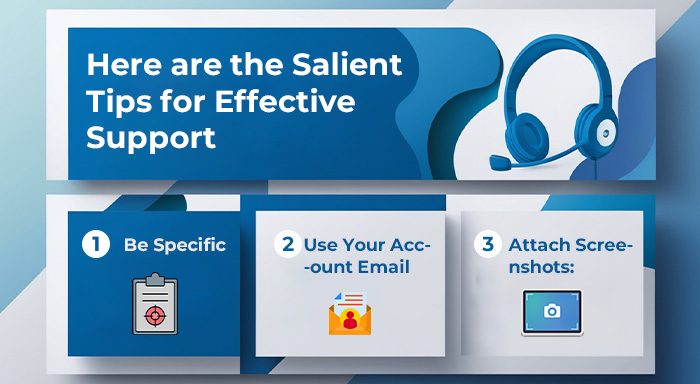
Here are the Salient Tips for Effective Support:
1. Be Specific:
You need to provide a clearer and more concise view while submitting the issue that you are facing on Electronic Arts Emails. This will help to avoid the forthcoming confusion.
2. Use Your Account Email:
Always contact (EA) Electronic Arts Emails support using the same email that is associated with your EA account. This will assist you in getting quicker assistance.
3. Attach Screenshots:
If it is open on the website then try to include images or files that will demonstrate the issue that you’re experiencing. Therefore, you should try to add as many as things you can add, to specify your issue in more detail.
Conclusion
Contacting Electronic Arts is simple once you use the official EA Help portal. Although EA doesn’t usually provide a direct public email address, the support portal automatically recommends the best contact option based on your issue and location. By providing accurate account details and a clear description of your problem, you can receive faster assistance and get back to gaming as quickly as possible.
Whether you are dealing with account access problems, payment issues, game errors, or platform-related concerns, following the correct support process can help you resolve your issue more efficiently. If email support is unavailable, you can also explore other options, such as live chat, phone support, or the EA Community, depending on your region and the type of problem you are facing.
Frequently Asked Questions (FAQs)
Does Electronic Arts have an official customer support email?
EA generally does not publish a direct customer support email. Instead, it directs users to the EA Help portal, where available contact methods—including email in some cases—are shown based on the issue and location.
How long does EA take to respond to support requests?
Response times vary depending on the complexity of your issue and the support channel used. Email responses may take anywhere from a few hours to several business days.
Can I recover my hacked EA account through email support?
Yes. If your EA account has been compromised, visit the EA Help portal, select the account recovery option, and follow the verification process. Support agents may contact you through your registered email address.
Why can’t I see the email contact option on EA Help?
The available contact methods depend on your region, the game you’re playing, and the category of your issue. In some cases, only live chat or community support is offered.
What information should I include when contacting EA support?
For faster assistance, include:
- Your EA account email
- Game title
- Platform (PC, PlayStation, Xbox, or Nintendo Switch)
- Error codes (if any)
- Screenshots or relevant files
- A clear description of the issue
This helps the support team diagnose and resolve your problem more quickly.