


 Continue with Google

 Share on media
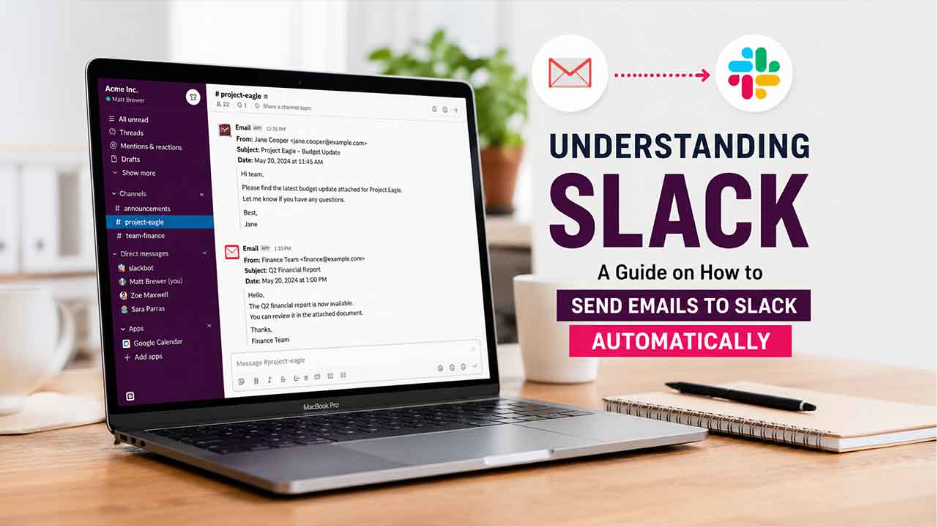
Want to understand more about Slack? Learn what Slack is, what its applications are, and how to easily send emails to Slack automatically.
In the modern workplace, efficient communication and collaboration play a crucial role in enhancing the productivity of the team. In workplace communication, email remains the standard for formal communication, but it often results in slow internal discussion and delays in decision-making.
This is where Slack becomes essential. Slack is a cloud-based business communication and collaboration platform that centralizes team communication. It also helps reduce dependency on traditional email platforms, as it brings messages, files, and alerts into the shared workspace. Users can also easily send emails to Slack automatically and forward emails to Slack.
What is Slack?
Slack can be simply explained as a cloud-based business communication and collaboration platform, which is used to share files, manage projects, and integrate workplace tools in a centralized location. The platform is also generally described as an “agentic work operation system“, as it is designed to reduce email usage, centralize team communication, and connect multiple apps and data efficiently.
Slack offers a combination of various key platforms, like:
- Chat application
- Team messaging platform
- File-sharing tool
- Collaboration workspace.
Key Features of Slack
Slack offers key features to businesses, like organized channels, direct messages, file sharing, email to Slack integration, platform integration, and searchability, among others.
Some of the key features of Slack include:
- Channels: The channels in Slack are dedicated spaces, which include projects, topics, and teams, that the user can make public or private.
- Slack Connect: Slack enables the user to securely collaborate with external organizations, partners, or vendors, using the shared channels.
- Integration: Slack offers seamless integration with over 2,600 third-party apps, which allows users to work efficiently without switching applications.
- Automation and AI: Slack offers multiple key features, like Workflow Builders, that allow users to easily automate routine tasks. The Agentforce, a built-in AI agent, offers conversation summaries and data retrieval from CRM systems.
- Instant Connect: Slack offers instant audio-first conversations, which are especially designed to replicate quick in-office chats.
Applications of Slack
Slack is among the most versatile AI-powered work platforms, which are designed to streamline communication, automate tasks, and integrate multiple tools. Slack is primarily used as a team conversational channel that can also conduct quick voice/video calls, manage projects, and share files.
Key applications of Slack include:
- Communication: Slack offers real-time messaging through channels and direct messages. It also allows the teams to significantly reduce internal email traffic.
- Workflow Automation: Slack uses Workflow Builder, which can automate various routine tasks, like approvals, onboarding, or gathering survey data, without coding.
Slack uses Workflow Builder to automate repetitive business tasks like approvals, onboarding, notifications, and data collection. Businesses looking to improve operational efficiency can also explore this detailed comparison of Business Automation Software Comparison.
- Third-Party Integration: The platform offers seamless connections with various popular apps, like Google Drive, Zoom, Jira, and Salesforce, directly into the channels, which ensures real-time notification.
- AI-Powered Productivity: The AI agent of Slack offers channel summaries, recaps of missed information, and answers queries.
- Project Management and Collaboration: Slack features dedicated channels for specific projects, which allow seamless file sharing, tracking progress, and discussions in a searchable and organized manner.
Businesses running email marketing campaigns often use Slack integrations to instantly monitor campaign performance, customer responses, and lead notifications. You can also explore modern email campaign strategies in our detailed guide on Cliqly Email Marketing.
Need to Send Emails to Slack Automatically

In the modern workplace, it is essential to integrate email with Slack instead of handling emails manually. Integrating an email platform with Slack offers key benefits to businesses. Some of the key benefits include:
- Faster Communication and Collaboration: Slack displays emails instantly, which leads to immediate discussion and collaboration among the teams. It helps teams receive notifications instantly, increasing the response times, and improving customer experience.
- Reduce Email Overload: Using a traditional email platform offers various key challenges, like inbox clutter, missed messages, and notification of fatigue. With email to Slack integration, the features allow businesses to forward important emails to Slack.
- Improve Team Collaboration: Traditional email platforms are primarily designed for one-to-one or limited communication. Whereas Slack channels create a shared space where teams can easily discuss emails together.
- Prevents Missed Critical Emails: Emails like server outage, fraud alerts, and security warnings are time sensitive. Slack automatically routes such critical emails to Slack, ensuring faster escalation and immediate notifications.
Businesses often receive large volumes of newsletters, promotional emails, and campaign updates that contribute to inbox clutter. Understanding how newsletters work can help teams better organize communication workflows. Learn more in our guide on What Are Email Newsletters.
Slack Email Integration vs Traditional Email
Slack is a business communication and collaboration platform, which is mainly used for communication. It cannot replace traditional emails completely, but it can significantly improve team collaboration.
Some of the major difference between Slack and traditional email platform are as follows:
| Features | Slack | Traditional Email |
| Team Visibility | High | Limited |
| Collaboration | Real-time | Slow |
| Notifications | Shared | Inbox-only |
| Automation | Advanced | Basic |
| Searchability | Centralized | Fragmented |
How to Send Emails to Slack Automatically
In Slack, businesses can automatically send emails to Slack. Automatically sending emails to Slack, directly delivering the important emails into a Slack channel or direct messages. This process works using an integration, workflow, app, or automation.
There are two main methods to automatically send emails to Slack, which include:
Method 1: Using Slack’s Built-in Email App
- Step 1: Install and open the Slack email application.
- Step 2: Select a channel in which you want to receive emails automatically.
- Step 3: Generate a Slack email address.
- Step 4: Create an email forwarding rule.
After setting up the rules, the matching emails will automatically appear in Slack.
Method 2: Using Slack Workflow Builder
- Step 1: Open Workflow Builder and name your Workflow.
- Step 2: Select a Trigger.
- Step 3: Define the input field and add actions in the workflow.
- Step 4 (Optional): Add extra enhancements like conditional logic, approval, and formatting.
- Step 5: Connect email systems for which external triggers are required.
- Step 6: Test the workflow.
How to Set Up Automatic Email Forwarding to Slack?
Forwarding emails to Slack redirects the actual emails to a Slack-generated email address, which is considered ideal for sharing emails quickly and uses raw email content. Setting up automatic email forwarding to Slack is a two-part process, in which the part includes configuring the slack channel and setting up the Slack email address. The second part includes configuring the email platform.
To set up automatic email forwarding to Slack, you can follow the following steps:
Part 1: Configuring Slack
- Step 1: Open the Slack Channel and go to Channel Settings.
- Step 2: Navigate to Integration > Send emails to this channel.
- Step 3: Generate and copy the email address.
- Step 4: Create an email forwarding rule.
Part 2: Configuring Email Platform
- Step 1: Open the email platform and go to Filters.
- Step 2: Create a new filter and choose conditions.
- Step 3: Click on Forward to and paste the Slack email address.
Users can also forward multiple emails in Gmail to Slack by generating a unique channel email address or simply using the official Slack for Gmail Add-On.
Key Consideration
Although email to Slack integration is a powerful tool for businesses, it also raises multiple key security challenges. Some of the main security considerations are as follows:
- Avoid Sensitive Data Exposure: It is essential to be careful while forwarding financial records, personal information, medical data, and confidential documents.
- Limit Channel Permission: Creating email integrations should be restricted.
- Use Private Channel: It is important to route sensitive workflows into private Slack channels.
- Protect Slack Email Addresses: The Slack-generated forwarding email addresses are essentially secret inboxes. If these addresses are exposed publicly, spam emails can enter the channels.
Conclusion
Slack helps transform the communication and collaboration methods of the modern workplace. From project management to IT monitoring, Slack acts as a crucial tool to improve efficiency and reduce communication gaps. Slack also helps in significantly improving internal coordination, as it enables real-time messaging, structured channels, and workflow automation. To efficiently manage workplace communication, users can also send emails to Slack automatically. This also reduces inbox overload and accelerates response times. Businesses looking to streamline email handling and communication workflows can further enhance productivity with solutions from ExtractMails, making workplace collaboration even more organized and efficient.
Frequently Asked Questions
What is Slack used for?
Slack is primarily used as a collaboration and communication platform for the workplace. It offers efficient team communication, collaboration, file sharing, workflow automation, and integration of workplace tools in a centralized platform.
Can I forward emails directly to Slack?
Yes, you can forward emails directly to Slack using Slack’s built-in email integration with third-party automation tools.
What are Slack channels?
The Slack channels are a type of organized space, where teams can easily collaborate and communicate about specific topics, projects, or departments.
Is Slack email integration free?
Yes, basic email forwarding features of Slack are often available in the free plan, but advanced features require paid tools.
Is Slack safe for email automation?
Yes, Slack is safe for email automation, but businesses should follow security practices, like restricting channel access and protecting forwarding email addresses.