











 Continue with Google

 Share on media

Businesses lose up to 550 hours per sales rep every year just from bad or manually collected data. That is literally a big number. That also means if your team is still typing contact details into spreadsheets or copy-pasting emails from websites, you are losing deals before your pitch even starts.
Sales teams spend hours every week copying contacts, verifying emails, and updating spreadsheets by hand, without realizing how much revenue that quiet habit is draining. The problem is not just slow work. It is a wrong approach in today’s fast-paced world. Manually gathered data goes stale fast. This is exactly where ETL process optimization becomes essential for modern sales teams.
A contact moves jobs, changes their email, or leaves the company entirely, and your sales rep never knows until the bounce report arrives. Also, the damage hits your sender’s reputation too. So, before you even get to the sale, you have already lost trust. This all-inclusive guide breaks down exactly why manual data collection is holding your pipeline back, how automation fixes it, and precisely how ETL process optimization fixes it, and how a smart ETL approach, backed by the right set of tools, puts your outreach on autopilot.
What is ETL?
ETL stands for Extract, Transform, and Load. It is the core data integration process, which is mainly used to gather raw data from multiple sources. It cleans and formats the raw data to meet the business standard and loads it into a centralized destination, like a data warehouse.
There are three main phases of ETL, which include:
- Extract: The raw data is pulled from diverse sources, like relational databases, CRM software, APIs, mobile apps, and flat files.
- Transform: The data is cleaned, duplicated, validated, and recognized, using the specific business rules, aligning it with the target system’s format.
- Load: Finally, the high-quality data is finalized and written into a centralized data store for analysis.
Why is ETL Essential?
ETL is considered essential, mainly because organizations generate data from multiple systems. These data are usually inconsistent, incomplete, or difficult to analyze directly before processing. ETL converts these scattered and raw data into reliable and usable information for further application.
The importance of ETL optimization is as follows:
- Centralizes Data
The data in businesses is stored in multiple places, like in sales systems, marketing tools, finance software, and customer support platforms. The ETL optimization tools combine all the scattered data into one centralized repository, like a data warehouse.
- Improves Data Quality
Raw data generally contains missing values, duplicate records, different formats, and errors. The transform process of ETL cleans and standardizes the data.
- Enable Better Decision-Making
For analysts and executives, ETL optimization helps in reporting conflicts and ensures consistent data is offered to all the different teams.
- Saves Time Through Automation
ETL pipeline optimization automates the process of collecting and cleaning spreadsheets. It enables faster reporting, lower human error, and reduced operational workload.
How Manual Data Collection Costs More Than Just Time
Manual data collection looks low-cost on the surface. No software costs, no setup, just hours of human effort. However, it is the trap. Every hour your sales rep spends collecting emails is an hour not spent closing deals. On top of it, manual data has a serious accuracy problem.
Studies show that B2B data decays at a rate of about 30% per year. This means nearly one in three contacts you collected last year may already be wrong. Consequently, your team ends up chasing dead leads, getting ignored, or worse, marked as spam.
Additionally, manual methods of ETL process optimization create inconsistencies. One rep format name is different from another. This messy data makes your CRM unreliable and unorganised, and your marketing campaigns fall apart. Without ETL process optimization, teams end up wasting valuable hours on repetitive and error-prone tasks.
| Feature | Manual Collection | Automated ETL |
| Time Required | High | Low |
| Error Rate | High | Low |
| CRM Accuracy | Inconsistent | Consistent |
| Scalability | Poor | Excellent |
| Lead Freshness | Outdated | Real-time |
How Most Sales Teams Still Collect Data
Here is what a typical manual process looks like. A sales rep finds a target company online. Next, they visit the website, look for a contact page, and try to find an email address. Then they copy it into a spreadsheet, repeat this for fifty more companies, and finally paste everything into the CRM. This takes hours, sometimes days. And once it is done, half the data may already be inaccurate. This kind of repetitive work is exactly what robotic process automation is designed to eliminate in modern data workflows.
Some teams try to work around this problem by buying email lists. That creates a different set of problems. Purchased lists are often outdated, filled with spam traps, and can get your domain blacklisted. Neither option gets you where you want to go.
What Bad Data Does to Your Revenue?
Bad data does not just waste time. It quietly affects your revenue in ways that are hard to trace. Sales reps reach out to the wrong contacts and get no reply. Marketing sends campaigns to dead emails and tanks the open rate. Next, your CRM fills up with outdated records that nobody cleans because nobody has the time. Over months, your team starts trusting the data less, double-checking everything manually, and slowing the whole process down again. For instance, one bad data batch can set back an entire campaign. This is why clean data is not optional. It is the foundation every successful outreach campaign stands on.
The Smarter Way, Automate Your Data Pipeline
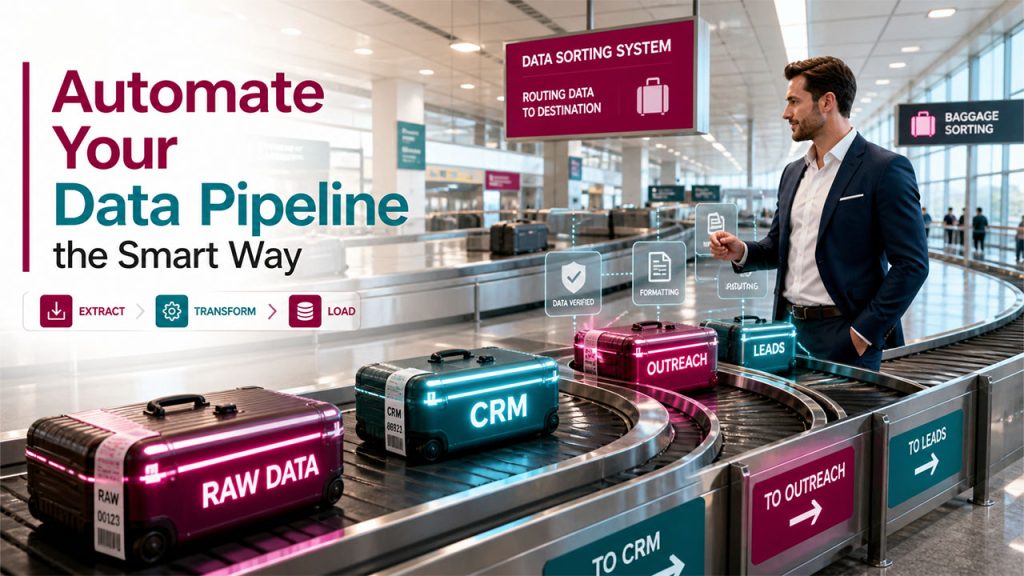
Automation changes everything about how your data flows. Instead of humans copying and pasting, a system pulls data from the source, cleans it up, and sends it directly where it needs to go. This is the core idea behind ETL, which stands for Extract, Transform, and Load. You extract raw data from websites, domains, or bulk lists. Then, you transform it by cleaning, verifying, and formatting it correctly. And finally, you load it into your CRM or outreach tool, ready to use.
ETL process optimization means running this entire cycle faster, cleaner, and with almost zero human error. Sales teams that adopt this approach spend less time on admin and more time on conversations that close. This is where data pipeline optimization becomes critical, ensuring that your data flows smoothly from extraction to CRM without delays or errors.
Popular Tools to Make ETL Simple
This is where ExtractMails fits in naturally. It is an advanced platform designed to handle the extract part of the ETL flow for sales and marketing teams. Tools like the Ultimate Email Finder let you pull verified professional email addresses from any domain or bulk list in seconds. Similarly, the Extract URLs and Extract Domains tools help you gather clean, organized contact data from large documents or messy datasets.
In addition, the Bulk Email Finder is built specifically for teams that need to process hundreds or thousands of contacts at once. You do not need to code anything. You do not need a data engineering background either. Just input your target list, run the tool, and get clean, verified data back. From there, your CRM or email platform gets the fresh, accurate contacts it needs to run effective campaigns. Comparing different tools helps to review a detailed comparison of business automation software.
How to Set Up Your Automated Data Flow
Setting this up is simpler than it sounds. Here is how a typical flow works step by step. To truly optimize ETL workflows, you need a structured and repeatable process like the one below.
Step 1- Define your target list:
Start by listing the domains or company names you want to reach. This is your raw data source.
Step 2- Run the Email Finder:
Paste your domain list into the ExtractMails Bulk Email Finder. The tool extracts verified professional email addresses linked to those domains.
Step 3- Clean the data:
Use the domain and URL extraction tools to remove duplicates, junk entries, and incorrectly formatted results. This is your transform step.
Step 4- Export to your CRM:
Download the clean list and upload it directly into your CRM, email tool, or outreach platform. This completes the load step.
Step 5- Run your campaign:
Your sales team now works from clean, verified contacts instead of guesswork.
The whole process that once took two full days now takes under an hour.
Common ETL Challenges
ETL optimization offer key challenges to the users, like poor data quality, performance bottlenecks due to massive data volume, and schema drift. To navigate through these challenges, organizations need robust ETL pipeline design, along with continuous monitoring.
Some of the major challenges of ETL include:
- Data Quality and Consistency
Unstructured, missing, or inaccurate entries can compromise downstream analytics. Redundant data can be generated by incorrect join conditions or missing primary keys.
- Performance and Scalability
Slow data ingestion and transformation can cause reporting delays. It can also stress the system’s bandwidth, especially when extracting and processing a huge number of rows.
- Source System Volatility
Various applications or APIs can frequently change their structure or modify data types, leading to unhandled pipeline failure.
- Data Transformation Complexity
The rules of the businesses, like currency conversion, aggregations, data enrichment, and KPI calculation, can become extremely complicated. The complexity of the transformations increases maintenance efforts, error risks, and processing time.
Tips to Get the Most Out of Your Automation
Getting automation right is not just about picking the right tool. A few smart habits genuinely improve results:
- Verify emails before you send. Even after extraction, running a quick spam check using tools like ExtractMail’s Email Spam Checker keeps your sender score healthy.
- Update your contact lists every three months. Data goes bad really quickly, which makes updating data important for maintaining your pipeline.
- Segment your data prior to adding it to the CRM. You need to sort out your contacts by different parameters such as industry, size, or position.
- Maintain specificity in your input list. The more specific you are in the domain names you use, the better your data will be.
- Always apply the transform process. The extracted emails are usually inconsistent, and you have to clean them up first.
- Continuously monitor and refine your steps to optimize ETL workflows and reduce inefficiencies.
Conclusion

The manual data gathering acts as a leak in your sales funnel that may go unnoticed in the moment but will eventually drain away deals, your reputation, and future growth. Thankfully, solving the problem does not entail hiring a lot of people or implementing a robust technological infrastructure.
A solid ETL process optimization plan, paired with a tool like ExtractMails, gives any sales team a real edge over the competition. In this way, the size of your team does not matter. What matters is how well your data works for you.
Once you replace slow, manual tasks with smart automation, your outreach stops feeling like a guessing game and starts producing results you can actually track and build on.
Frequently Asked Questions
Your Quick-Fire Questions on Sales Data Automation, Answered
What does ETL mean in the context of sales?
ETL stands for “Extract, Transform, and Load”. The concept of ETL in sales implies that emails or contacts must be extracted from domains or websites, transformed, and finally loaded into your CRM or marketing software. This is nothing but automation of manual data entry.
Why does automated email extraction speed up the lead generation process?
Automated email extraction allows for the quick collection of verified emails without spending many hours doing manual research. All you have to do is just upload the list of domains and let the software, such as Bulk Email Finder, work on it.
Can one use the emails found via email extraction software for cold outreach?
As long as you make sure that the contact information is correct and follows standard policies defined by the CAN-SPAM Act or GDPR, there is no problem with sending emails. Moreover, using a spam checker tool to filter out spammy domains will save your reputation.
How often does a sales team need to refresh its contact database?
It’s wise to do this every three or four months. The half-life of B2B data is about 30% per annum, which means you’ll be chasing dead contacts if you wait too long. By automating extraction, your contact database stays up-to-date without having to put in additional manual labor.
Can small businesses benefit from ETL data automation too?
Yes, in fact, even more than larger groups. Since time is money for small sales teams, any minute saved is an additional minute that could be used to generate more output. Using a simple ETL process via ExtractMails, a small sales team will easily surpass a large one in terms of data quality.
What are the best practices for optimizing ETL processes?
The process of optimizing ETL involves maximizing the throughput, along with reducing the latency. It adopts incremental loading, parallel processing, and stick data validation.
How can ETL jobs be optimized for more efficient processing?
The ETL jobs can be optimized for higher efficiency by adopting incremental processing, along with minimizing parallelism and reducing data volume early.
How can I optimize the ETL process for better performance?
The ETL process optimization for better performance includes implementing incremental loading, along with parallel processing and pushdown optimization. Some key strategies involve partitioning a large dataset, using efficient file formats, and scheduling jobs during off-peak hours.