











 Continue with Google

 Share on media
There is no doubt that the digitization of the world has led to significant advantages. However, the downside is that every piece of information is now connected, leading to considerable privacy issues. Thus, it has become vital for individual users to prioritize their privacy and take measures to safeguard their data. It is reported that currently, people receive around 162 million spam emails on a daily basis. A large portion of these spam emails turn out to be dangerous content designed to compromise your information security and lead to issues like Business Email Compromise, which is why tools like YOPmail are often used to block spam and protect user privacy.
According to official reports, approximately 3.4 billion spam emails are found to be phishing or spear phishing attempts. With a high volume of spam being sent to personal and business accounts, it has become a necessity to protect your data from these emails. And if you are in search of a solution that can help you achieve this, you need to look no further than YOPmail.
If you want to learn in-depth details about this tool, how to sign up, its alternatives, and whether you should use it, you have come to the right place. Let us begin our discussion from absolute fundamentals—
What Is YOPmail?
YOPmail can be defined as a disposable email service that minimizes spam emails in your main email account, ensuring that your inbox remains tidy and secure. It also has other advantages that can help you simplify and effectively manage email communication. As per its own website, the prefix “YOP” in “YOPmail” refers to “Your Own Protection.” The platform is purpose-built to protect your inbox from spam and ensure high privacy and data security. The platform allows you to generate email addresses that you can dispose of later. There are no associated fees or registration charges that you need to pay.
The service even allows you to use a temporary and clickable inbox related to that email address. You can even access the emails and respond to them up to 8 days after the creation of the account. Users also have the option to send emails, but they are limited to sending emails only to other YOP users. Furthermore, you can leverage your custom email domain and use email domain aliases without any modifications.
Benefits of YOPMail
YOPMail is a disposable email service provider that offers free and instantaneous email addresses, which help the user to protect their primary inbox from spam. The platform also helps prevent unwanted marketing emails and phishing attempts while ensuring anonymity.
Using YOPMail requires no registration or passwords, which makes it ideal for signing up for trials, checking verification emails, and reducing digital clutter from the primary email address. With YOPMail, users can also stop spam emails in Gmail or other primary inbox platforms.
Some of the key benefits of YOPMail include:
- Spam Protection: Individuals can use the YOPMail address for signing up for new forums, newsletters, and websites. This prevents the real and primary inbox from being flooded with spam or junk emails. Businesses and marketers who regularly manage large volumes of contacts can also use an email extractor tool to organize and filter email data efficiently while reducing inbox clutter.
- Instant & Anonymity: In YOPMail, the inboxes are created instantly on demand. The user doesn’t need to register, provide personal details, or set passwords to access the email. Although YOPMail helps maintain anonymity, users should also understand the importance of secure email practices to protect sensitive communication and personal information online.
- Multiple Inboxes: Using YOPMail, the user can create multiple unique aliases and temporary emails instantly. This capability is highly beneficial for testing software or creating multiple accounts on the same platform.
Marketers and QA teams often combine temporary email services with email marketing automation platforms to test campaigns, monitor deliverability, and manage multiple communication workflows effectively.
Key Alternatives of YOPMail
YOPMail is among the most popular disposable email service providers, which offer key features like a free-to-use service and multiple domain aliases. Although it features key benefits, YOPMail also has key limitations, like no password protection and limited email sending, which pushes users to look for other better alternatives.
Some of the modern alternatives to YOPMail include Temp Mail, Guerrilla Mail, Mailinator, and Firefox Relay, among others. These alternative platforms offer key features, like improved privacy, faster OTP delivery, password protection, and a custom domain.
Some of the main alternatives to YOPMail include:
| Features | YOPmail | Temp Mail | Guerrilla Mail | Mailinator | Firefox Relay |
|---|---|---|---|---|---|
| Primary Purpose | Disposable inbox | Quick temporary email | Temporary send and receive email | QA testing | Privacy-focused email masking |
| Registration Required | No | No | No | Optional | No |
| Public Inbox Support | Limited | No | Limited | Paid plans | Yes |
| Email Sending | No | No | Yes | No | No |
| OTP Support | Moderate | Excellent | Good | Moderate | Excellent |
| Inbox Duration | 8 days | Temporary or session-based | 1 hour | Varies | Permanent |
Why Not Share Confidential Data on YOPmail
All users must keep in mind that YOPmail is not password-protected. Any user who has access to the email address will be able to access the inbox till the 8-day expiration period. Therefore, you are not advised to share your confidential details or personal data through your YOPmail. The platform provides email addresses only for temporary use so that you can access any application or website with ease. Avoid sharing any details that can compromise your data security.
How to Sign Up for a YOPmail Account?
Generating a YOPmail account is very easy and requires a straightforward signup process. You can smoothly set up your disposable account in minutes and access any app or website with ease. The step-by-step signup process is as follows:
Step 1. Visit the Official Website:
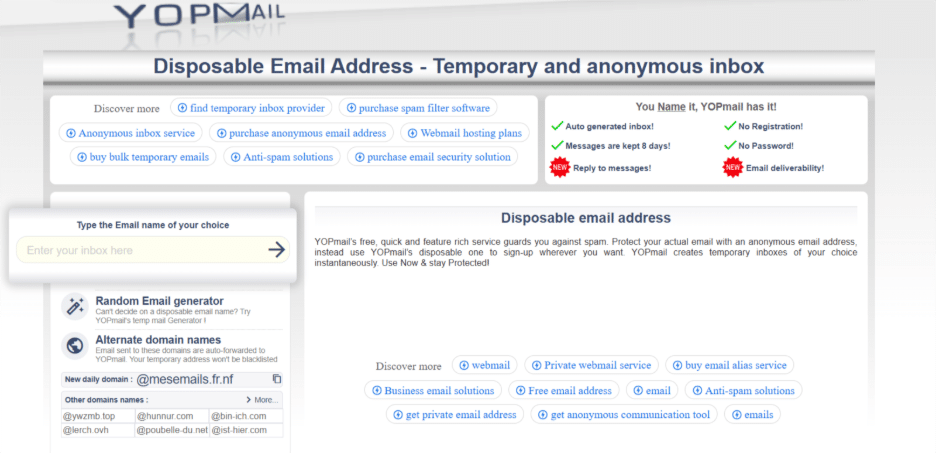
Use any web browser and type “yopmail.com” in your URL search box. Next, you will arrive at the homepage of the website.
Step 2. Generate Your Email Address:
- Conventional Method: Random Email Address
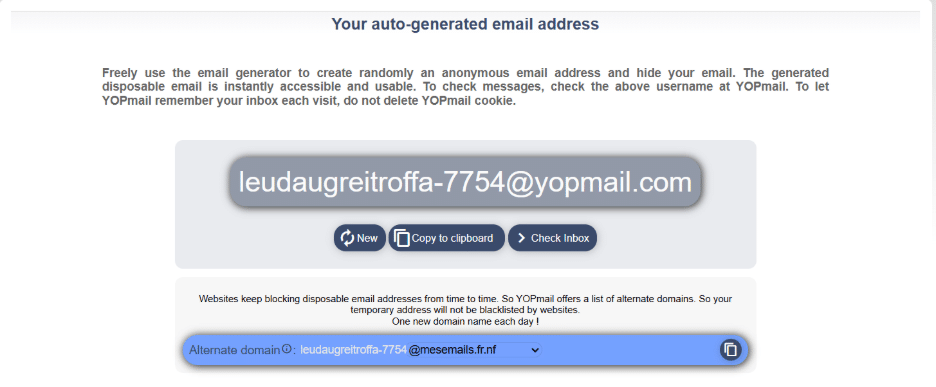
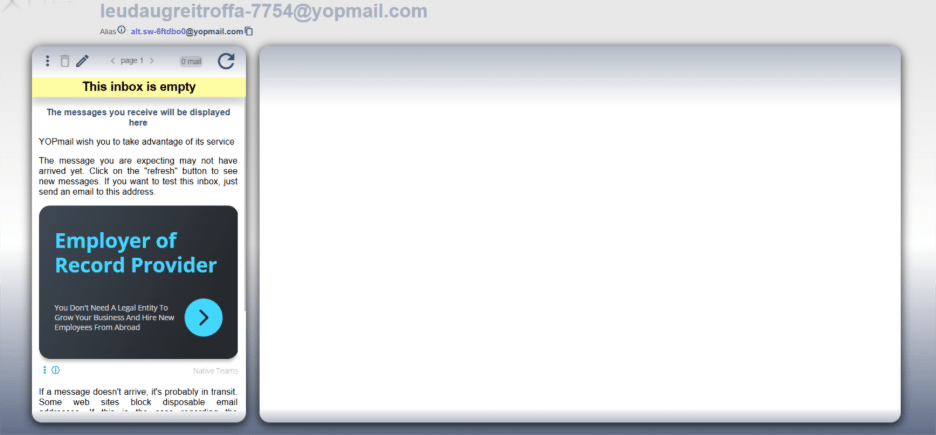
Next, notice the email generator box. You will see a random email ID in the box. You can use a random email address or choose an email address of your choice. Once you have typed your email address, you can use the arrow button to proceed. You will be directed to the next screen, where you can see your inbox, which will be empty.
- Another Way: Select an Alternate Domain
Instead of going to YOPmail.com, you can proceed with a temporary alternate domain. A lot of websites do not allow disposable emails. However, with an alternate domain, you will be able to access the website without entering your actual ID. On the homepage, select “Alternate domain” right below the email generator box.
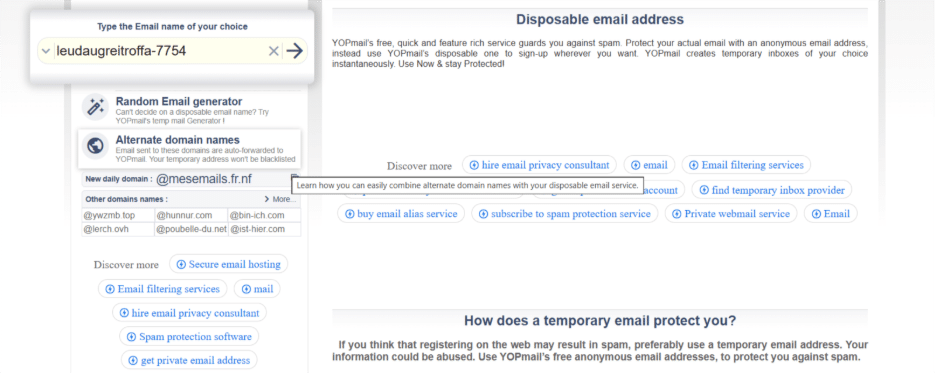
On the next page, you will get a complete list of alternate domains that you can use.
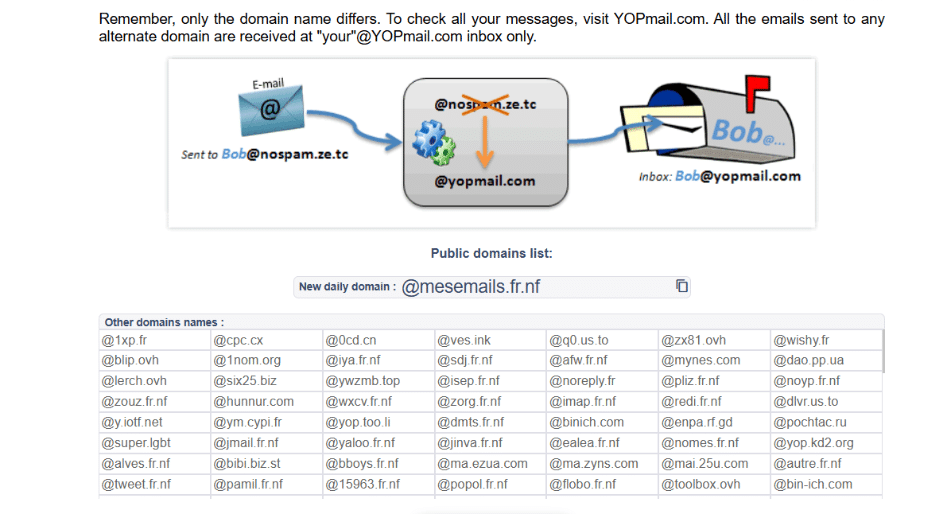
You must keep in mind that you are not creating any new email address. You are using the same email address but with an alternate domain. All the emails that you send and receive through this disposable email address will show up in your “your”@yopmail.com” inbox only.
- Third Way: Add Your Own Domain
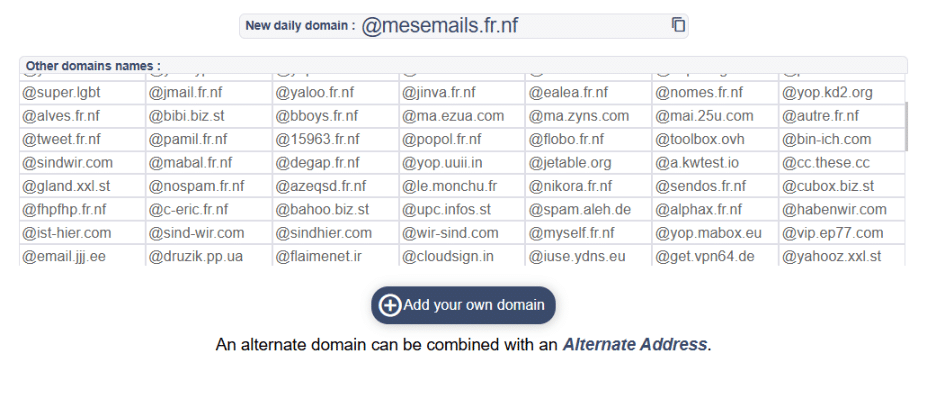
To add your own domain, you can click on the option “Add your own domain.”
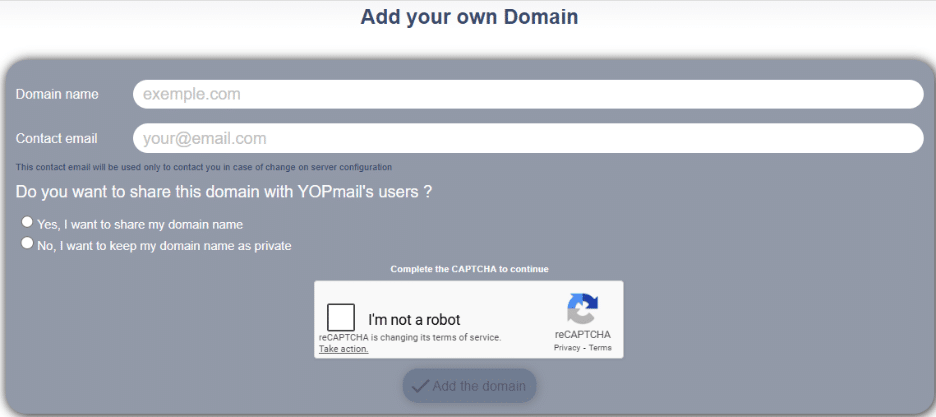
On the next page, you can create your new domain, enter your email address, and choose whether you want to make this domain public. Keep in mind that you only need to enter your email address so that you can be informed in case of any changes in server configuration. After adding your custom domain, you can choose to configure your DNS records on the registrar side.
Step 3: Receive or Send Your Emails
Even though the website only provides you with a temporary email account, you can smoothly send or receive emails. The process to send or receive emails is quite simple and you can follow the steps below for reference:
Choose your domain and email address, and arrive at your YOPmail inbox page.
You will see the “compose” option on the left-hand side of your screen. Click on it and then start composing your message. Choose your recipient and give an appropriate subject line.
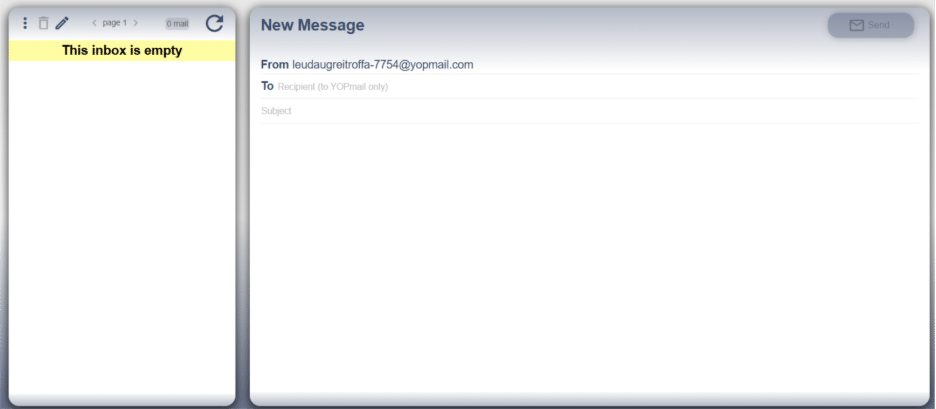
As stated earlier, you can only send an email to another YOPmail account. This is a drawback of the platform, which the platform is expected to be resolved soon.
What Is the Purpose of an Email Alias?
YOPmail also provides the feature of email alias to further safeguard your privacy. Every time you create a disposable email account, the platform automatically generates an alias address to aid you in hiding your original address.
It is imperative to know that YOPmail is available in the public domain, and anyone can see and even access it. Imagine you send an email to a recipient and, instead of responding to you, the recipient chooses to access your inbox. To resolve this privacy issue, the platform allows you to access your alias address, which you can see in the top-left corner of your inbox page.
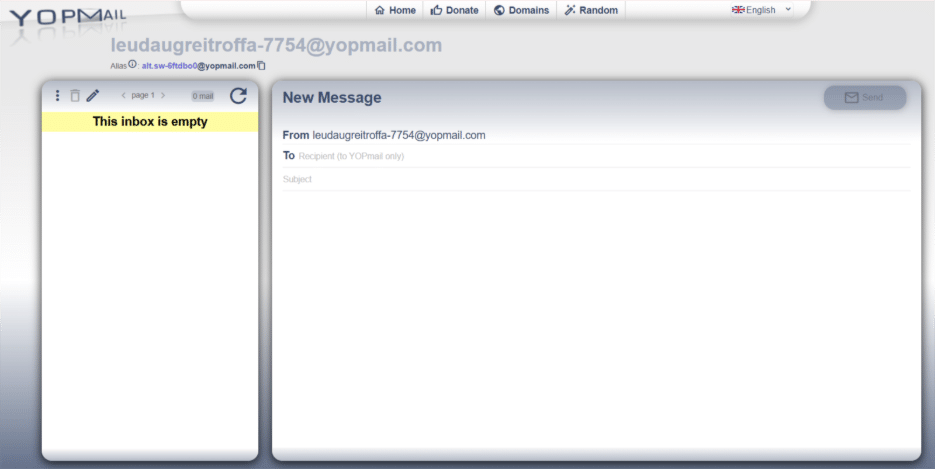
Using your alias email address helps you to send emails in a more private way. All the emails that you receive will be automatically forwarded to your original email. In this way, you can obscure your original email address, so if a user tries to access your alias email account, he or she will find an empty inbox. This is because all the incoming emails are automatically routed to the original email.
YOPmail Review: Is It Worth It?
It is one of the most effective ways to hide your online identity while accessing any app or website. Contrary to conventional disposable email providers, there is a broad range of features that you can access to further improve the privacy and safety of email communication. One of the features that appeals to users is its long expiration period, which lasts for eight days. Instead of giving access for 10 minutes, the platform allows users to access complete details and finish their projects. You can work with this disposable email account with peace of mind, knowing that it will last for eight days, making it a flexible alternative even when compared with regular services like Xfinity Email for temporary testing purposes.
It can help students access educational websites without being overwhelmed with spam emails. Students can access any apps, websites, or educational platforms they want with an anonymous identity, ensuring total data privacy. Furthermore, businesses that wish to verify their email marketing strategies can test them using a disposable email address. The lack of a signup process makes onboarding quite simple. This means that a user can access the website from anywhere, create a disposable address, and return to their work in no time.
Furthermore, all its services and features are free to access. This allows students and marketing teams from startups to freely test the functionality of the platform without any investment.