


 Continue with Google

 Share on media

The guide explores what a document parser is, what its benefits are, how it works, and what its real-world applications are?
On a daily basis, businesses receive hundreds or even thousands of emails, PDFs, invoices, forms, reports, and other digital documents that contain valuable information. However, finding and organizing that information manually can take hours. Employees may need to open each file, read its content, copy important details into spreadsheets, and enter the data into business applications. This is where a document parser helps the employees.
A document parser is a tool that can automatically read digital documents, identify useful information, and convert it into a structured format that the business applications can understand. Instead of asking someone to read every email or PDF manually, a parser can extract details such as names, dates, invoice numbers, email addresses, payment amounts, and other relevant information.
What is a Document Parser?
A document parser is software that reads the contents of a document and extracts specific information from it. The parser software then organizes the extracted information into a structured format, such as JSON, a spreadsheet, a database record, or fields that can be sent to another application.
Depending on the technology, a parser may use predefined rules, text recognition, machine learning, natural language processing, or artificial intelligence to understand and extract information.
Key Features of a Document Parser
Some of the key features of a document parser are as follows:
- Automatic Data Extraction: A document parser automatically identifies and extracts relevant information from emails, PDFs, invoices, forms, and other documents.
- Support for Multiple File Formats: A document parser should support the formats required by the workflow of the business.
- OCR (Optical Character Recognition): OCR enables a document parser to recognize text in these images and convert it into machine-readable content.
- AI-Powered Information Recognition: Advanced document parsers use artificial intelligence and machine learning to identify information even when documents have different layouts or wording.
Benefits of a Document Parser
Some of the key benefits of a document parser are as follows:
- Reduces Manual Data Entry
One of the biggest benefits of a document parser is that it reduces the need for employees to enter information manually. A document parser helps save time, reduces repetitive work, and allows employees to focus on tasks that require human judgement.
- Saves Time and Improves Efficiency
Manually processing documents can be slow, especially when businesses handle large volumes of emails and attachments every day. A document parser can extract information from multiple files much faster than a person working through each document individually.
- Improves Data Accuracy and Consistency
Manual data entry can lead to spelling mistakes, missing values, incorrect dates, and inconsistent formatting. A document parser helps improve consistency by applying the same extraction rules and data formats across documents.
- Automates Email and Attachment Processing
Businesses often receive important information through emails and attached files. A document parser can extract information from email messages and process supported attachments, such as PDFs, spreadsheets, and scanned documents.
Businesses can also turn their inbox into a database by extracting and organizing useful information from incoming emails.
What is AI-Powered Document Parser?
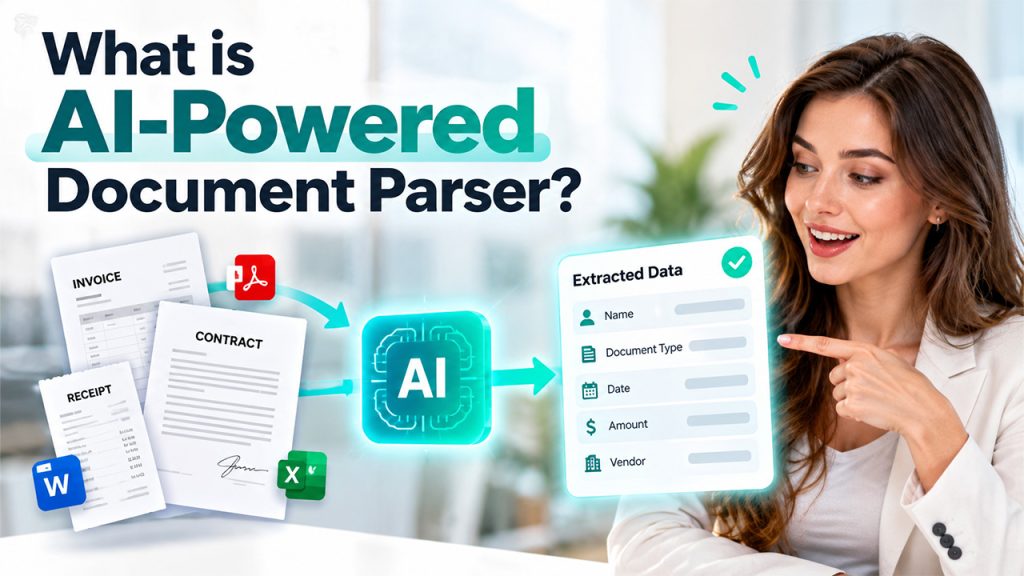
An AI-powered document parser is a software tool that uses artificial intelligence (AI) to read documents, understand their content, identify important information, and convert it into structured data that businesses can use.
Also known as an intelligent document parser, it uses machine learning, natural language processing (NLP), and other AI techniques to handle documents with different layouts, formats, and wording. In simple terms, an AI-powered document parser works like a digital assistant that reads documents, understands what the information represents, and organizes the relevant details automatically.
How Does a Document Parser Work?
The working of a document parser is as follows:
- Document Input
The process begins when a document enters the system. Some tools connect directly to email platforms, cloud storage services, or business applications to collect documents automatically.
- Content Extraction
The parser reads the available content. For a text-based PDF, it may extract the embedded text directly. For an email, it may read the sender, subject line, message body, and other relevant fields.
- Information Identification
After extracting the content, the parser identifies the information that matters.
- Data Structuring
The extracted information is converted into a structured format. Instead of leaving the details inside a long document, the parser organizes them into individual fields.
- Validation and Integration
Finally, the system may check whether required fields are present, validate dates and amounts, flag missing information, and send the results to another application.
Real-World Applications of a Document Parser
Some of the key real-world applications of a document parser are as follows:
- Invoice Processing and Accounting
Invoices generally contain important details such as supplier names, invoice numbers, payment dates, tax amounts, and total amounts due. A document parser can automatically extract these details from PDF invoices, scanned documents, and email attachments.
- Email Parsing for Customer Support
Customer support teams often receive large volumes of emails containing complaints, questions, order updates, and refund requests. An email parser can extract customer names, email addresses, order numbers, and message details. It can also work with classification systems to identify the type of request.
- Human Resources and Resume Screening
Recruitment teams receive resumes in PDF, Word, and other formats. A document parser can extract information such as candidate names, contact details, educational qualifications, skills, and work experience.
- Banking and Financial Document Processing
Banks and financial institutions process bank statements, loan applications, account documents, tax records, and other financial paperwork. A document parser can extract relevant details such as account holder names, transaction dates, balances, income figures, and application reference numbers. For finance teams, email parsing for invoice processing demonstrates how invoice details can be extracted and routed for further processing.
- Healthcare Administration
Healthcare organizations manage patient registration forms, insurance documents, referral letters, laboratory reports, and administrative records. Document parsing can extract information from supported documents and organize it for use in healthcare administration systems.
Choosing the Right Document Parser

Before choosing a document parser for the business, users should consider the following factors:
- Check Supported File Formats: Users should make sure that the tool can process their emails, PDFs, spreadsheets, Word documents, and image files as required.
- Evaluate Extraction Accuracy: Users should test the parser using real examples, which include scanned pages, unusual layouts, and incomplete documents.
- Look for Integration Options: The tool should connect with the applications that the team already uses, such as email platforms, CRM systems, accounting software, or databases.
- Review Automation Features: Consider whether the parser supports batch processing, automatic email monitoring, attachment handling, validation, and exception routing.
Limitations of a Document Parser
Some of the key limitations of a document parser are as follows:
- Accuracy Issues
Document parsers may extract incorrect information when documents contain spelling errors, unclear text, or complex layouts.
- Poor-Quality Scanned Documents
Scanned PDFs, blurry images, and handwritten text can be difficult to process accurately, even when OCR technology is used.
- Complex Document Formats
Documents with complicated tables, multiple columns, or inconsistent layouts may require additional configuration or advanced parsing techniques.
- Limited Context Understanding
Traditional parsers often rely on predefined rules and may struggle to understand ambiguous language or information presented in unexpected ways.
Conclusion
A document parser is a tool that helps businesses simplify document processing by automatically extracting useful information from emails, PDFs, invoices, and attachments. Document parsing makes it easier to manage a large volume of digital information. It also helps reduce manual data entry and improve efficiency. A document parser is a valuable solution for organizations looking to streamline workflows, save time, and make better use of their data.