ExtractMails automates email data extraction, converting unstructured inbox messages into clean, organized spreadsheets, CRM-ready files, and structured exports — so your team can focus on growth, not data entry.
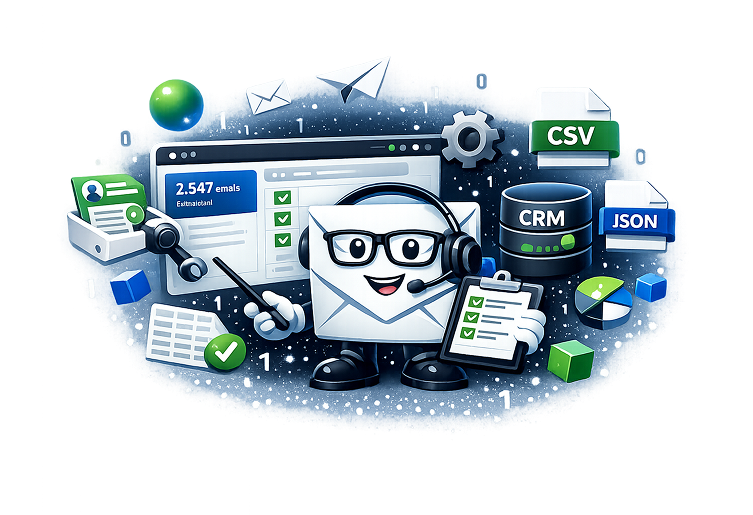


Think of it as a smart digital filter for your inbox. ExtractMails automatically scans, analyzes, and converts unstructured email content into clean, organized data that’s ready to use across your business systems. Instead of spending hours manually copying details from countless emails, its intelligent extraction engine handles everything in seconds—transforming information into the format you need. Easily export your data to multiple formats, including CSV, Excel, JSON, CRM systems, or via API integration.
Manual email data extraction is slowing your team down and costing you money
Manual data entry leads to costly mistakes and inconsistent records that hurt your business operations.
Your team spends hours each week manually extracting data from emails instead of focusing on high-value work.
Important leads, orders, and customer requests get buried in overflowing inboxes, resulting in missed revenue.
Purpose-built features designed to transform your email workflow

AI-powered detection automatically identifies and extracts names, dates, amounts, and custom fields with precision.

Process anywhere from 50 to 500,000 emails at once. Scale effortlessly from small batches to enterprise volumes.

Get perfectly formatted data ready for immediate use in spreadsheets, databases, or CRM systems.

Define your own parsing rules, filters, and data transformation logic to match your exact workflow.

Unlike generic automation tools, ExtractMails is laser-focused on one thing: converting email data into actionable formats. Every feature is optimized for this specific task.

Process thousands of emails in minutes, not hours. Our infrastructure scales automatically to handle your workload, whether it’s 100 or 100,000 messages.

No post-processing needed. Export data that’s immediately compatible with Excel, Google Sheets, Salesforce, HubSpot, and any system that accepts CSV or JSON.

Create extraction templates for different email types. Set up filters, conditional logic, and custom field mappings that match your unique business processes.

SOC 2 Type II compliant. GDPR ready. Full audit logs. Your data security and privacy aren’t optional features — they’re the foundation of everything we do.
From small teams to enterprise organizations, ExtractMails transforms email workflows
Extract lead information, campaign responses, and customer inquiries automatically into your CRM.
Convert support tickets, customer feedback, and issue reports into trackable, actionable data.
Automatically extract invoice data, payment confirmations, and billing details from email receipts.
Process vendor communications, shipping notifications, and internal requests without manual work.
Scale your data operations without scaling headcount. Handle 10x the email volume effortlessly.

Email Metadata & Header Extraction: Extract sender details, timestamps, message IDs, thread information, and routing data for complete email intelligence.
Deep Message Body Parsing: Parse HTML emails, extract embedded tables, identify patterns in plain text, and capture attachments metadata with surgical precision.
Intelligent Batch Processing: Process emails in organized batches with smart queuing, priority handling, and automatic retry logic for failed extractions.
Precision Filtering: Filter by date ranges, sender domains, subject keywords, labels, folders, and custom criteria to extract exactly what you need.
Seamless Export Integration: Direct integration with Google Sheets, Airtable, Zapier, webhooks, and REST APIs for automated downstream workflows.

ExtractMails can extract virtually any structured or semi-structured data from emails including sender/recipient information, subject lines, dates, email body text, specific fields like amounts and invoice numbers, tables embedded in HTML emails, attachment metadata, and custom fields defined by you. Our AI-powered parsing handles both structured forms and unstructured conversational emails.
Yes! ExtractMails fully supports both Gmail (including G Suite/Google Workspace) and Outlook (including Office 365/Microsoft 365). We use secure OAuth 2.0 authentication for both platforms, ensuring your credentials remain private. The extraction features work identically across both email providers.
Absolutely. ExtractMails can access and extract data from archived emails, old emails, and even emails from years ago as long as they're accessible in your account. You can filter by date ranges, folders, or labels to target specific time periods. There's no time limit on how far back you can extract.
No technical expertise needed. ExtractMails is designed for business users, not developers. Our intuitive interface includes pre-built templates for common use cases (invoices, leads, support tickets, etc.). Simply select your email range, choose what to extract, and click export. For advanced users, we offer custom rules and API access, but they're completely optional.
We take security seriously. All connections use OAuth 2.0 (you never share your password with us), data transfers are encrypted with TLS 1.3, we never store your raw email content on our servers, you control exactly which folders we can access, and we're SOC 2 Type II certified and GDPR compliant. Complete audit logs are available for all activities.

Start with 1,000 free credits, no card required.
Includes 100 verified emails in the free trial.



 Continue with Google