






 Continue with Google

 Share on media
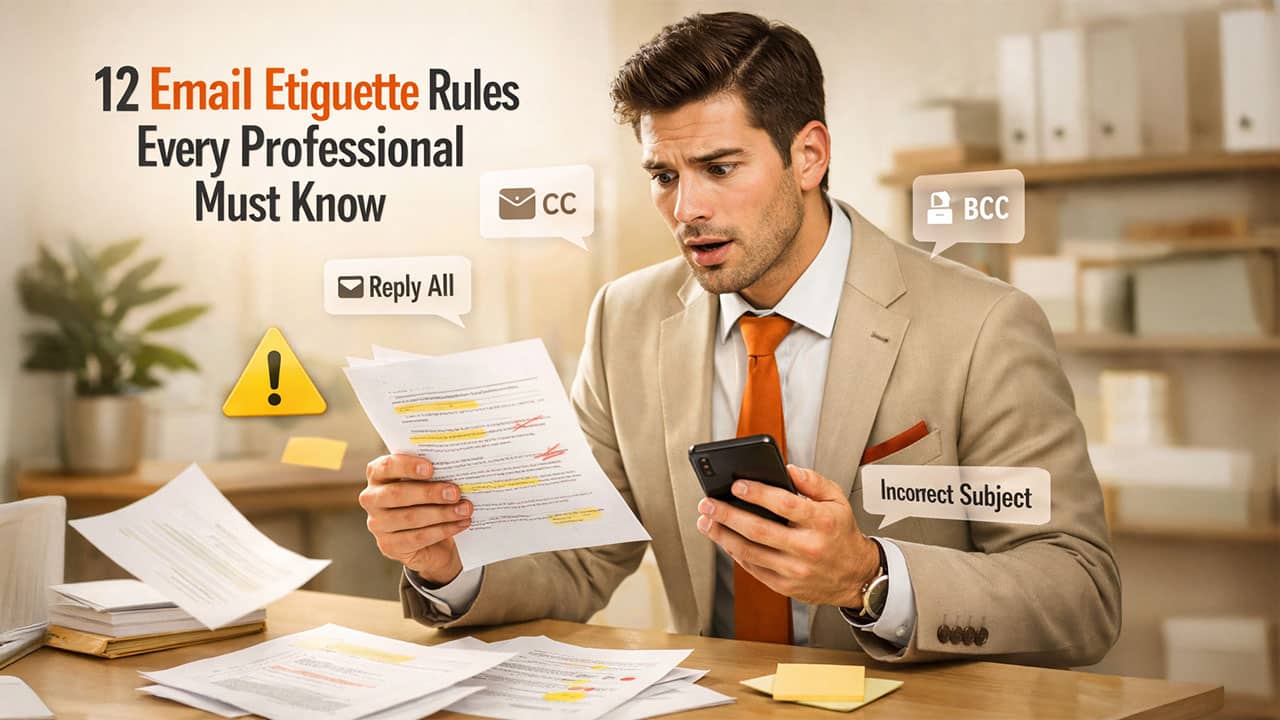
In today’s digital workplace, your email is your first impression. A poorly written email can damage your credibility, while a well-crafted one can build trust instantly. There was a study in 2015 where Adobe systems found that an average professional spends around 6.3 hours every day scrolling through emails and responding to them. That is approximately 30 hours each week and 63 full days every year. You might think that spending so much time on email would make us experts.. You will be surprised to know that there are so many professionals who still get it wrong. Whether it is an accidental “reply all,” “sending email to a wrong recipient,” or “sending an email without a signature block,” lack of email etiquette can harm your reputation a lot more than you think.
Let us understand the rules of writing emails and its importance in this blog.
Who Should Follow These Email Etiquette Rules?
Email etiquette is not limited to corporate professionals—it is a critical skill for anyone who communicates through email. Following proper email practices can help you create a strong impression, avoid misunderstandings, and communicate more effectively.
These email etiquette rules are essential for:
- Job seekers: Writing professional emails can increase your chances of getting noticed by recruiters and hiring managers.
- Corporate professionals: Clear and respectful emails help maintain workplace relationships and improve collaboration.
- Freelancers: Professional communication builds trust with clients and improves long-term business opportunities.
- Students: Proper email etiquette is important when communicating with professors, institutions, or applying for internships.
No matter your role, mastering email etiquette can significantly improve how others perceive your communication.
Email Communication Statistics You Should Know
- Studies show that 86% of professionals prefer emails with clear and specific subject lines, as it helps them prioritize and respond faster.
- Additionally, poor communication costs businesses billions of dollars annually, mainly due to misunderstandings, delays, and lack of clarity in emails.
These numbers highlight why mastering email etiquette is not just a soft skill—it’s a critical professional advantage.
Why Are Email Etiquette Rules Important?

1. Creates a Professional Image:
Following proper email etiquette shows that you are detail-oriented, respectful, and serious about your communication. It helps build a strong professional reputation.
2. Improves Clarity and Efficiency:
Well-structured emails reduce confusion and back-and-forth communication, saving time for both sender and recipient.
3. Builds Better Workplace Relationships:
Using the right tone and language helps avoid misunderstandings and maintains positive relationships with colleagues and clients.
4. Ensures Security and Confidentiality:
Proper use of email practices like BCC and careful wording helps protect sensitive information.
5. Enhances Influence and Communication Impact:
A well-written email can persuade, inform, and guide decisions more effectively.
Best 12 Email Etiquette Rules
1. Write Detailed Subject Lines:
A good subject line acts as a preview of your email. If it is vague or unclear, the recipient may ignore it or misunderstand your intent. A clear and specific subject line helps the reader immediately understand the purpose of your message and prioritize it accordingly.
Examples of Good vs Bad Email Subject Lines
| Bad Subject Line | Good Subject Line |
|---|---|
| Important | Project Update – Q2 Report |
| Urgent | Action Required: Submit Invoice by Friday |
| Hello | Meeting Request for Marketing Strategy |
| Update | Weekly Sales Update – April Report |
Read More: How to Write the Perfect Subject Line for Resignation Email?
2. Start with a Greeting:
Always begin your email with a professional greeting. Avoid overly casual or creative openings, especially in formal or business communication. A proper greeting sets the tone for the rest of the message.
Use simple formats like:
- Dear [Name]
- Hi [Name]
For example: “Hi John,” is professional and friendly, while “Hey buddy,” may not be appropriate in a workplace setting.
3. Be Concise and Comprehensive:
Conciseness brings clarity to professional communication. You need to focus on only the key details that you want to relay and remove any extraneous details. Keep your email focused enough so that your recipient does not have to re-read your email to understand what you are trying to say. Having said that, you need to cover every relevant piece of information that should go in the email. You cannot have multiple email threads over the same topic. Thus, it is important to create a right balance between conciseness and comprehensiveness.
For example, instead of sending multiple emails for one topic, include all required details in a single, well-structured message. This saves time and improves communication efficiency.
4. Do Not Follow-up Instantly:
After sending an email, give the recipient enough time to read and respond. Sending follow-ups too quickly can appear impatient or pushy.
As a general rule, wait at least 24–48 hours before following up. For urgent matters, you can mention the deadline in the original email instead of sending repeated reminders.
For example: “Kindly respond by EOD today” reduces the need for immediate follow-ups.
5. Utilize an Auto Reply When You Are Away:
One of the most appreciated email etiquettes is using an email autoresponder when you are away from work. It is an automatic response to every email you receive that lets your sender know that you are currently unavailable and informs them about when you will be available. It can make sure that your coworkers, clients, and supervisors are well aware of your unavailability and shift their priorities accordingly.
A good auto-reply should include:
- Your absence duration
- Alternate contact (if urgent)
Example: “I will be out of office until Monday. For urgent matters, please contact [Name].”
Read More: Learn How to Set Out of Office in Outlook.
6. Use CC and BCC Appropriately:
BCC stands for Blind Carbon Copy, and you can use it to send an email to many people without revealing email addresses of the individual employee. BCC allows you to ensure that none of the recipients know who else has received the email. CC stands for Carbon Copy, and it allows you to see who else has received the email. You add people in CC and BCC while sending an email to keep them in the loop but not necessarily expecting a reply from them. This can help you avoid cluttered inbox while also ensuring total transparency.
7. Take Care of Your Tone:
A professional tone is extremely important especially when you are sending an email in academic and business contexts. A casual tone can hurt your reputation and sending a blunt tone to wrong people can get you in trouble professionally. Just be polite and warm but also avoid casual greetings, slang, and tangents.
Avoid:
- Harsh or demanding language
- Slang or overly casual phrases
Instead of “Send this now”, write “Could you please share this at your earliest convenience?”
Managing emails efficiently can be challenging—tools like AI Email Writer can help you draft professional emails quickly while maintaining proper etiquette.
8. Describe Email Attachments:
If you have an attachment that you would like to share. Do share the context and briefly explain what the attachment is about and how it would help the recipient. Also mention whether the recipient has to sign, comment, or read the attachment. Sending an email without attachment can make recipients feel confused about its purpose and how it is relevant to the conversation.
For example:
“Please find attached the project report for your review. Kindly share your feedback by Friday.”
Also, double-check that the attachment is actually included before sending the email.
9. Mention the Phone Calls and In-Person Meetings:
If you already had a phone call or in-person meeting with the recipient, you do not need to mention all the details again. Just give a short reference such as “As discussed over the phone” or “As we discussed in our meeting.” It ensures continuity in the conversation and creates a paper trail that you can refer to later on. If you are sending an email to clients, a brief reference to the in-person meeting or a phone can help them remember what you have already discussed.
Use phrases like:
- “As discussed over the call…”
- “Following our meeting…”
For example: “As discussed in our meeting, I am sharing the updated proposal.”
10. Take Care of Grammar and Spellings:
One of the most overlooked email etiquettes is spellings. Always make sure that your sentences are grammatically correct and clear. Grammatically incorrect sentences can create ambiguity that can in turn create misunderstandings. Also take care of punctuations, spellings, and names. Using an incorrect spelling or a name can create a misunderstanding that can eventually lead a conversation to an improper direction. Furthermore, a grammatically correct sentence shows your communication skills and an eye for detail.
Always:
- Proofread your email
- Check names and details carefully
For example, writing “Their is an issue” instead of “There is an issue” can reduce your credibility.
11. Know When You Have to Use Reply All:
This is one of the email etiquettes that even most senior executives in multinational companies get it wrong. When you receive an email and see that many people are kept in CC. You need to know that replying to the email with “Reply All” will send an email to all of them. You do not need to “Reply All” if the information you are trying to convey is not important enough for everyone.
For example:
- Use Reply All when sharing updates that affect the entire team
- Use Reply when your message is only for the sender
Being mindful of this improves communication efficiency.
12. Always Use Standard Fonts and Formatting:
Unless you are writing a marketing copy, you need to stick to standard fonts such as Helvetica, Arial, or Times New Roman. These fonts ensure high readability and clarity of text, which is important in email communications. Whether you Gmail Desktop App or any other email clients, standard fonts remain consistent everywhere.
Follow a simple structure:
- Greeting
- Opening
- Body
- Closing
- Signature
Writing professional emails becomes easier when you follow the right structure—especially if you also understand how to include signature in Outlook.
For example, use bullet points for clarity when sharing multiple items, instead of writing long paragraphs.
Common Email Etiquette Mistakes to Avoid
- Using ALL CAPS (looks aggressive)
- Sending emails without subject lines
- Overusing “Reply All”
- Writing long paragraphs without formatting
- Forgetting attachments
- Using emojis in professional emails
Professional Email Template You Can Use
Subject: [Clear Purpose]
Hi [Name],
I hope you’re doing well.
I am writing to [purpose].
[Explain details briefly]
Please let me know if you need any additional information.
Best regards,
[Your Name]
Quick Email Etiquette Checklist
Before hitting “Send,” quickly review your email using this checklist:
- ✔ Use a clear and specific subject line
- ✔ Start with a professional greeting
- ✔ Keep your message short and to the point
- ✔ Maintain a polite and professional tone
- ✔ Check for grammar and spelling mistakes
- ✔ Mention and attach all relevant files
- ✔ Include a proper email signature
Taking a few seconds to review this checklist can help you avoid common mistakes and ensure your email looks professional.
Improving your email writing doesn’t have to be difficult. Start applying these etiquette rules today, and you’ll immediately notice better responses and stronger professional communication.
Conclusion
Understanding email etiquette rules is an important skill to excel in business and professional workspaces. It is a basic skill but directly impacts your reputation, relationships with clients and coworkers, and communication efficiency. From creating a catchy subject line to selecting the right tone, each facet of your email tells a lot about your communication ability and attention to detail. Follow the 12 email etiquette rules mentioned above to avoid costly mistakes, maintain strong relationships with clients and colleagues, and make sure that your messages are not misconstrued or misunderstood. You might need just a small adjustment in how you write your emails, but it can make a world of difference in professional images and how others perceive your emails.
Frequently Asked Questions (FAQs)
What is the most important email etiquette rule in professional communication?
The most important email etiquette rule is maintaining clarity and a professional tone. Your message should be easy to understand, respectful, and free from unnecessary information. A clear subject line and polite language help avoid confusion and improve response rates.
What is the ideal length of a professional email?
A professional email should typically be 50–125 words long. It should be concise while still providing all necessary details. Avoid long paragraphs—use short sentences or bullet points to improve readability.
Is it appropriate to use emojis in professional emails?
In most professional settings, it is best to avoid using emojis. However, in relaxed or creative work environments, a minimal and appropriate emoji may be acceptable. Always consider your audience and company culture before using them.
When is the right time to send a follow-up email?
You should wait at least 24 to 48 hours before sending a follow-up email. For urgent matters, you may follow up sooner, but always remain polite and avoid sounding pushy.
What are common email etiquette mistakes to avoid?
Some common mistakes include:
- Writing unclear subject lines
- Using informal language or slang
- Forgetting attachments
- Overusing “Reply All”
- Sending emails without proofreading
Avoiding these errors helps maintain professionalism and improves communication.
Why is email etiquette important in the workplace?
Email etiquette is important because it helps you build a professional image, improve communication clarity, and maintain strong workplace relationships. Poorly written emails can lead to misunderstandings and harm your credibility.